
The V.O.D meaning is Video on Demand. Instead of waiting for a scheduled broadcast, the viewer selects stored video and starts it when desired. In IPTV and streaming apps, VOD commonly appears as movie, series or replay libraries separate from the live-TV section.
Table of Contents
Table of Contents
What Does V.O.D Mean?
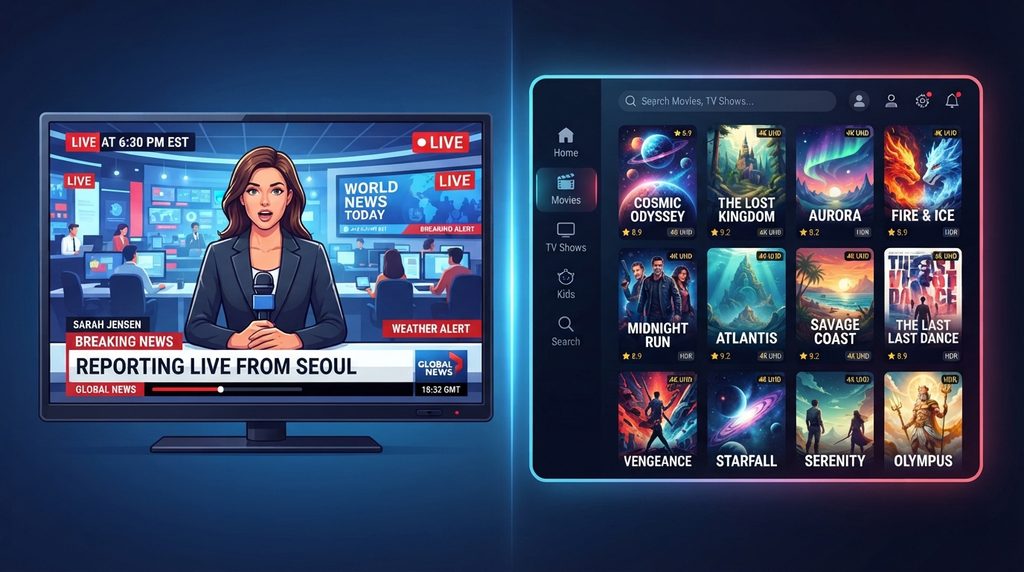
Video on Demand describes stored video that a viewer selects for playback at a chosen time. Unlike a traditional scheduled channel, the viewer controls when playback begins. Many VOD systems also support pause, resume, rewind and navigation within the program.
For buyers, the practical takeaway is to evaluate the experience rather than the label. Search, playback controls, organization, subtitles, metadata and reliability determine whether a VOD library is actually useful.
VOD vs. Live TV
Live TV follows a current broadcast schedule; VOD starts from a stored asset. A live sports game happens on a shared timeline, while a movie selected from an on-demand catalog begins when the viewer chooses.
For buyers, the practical takeaway is to evaluate the experience rather than the label. Search, playback controls, organization, subtitles, metadata and reliability determine whether a VOD library is actually useful.
What VOD Means in IPTV
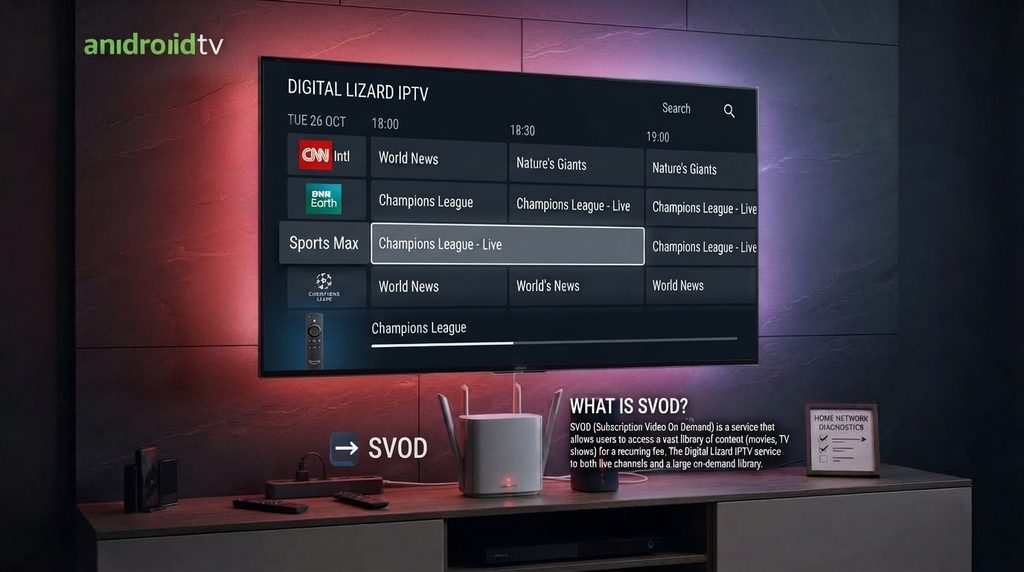
Inside an IPTV interface, VOD is usually the on-demand library supplied by the connected service. A player can display categories, posters, metadata and playback controls, but the provider determines which authorized titles are available.
For buyers, the practical takeaway is to evaluate the experience rather than the label. Search, playback controls, organization, subtitles, metadata and reliability determine whether a VOD library is actually useful.
SVOD, AVOD and TVOD
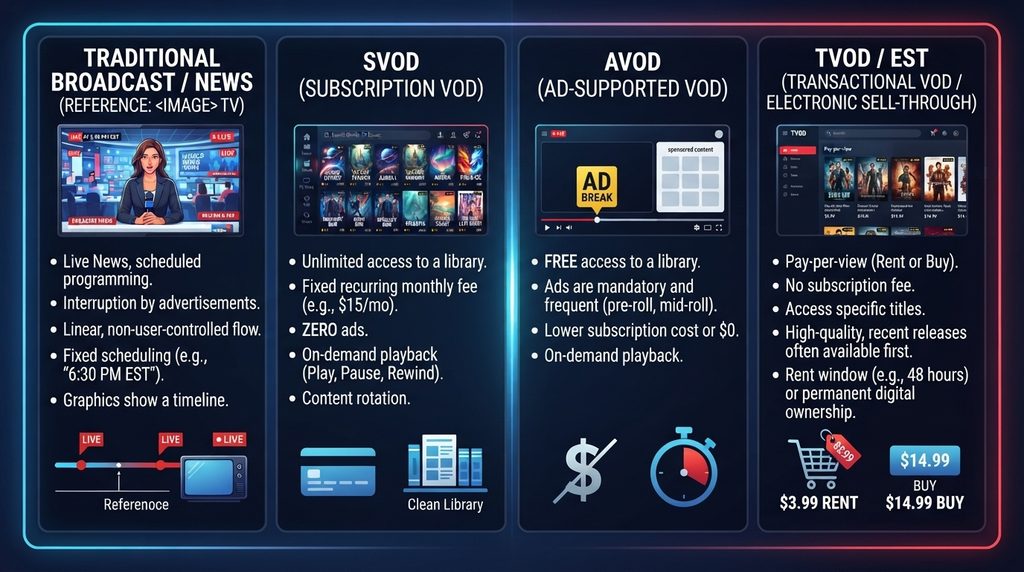
SVOD is subscription video on demand, where recurring payment unlocks a catalog. AVOD is advertising-supported video on demand. TVOD is transactional video on demand, where users pay for individual rentals or purchases. Some services combine models.
For buyers, the practical takeaway is to evaluate the experience rather than the label. Search, playback controls, organization, subtitles, metadata and reliability determine whether a VOD library is actually useful.
VOD vs. Catch-Up TV
Catch-up TV typically makes recently broadcast programs available after airing for a limited period. VOD is broader and can include a standing catalog of movies, series and other stored programming.
For buyers, the practical takeaway is to evaluate the experience rather than the label. Search, playback controls, organization, subtitles, metadata and reliability determine whether a VOD library is actually useful.
Does Every IPTV Service Include VOD?
No. IPTV is a delivery method, not a promise of a particular catalog. A service may offer live channels only, live plus VOD, catch-up features, or different libraries by region and plan.
For buyers, the practical takeaway is to evaluate the experience rather than the label. Search, playback controls, organization, subtitles, metadata and reliability determine whether a VOD library is actually useful.
Why VOD Buffers
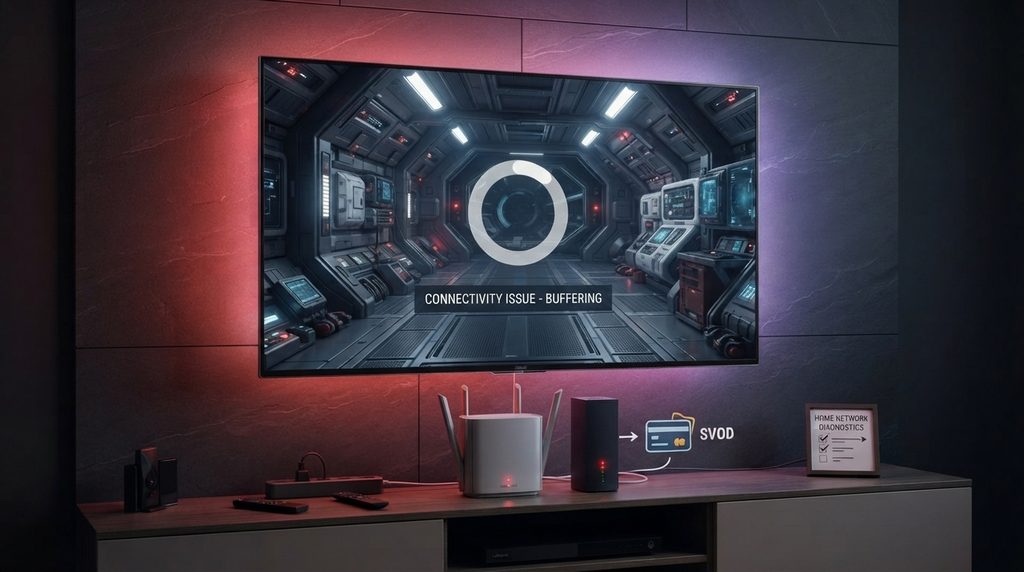
VOD performance can be affected by Wi-Fi strength, internet congestion, old hardware, player behavior and the service source. If multiple unrelated streaming apps buffer, investigate the home network before blaming the VOD catalog.
For buyers, the practical takeaway is to evaluate the experience rather than the label. Search, playback controls, organization, subtitles, metadata and reliability determine whether a VOD library is actually useful.
VOD Quality and Resolution
The label 4K does not guarantee that every title is delivered in native 4K. Actual quality depends on the source asset, encoding, player, display, bandwidth and network stability.
For buyers, the practical takeaway is to evaluate the experience rather than the label. Search, playback controls, organization, subtitles, metadata and reliability determine whether a VOD library is actually useful.
How to Evaluate a VOD Library
Do not judge only by an advertised title count. Check search quality, category organization, metadata, subtitle options where relevant, playback reliability, content legitimacy and whether the catalog contains material you actually watch.
For buyers, the practical takeaway is to evaluate the experience rather than the label. Search, playback controls, organization, subtitles, metadata and reliability determine whether a VOD library is actually useful.
VOD on Fire TV, Android TV and Smart TV
The experience depends on the player available for the operating system. Fire TV, Android TV, Samsung Tizen, LG webOS and Apple tvOS have different app ecosystems. Verify compatibility before buying a long plan.
For buyers, the practical takeaway is to evaluate the experience rather than the label. Search, playback controls, organization, subtitles, metadata and reliability determine whether a VOD library is actually useful.
How VOD Fits a Buying Decision
For households that mostly watch movies and series, VOD organization can matter more than a huge live-channel list. Sports-first households may prioritize live reliability and EPG instead. Match the subscription to actual viewing behavior.
For buyers, the practical takeaway is to evaluate the experience rather than the label. Search, playback controls, organization, subtitles, metadata and reliability determine whether a VOD library is actually useful.
Current Digital Lizard Pricing Context
Digital Lizard’s current pricing page lists the following total prices for one simultaneous connection:
- 1 month: $16
- 3 months: $36
- 6 months: $55
- 12 months: $75
The site also explains that a connection means a device streaming at the same time, not the total number of devices you own. Prices and plan details should always be rechecked at checkout because they can change.
For a first-time buyer, the safest sequence is: verify the device, confirm the required player, determine simultaneous viewers, review setup instructions, then choose the subscription duration.
Contextual CTA: Compare current IPTV pricing plans after confirming your device in the setup guide.
Practical Decision Framework
Use this simple sequence before taking action:
- Clarify the task. Are you trying to install an app, solve a login problem, compare providers, understand terminology, or buy a subscription?
- Verify the source. Prefer official developer sites, official app stores, manufacturer documentation and current provider pages.
- Check the exact device. Fire TV, Android TV, Samsung Tizen, LG webOS and Apple tvOS are not interchangeable.
- Check the service/account format. Make sure the player supports the credentials or playlist format you actually have.
- Test the network. If playback is slow, compare another streaming app and, where practical, test Ethernet versus Wi-Fi.
- Review the total cost. Compare the amount charged today, plan duration, simultaneous connections and any separate player fees.
- Read the terms. Understand renewal, cancellation, refund and support rules before payment.
- Protect credentials. Do not post usernames, passwords, server URLs or payment screenshots publicly.
Common Mistakes
- Buying a long subscription before confirming device compatibility.
- Confusing a media player with the IPTV service itself.
- Assuming every Smart TV runs Android.
- Treating a huge channel count as proof of quality.
- Ignoring EPG usability and category organization.
- Believing a single Reddit post proves long-term reliability.
- Downloading apps from unknown websites without checking the developer.
- Using the total number of owned devices instead of simultaneous viewers when choosing connections.
- Forgetting to read renewal, cancellation and refund terms.
- Troubleshooting everything at once instead of changing one variable at a time.
Buyer Considerations
A useful buying decision is based on fit rather than hype. The most relevant factors are:
| Factor | What to Verify | Why It Matters |
|---|---|---|
| Device | Exact OS/model and current app availability | Prevents buying a service you cannot configure |
| Player | Login/playlist compatibility | The player must understand the account format |
| Connections | Number of simultaneous viewers | Prevents stream-limit conflicts |
| EPG | Accuracy and refresh behavior | Makes live TV easier to navigate |
| VOD | Search, categories and playback | Determines on-demand usability |
| Network | Wi-Fi quality and local congestion | Affects buffering and startup time |
| Support | Setup docs and contact path | Reduces troubleshooting friction |
| Price | Total charged and plan duration | Avoids misleading monthly-equivalent comparisons |
| Terms | Renewal, cancellation and refund | Protects the buyer after purchase |
| Legitimacy | Content rights and business transparency | Important for lawful, sustainable use |
How VOD Changes the Streaming Experience
VOD changes television from a schedule-first experience to a library-first experience. With linear TV, viewers browse a channel guide and decide what to watch from programs already in progress or scheduled next. With VOD, viewers browse categories, search titles, open details and choose when playback starts. This changes what makes a good interface.
A strong VOD interface needs more than attractive poster artwork. Search should return the correct title quickly. Seasons and episodes should be grouped logically. Metadata should help viewers distinguish versions of similar titles. Resume behavior should work consistently. Subtitles and audio tracks should be clearly labeled where they are available.
For IPTV buyers, this means that an enormous VOD count is not enough to evaluate quality. A smaller, organized library can be more useful than a huge catalog full of duplicates, broken metadata or poor search. Buyers should test the titles and categories they actually care about rather than relying only on an advertised number.
VOD Troubleshooting Checklist
When VOD fails but live TV works, test whether the issue affects every movie or only certain titles. A single broken title suggests a source-specific issue. If every VOD title fails, check account authorization, player compatibility and service status. If playback begins but repeatedly buffers, test another streaming app and the same device on a stronger network connection.
If the VOD section loads slowly, allow the app time to synchronize a large catalog. Old devices with limited memory may take longer to display large libraries. Clearing temporary app data can help in some cases, but users should first confirm that doing so will not remove saved profiles or require credentials they no longer have.
A disciplined troubleshooting process distinguishes catalog problems, app problems, device limitations and home-network problems instead of treating all playback failures as the same issue.
Who This Option Is Best For — and Who Should Look Elsewhere
This topic is most useful for viewers who are comfortable using internet-connected television devices and want flexibility across Fire TV, Android TV, Smart TV or Apple TV. It also suits households willing to check app compatibility before purchase and choose a connection count based on simultaneous viewing rather than the number of devices they own.
It may be a poor fit for someone who wants a traditional cable-style technician to install proprietary hardware in the home, does not want to manage any app login, or has an unreliable broadband connection with no practical way to improve it. In those cases, a conventional TV bundle or a mainstream streaming service with a single official app may be easier.
The decision should be based on the household’s tolerance for setup, desired devices, viewing habits, support expectations and commitment length. No article, Reddit thread or marketing page can replace those checks.
Before Checkout: Final Verification Steps
Open the provider’s current pricing page and confirm the total price for the exact duration and connection count. Then open the setup guide and verify that the primary television or streaming device has a current compatible player. If possible, confirm the app directly from the device’s own app store rather than relying on an old screenshot or tutorial.
Read the renewal, cancellation and refund language before entering payment details. Save the order confirmation and the setup instructions. When credentials arrive, keep them private and copy them carefully. If support is needed, describe the exact device, player, error message and whether the same account works elsewhere. Specific information produces faster troubleshooting than simply saying ‘it doesn’t work.’
For households with several viewers, decide who watches at the same time. If two or three streams are normal, price the correct simultaneous-connection plan from the start. This avoids mistaking a connection-limit problem for an app or server failure.
Practical Support Expectations
A provider should be able to explain how the customer gets started, what information is required, where setup instructions live and how to contact support. Support does not need to control every third-party player, home router or ISP, but it should be able to verify whether the account is active and whether the supplied credentials are correct.
Customers should also recognize the boundary between provider support and device support. Samsung, Amazon, Google and Apple control their own operating systems and app stores. An IPTV provider cannot guarantee that a third-party app will remain available forever. A mature setup strategy therefore focuses on compatible player options rather than dependence on one app name.
This expectation-setting is important for long-term satisfaction. Buyers who understand the separate roles of ISP, device, media player and IPTV service can diagnose problems faster and make better purchasing decisions.
FAQ
What does V.O.D stand for?
Video on Demand.
Is VOD the same as streaming?
VOD is one type of streaming experience. Streaming also includes live video.
Is Netflix VOD?
Its on-demand catalog is an example of subscription video on demand.
Is VOD live?
Usually no. VOD uses stored video selected by the viewer.
What is VOD in IPTV?
It is the on-demand movie, series or stored-video section supplied by a compatible service.
Does every IPTV subscription include VOD?
No. Features and catalogs vary by provider and plan.
Why does VOD buffer?
Possible causes include Wi-Fi, internet congestion, device limitations, player behavior or service-side performance.
What is the difference between VOD and catch-up?
Catch-up normally replays recently broadcast content; VOD is a broader on-demand catalog.