
Searching for digitalizard can bring up similarly named websites, subscription offers, and login advice. Before paying or entering account details, identify the exact seller you intend to use. This guide covers seven checks that help you compare the cost, confirm your device, and choose a subscription with clear expectations.
For readers considering Digital Lizard IPTV, the relevant website here is digitallizardiptv.us. Its public resources let you review plans and setup requirements before ordering. An existing account purchased elsewhere should be handled through the seller shown on that order.
Table of Contents
Table of Contents
What a digitalizard search tells you and what it cannot

The keyword digitalizard is not enough to identify a purchase, a support team, or a working login page. Search results include multiple similarly branded domains. Use your receipt, saved order confirmation, and exact website address to establish where your account belongs before following account-specific instructions.
A familiar logo can help you recognize a page, but it cannot confirm whether that page manages an earlier purchase. Someone who searches after losing access may actually need account recovery rather than another subscription.
Keep that distinction in mind when reading a digitalizard review. Check which domain was reviewed, when the author used it, what device was involved, and whether the review documents testing. A positive comment about another seller does not establish what this website will deliver.
This guide assesses published information and explains how to make a purchase decision. It does not report a hands-on playback test or a verified customer satisfaction score.
Seven checks for choosing your subscription
1 Confirm who will manage your account
Start with the seller, especially if you already paid for service. Find the confirmation email and compare its website address with the page you are visiting. If they differ, ask the original seller to explain the relationship before sharing private account information.
For a new purchase, save the exact domain alongside the order confirmation. Bookmark the account or support destination supplied with your order so you do not need to reconstruct it from a search result later.
A useful question is: “Will this purchase create a new account, or renew the account I already have?” Resolve that before checkout. Similar names alone do not establish that an account can be transferred, renewed, or repaired by another seller.
If you cannot locate a receipt, check the purchase date and merchant description in your payment records. Use that information privately with the relevant seller rather than posting a payment screenshot containing personal details in a public discussion.
2 Define the viewing you actually need
Write a short list of the programming that would make a subscription worthwhile. Be specific about the viewing you care about, including language and location. A large headline catalog is less useful than confirmation that your actual requirements can be met.
Separate essential viewing from optional extras. If one particular event is the reason for buying, ask about that event before committing. Do not turn an old screenshot or a broad category label into an assumption about current availability.
Ask about authorization for the programming offered in your location. The U.S. Copyright Office explains the rights held by copyright owners, including rights concerning public performance and authorizing use. A subscription payment or a compatible app does not independently establish a provider’s content permissions.
No licensing documentation was established for this website during this review. If authorization for your intended viewing remains unclear, choose a service whose rights and availability you can establish through the relevant broadcaster or rights holder.
3 Find a working player for your exact device
Record your device model before choosing an app. “Smart TV” is too broad for installation advice, and a television’s screen size tells you little about its software. The useful details are the model, operating system, and applications available on that device.
The device setup guide covers Smart TV, Fire TV, Android, and Apple TV workflows. Use it to identify the appropriate route, then verify the proposed app on your actual device. The guide is a resource, not proof that every model can run every player.
Apple offers a concrete example of why model details matter: its Apple TV app installation guidance distinguishes Apple TV HD and 4K, which can download apps, from Apple TV third generation, which cannot install new apps through an App Store.
Before buying, ask which login format the recommended player accepts and whether that format matches the account you will receive. Also check whether the app has a separate activation fee or paid features. Budgeting for the service alone may leave an avoidable surprise.
4 Count the screens that overlap
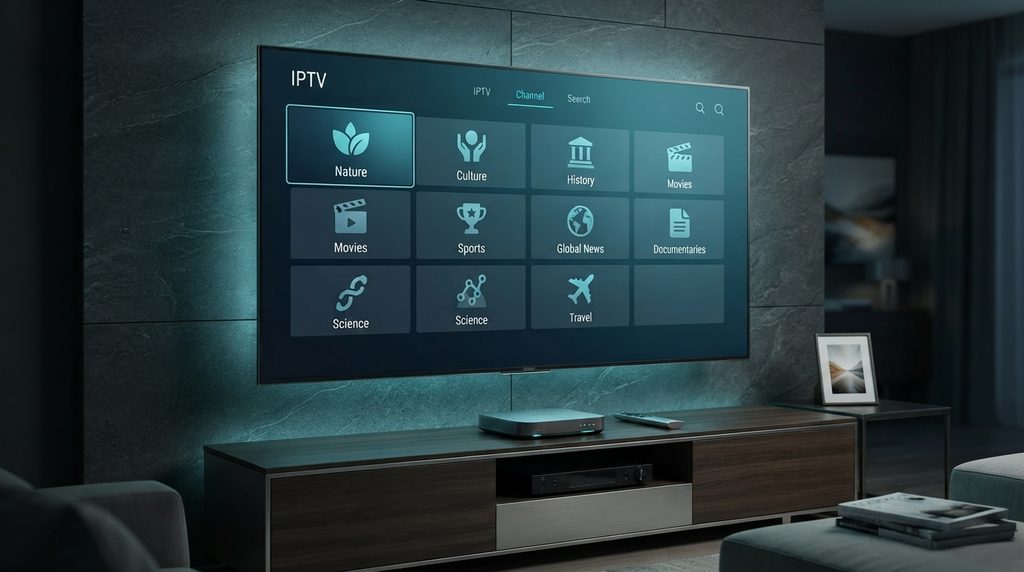
Plan for simultaneous viewing rather than the number of devices in your home. The site’s subscription FAQs explain that concurrent use depends on the connection count purchased. Owning three screens does not by itself tell you which allowance you need.
Imagine a household with a living-room TV, a bedroom TV, and a tablet. If everyone watches together on one television, its needs differ from a household where each person watches separately every evening. This is an illustrative planning example, not a report about a customer.
Write down the busiest realistic viewing period and count the streams you expect then. Ask how occasional travel, a second residence, or a change of network affects the seller’s terms. A connection allowance should not be interpreted as permission for unrestricted account sharing.
Confirm whether increasing the allowance later requires a new order or an adjustment. Do not assume that unused time, prices, or credentials will carry over without written confirmation from the seller.
5 Compare digitalizard pricing by total commitment
Use the full amount due today when evaluating digitalizard plans. A low monthly equivalent can be helpful for comparison, but it does not mean you will be billed that amount each month. The subscription duration determines how much time you are purchasing upfront.
The following snapshot comes from the current pricing page, reviewed September 21, 2026. Each listed price is for one simultaneous connection. Monthly equivalents are calculated here by dividing the published total by the duration.
| Duration | Published total | Monthly equivalent |
| 1 month | $16 | $16.00 |
| 3 months | $36 | $12.00 |
| 6 months | $55 | About $9.17 |
| 12 months | $75 | $6.25 |
The twelve-month price requires the largest upfront payment among these four options, while offering the lowest calculated monthly equivalent. Recheck the final order total for your chosen connection count; this table does not quote multi-connection packages.
For your own comparison, include any player fee and hardware purchase in the initial cost. Those expenses may change the value of a plan even when the subscription price looks attractive.
A shorter commitment can make sense while you establish whether the setup suits your household. Consider a longer term when the important questions are answered and you are comfortable paying for the entire period. A lower unit cost cannot resolve uncertainty about content, device fit, or service terms.
6 Understand the help and refund process
Read the policy while you still have time to choose. The refund policy describes a three-day request period tied to purchase or activation, with eligibility reviewed against the order and technical circumstances. This is a conditional request process rather than an automatic refund approval.
Ask for clarification if the start of that period is unclear for your order. Save the applicable wording and confirmation date. If a problem appears, report it promptly instead of spending the entire request window trying unrelated fixes.
The support information page asks for order and technical details. Prepare your device model, app name, exact error, and a short description of what happened. Avoid sending full card numbers or posting account credentials publicly.
For a time-sensitive purchase, establish a working contact route before paying. Reading a contact page does not demonstrate how quickly a request will receive a reply. Keep response-time expectations separate from the existence of support instructions.
7 Verify the order before paying
Before you buy a digitalizard subscription, review the order as a complete record. It should match the duration and connection count you intended to purchase. Resolve any difference between a displayed package and the checkout summary before continuing.
Check the contact email carefully. Ask how credentials will arrive, when the purchased period begins, and what renewal will involve. If recurring billing applies, understand how it can be managed; do not infer billing behavior from a plan’s monthly equivalent.
Save the order reference, total paid, selected plan, and seller’s address. Keep the account details in a private location, separate from screenshots you might share while requesting technical help.
Only proceed when the remaining uncertainties are acceptable to you. A purchase should answer the viewing need you identified earlier. If a required feature remains unconfirmed, another conversation with the seller is more useful than choosing a longer plan to obtain a discount.
How Digital Lizard IPTV helps you make the decision

Digital Lizard IPTV offers a useful starting point for buyers who want to review the commercial terms and installation requirements together. Its homepage presents a device-count selector, while separate pages explain pricing, setup, and policy information. These are observable website resources, rather than evidence of measured playback performance.
Their practical value is that you can prepare a more specific order. A household comparing durations can inspect the price page; someone unsure about a television can start with device instructions. Both can resolve questions before committing to a package.
This makes the site worth evaluating if you prefer checking the details yourself before speaking with support. It may be a poor fit if you require a particular channel, immediate activation deadline, or contractual performance guarantee that has not been confirmed for your purchase.
The strongest reason to move forward is a match between the written offer and your needs. Once that match is established, use the subscription order page and confirm the selected details before submitting payment.
Compare options by the work each one requires
When comparing sellers, use a consistent set of questions. Include the cost of reaching a usable setup, how you will get help, and what happens if an essential requirement is missing. Avoid ranking providers solely by the largest catalog number or the smallest advertised monthly figure.
| Option | Potential advantage | Tradeoff to evaluate |
| Separate subscription and player | You can assess the player interface separately | Account support and app support may involve different parties |
| Broadcaster’s own streaming service | You can inspect that broadcaster’s stated availability directly | It may cover only part of your desired viewing |
| Managed television package | Ask whether installation and device help are included | Equipment, billing, and contract terms need comparison |
These are evaluation categories, not verified rankings of named competitors. For any option, request the same details before calling one better value than another.
Be especially careful with digitalizard review pages that blend several sellers into a single verdict. A useful comparison identifies the precise domain and the exact offer tested. Without those details, star ratings and dramatic savings claims provide little help with your own order.
Set up your account without losing track of the basics
After the purchase, organize the information you received before changing settings. Match the account details to the order and device you intend to use. If the seller supplies a revised server address, verify the message through an established contact route before replacing stored information.
Use this preparation sequence with the instructions for your particular player:
1. Confirm the order is active and identify the login method supplied.
2. Install the compatible player from its legitimate distribution source.
3. Enter the required account fields carefully, preserving the supplied spelling.
4. Save the account and allow the first load to complete.
5. Try the viewing functions you actually intend to use.
6. Record any error before changing another setting.
The sequence is a general workflow, not a promise that all apps use identical menus. Follow the player’s own documentation for app-specific controls, and ask the seller if the supplied account format does not match the login screen.
Keep the first session simple. Configure one device, confirm the basic operation, and then add other permitted devices. This makes it easier to identify which change caused a problem and produces clearer information if you need help.
What to do when your first viewing session fails

Describe the failure before attempting repairs. “It does not work” could mean the app will not open, the login is rejected, the catalog is empty, or playback stops. Those symptoms call for different questions, and repeated installation attempts can obscure the original problem.
If login is rejected, compare each required field with the details provided for that account. Check that you used the intended login method. If the same details still fail, ask the seller to confirm activation and the correct server information rather than buying another plan immediately.
If the app opens but playback is inconsistent, record whether the issue affects one item or several. Note the time and test another authorized streaming app on the same device. This comparison helps describe the scope of the problem; it does not prove which party caused it.
For missing guide information, distinguish an empty schedule from an unplayable stream. Tell support whether video still works and whether the issue began after a change. Keep a short log of each action and its result so the next person assisting you has useful evidence.
Common buying mistakes worth avoiding
The most expensive mistake can be paying twice because you have not identified the original seller. A failed login is a reason to investigate the existing account first. It is not proof that the subscription expired or that another similarly named website can restore it.
Other preventable mistakes include:
· Treating a paid player license as payment for a television subscription.
· Choosing a plan before confirming the actual device model.
· Comparing packages with different connection counts as if they were equivalent.
· Relying on a free-trial offer copied from another domain.
· Waiting until a problem occurs to locate the relevant policy.
Keep a small purchase record containing the order, seller, device, and plan details. This is especially useful if another person in the household will handle setup or request help. Clear records reduce the amount of account history that must be reconstructed later.
Questions about digitalizard subscriptions
Is digitalizard one specific website
The search term can lead to several similarly named domains. Confirm the exact address before signing in or purchasing. This article concerns digitallizardiptv.us and does not establish affiliation with any other seller.
Is there a confirmed free trial
A current free-trial entitlement was not established during this review. Ask the seller what is available for your device and location before assuming that an old promotion applies.
Does buying a player include the subscription
Do not assume so. The website’s FAQs explain that third-party apps can have separate pricing and conditions. Confirm what each payment covers before purchasing either component.
Can I use an existing login from another seller
Account portability was not verified. Contact the seller responsible for the original purchase. A new subscription should not be treated as a renewal of an unrelated account without confirmation.
How should I choose between a short and long plan
Base the choice on how well you understand the offer and how much you are comfortable paying upfront. Compare the full total, including any separate app cost, after confirming the essential viewing requirements.
Does the website prove every stream is licensed
No licensing documentation was verified for this review. Confirm authorization for the content you intend to access. A website, checkout page, or functional player alone does not settle that question.
Will a new subscription fix buffering
It cannot be assumed to do so. The site’s FAQs identify device, player, Wi-Fi, and network conditions as possible influences. First describe and investigate the current problem so you do not pay for a change that leaves the cause unresolved.
Is the three day policy an unconditional guarantee
The published policy describes a request period with conditions and review. Read its current wording and clarify the timing for your order. Approval and payment-processing time should not be assumed.
Choose a plan after the important details are clear
A useful digitalizard purchase starts with the correct seller and a written offer that fits your household. Confirm the viewing, device, connection allowance, total cost, and support terms before paying for a longer period. Digital Lizard IPTV provides public pricing and setup resources that help you make those checks in advance. If the remaining questions are resolved, compare the current plans and choose the duration you are comfortable committing to.