
Updated 19 November 2026 | Editorial review by Digital Lizard IPTV. Digital Lizard IPTV is a separate subscription provider and is not affiliated with Tellystudio.
Tellystudio IPTV is a subscription-based television service that advertises live channels, on-demand programmes, a free one-day trial and a 30-day plan priced at US$15. If you live in the UK, the advertised price is only one part of the decision. You also need to know whether your television supports a suitable player, how many screens can play at once, what the refund conditions actually say and whether the programmes you want are authorised for viewing in your region.
This guide examines Tellystudio’s published offers and explains a practical way to evaluate them. It also shows how to compare a separately operated service, Digital Lizard IPTV, using visible plan features rather than exaggerated quality claims. The information comes from public product and support pages; it is not a long-term hands-on playback test, an endorsement of any specific channel package or a verification of broadcast rights.
Quick answer: Tellystudio publicly lists a $0 one-day trial and $15 for 30 days, with one simultaneous connection on its displayed standard plans. Before paying, check the final UK checkout total, exact device compatibility, allowed content, account activation time and conditional refund rules. A functioning player alone does not verify the underlying subscription or its rights to distribute particular programmes.
.
.
Table of Contents
Table of Contents
What is Tellystudio IPTV?
Tellystudio is presented on its website as a paid IPTV subscription provider. IPTV stands for internet protocol television: the picture and sound travel over an internet connection instead of a conventional aerial or other dedicated television delivery system. The term describes a technology, not a guarantee about a particular supplier, channel licence or programme library.
It helps to understand the four different parts involved:
| Component | Purpose | Question to answer |
|---|---|---|
| Subscription account | Determines what access the seller supplies and for how long | Which content, regions, dates and simultaneous streams are included? |
| Player application | Displays permitted playlists or account streams | Does the app accept the exact account format provided? |
| Television or device | Runs the player or connects to an external streaming device | Is the app compatible with its operating system and model? |
| Home connection | Delivers video data to the device | Is the connection sufficiently stable during normal viewing hours? |
These components can fail independently. An application that installs successfully is not proof that the account is active. An active account does not guarantee that every movie, channel or sport is available or properly authorised in the UK. And a paid streaming subscription does not always include a licence for premium features in a separate player application.
For a wider explanation of subscription decisions, devices and concurrent screens, use our digital TV and IPTV buying guide. That guide is provided by Digital Lizard IPTV; it does not administer Tellystudio accounts.
Tellystudio IPTV pricing and subscription terms
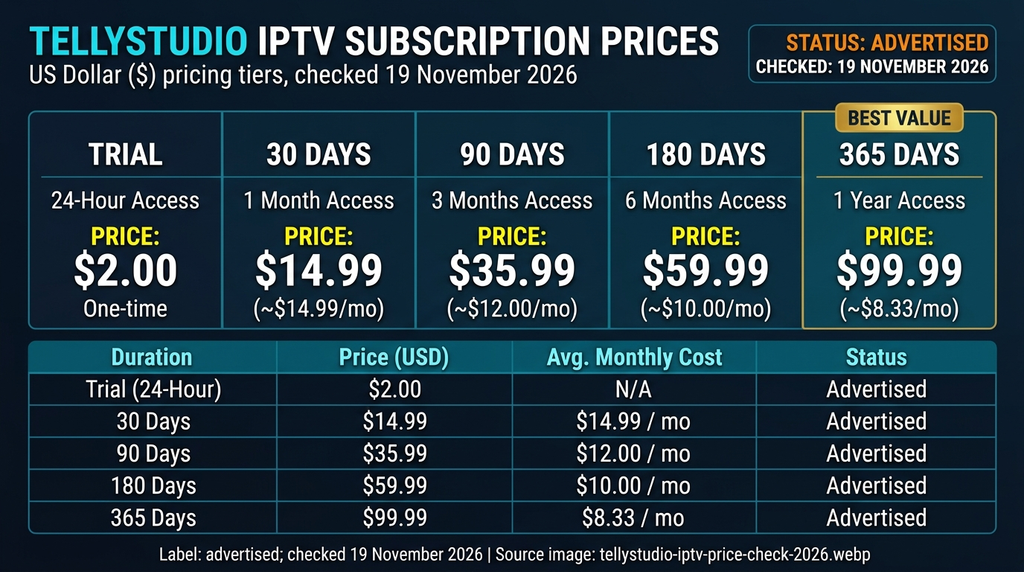
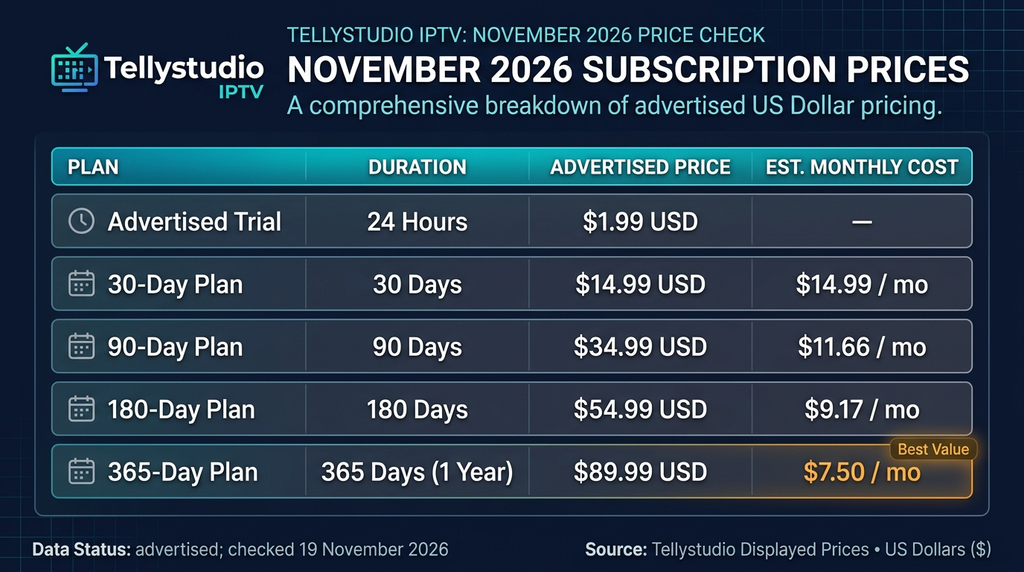
Tellystudio’s public subscription page displays the prices below. They were reviewed on 19 November 2026, appear in US dollars, and describe one connection on the published plan cards. Treat them as displayed offers rather than a promise about future checkout prices, payment processing, currency conversion or tax treatment.
| Advertised duration | Published upfront price | Simultaneous connections shown | Approximate monthly comparison* |
|---|---|---|---|
| One-day trial | $0 | 1 | Not applicable |
| 30 days | $15 | 1 | $15.00 |
| 90 days | $35 | 1 | $11.67 |
| 180 days | $65 | 1 | $10.83 |
| 365 days | $95 | 1 | $7.92 |
| 730 days | $165 | 1 | $6.88 |
| 1,095 days | $235 | 1 | $6.53 |
| Advertised “lifetime” | $365 | 1 | Not comparable |
Monthly figures divide the upfront price by an approximate number of months. They are comparison calculations, not monthly instalments. The seller’s displayed equivalents can differ slightly due to rounding and its chosen month convention.
Why the full upfront amount matters
A long subscription can look inexpensive when the total is divided by many months. That arithmetic does not tell you whether the product will meet your needs throughout the term. A 30-day purchase exposes less money upfront than a one- or three-year commitment, even when its displayed monthly rate is higher.
For example, the difference between $15 for 30 days and $95 for 365 days is not merely a comparison of $15 versus roughly $7.92 per month. It is also a comparison of paying $15 now versus committing $95 now, under the specific published contract terms. Verify the total presented at checkout, the starting and expiry dates, what support includes, and the seller’s definition of any promotional language.
The “lifetime” label deserves particular care. The reviewed pricing card does not establish how long the seller will operate or define an unlimited duration that can be independently guaranteed. Ask what the term means in the actual contract before treating it as a permanent entitlement.
Does one connection mean one device?
Not necessarily. A single connection usually means one active stream at a time, not that you may only own or register one screen. But the seller’s rules take precedence: check whether a second device may be configured and how simultaneous sessions are enforced.
Imagine a household with a bedroom television, living-room television and phone. If only one stream may be active, the account might stop or reject playback when two people try to watch at once. If you regularly need multiple screens, do not assume the standard Tellystudio price includes them. Ask the seller about a specific multi-connection product and a written checkout quote.
How the Tellystudio free trial works
The Tellystudio trial ordering page displays a $0 free trial with one connection. It also says account details will be emailed within one to two hours. That is a published fulfilment statement, not a delivery time independently tested for every order.
A day-long trial is useful only when you know what you are testing. Prepare a compatible player, a stable network and a list of the programmes you are legally entitled to view before requesting the account. Otherwise, most of the trial may disappear while you search for apps or struggle with an unfamiliar remote.
The key questions to ask at activation are: When does the 24-hour period start? Is it counted from account creation, the email delivery time or the first successful login? Will the service provide the same account format and content categories in a subsequent paid plan? Can one person use a television and phone at different times without being treated as two concurrent streams?
During the trial, record the time you started, the devices used, any player charges and the exact error messages that appeared. Keep account identifiers private. A brief written log makes it much easier to explain a problem to the actual seller than a message saying only “IPTV isn’t working”.
A successful trial can demonstrate that a particular configuration worked at that moment. It cannot prove months of future availability, uninterrupted uptime or the legal status of all advertised channels.
Devices and IPTV player compatibility
The Tellystudio website advertises broad compatibility, but no single installation method works across every smart TV and streaming platform. Before purchasing, check the operating system, actual player available, supported login format and remote-control usability. Device and app availability can change with software updates and region.
Amazon Fire TV Stick
A Fire TV Stick is a small streaming device connected to a television’s HDMI input. It is not itself an IPTV subscription. For a compatible application offered in your device’s region, start from the Fire TV search interface and follow the device’s installation steps. See Amazon’s Fire TV app installation instructions.
Once a legitimate compatible player is installed, choose the login method that matches the details issued by your subscription provider. The login might ask for a username and password with an account/server address or a different supported format. Never substitute the public website address for a private server endpoint unless the provider explicitly instructs you to.
If a particular player is not offered in the app store, verify the publisher’s current distribution instructions rather than installing an arbitrary package from a search result. Unverified installation files can create unnecessary privacy and security risks.
Samsung and LG smart televisions
Samsung and LG televisions commonly use different smart-TV platforms, and an Android application file is not automatically suitable for either. The first step is to open the official app store on your own TV model, search for a suitable player and inspect its stated login methods. Samsung’s UK instructions for managing TV apps describe the app-management process.
If your model does not offer a compatible player, a separate supported streaming device may be an option. That is a hardware decision, not evidence that a seller’s subscription is supported on every television. Check any additional player activation fee before paying for the subscription itself.
Android TV, Google TV and Android phones
Android-based devices often provide access to applications through Google Play, but the version available on a phone may differ from a television app designed for a remote. Start with Google’s Android TV app-installation help. Confirm that a proposed player explicitly supports your device and the supplied subscription account format.
After installing the player, enter the account information exactly as supplied. Spaces at the end of pasted credentials and incorrect capitalisation are frequent and easily avoidable causes of failed sign-in. If the app opens but shows an empty library, allow the first synchronisation to finish before trying a second account or reinstalling software.
Apple TV, computers and other platforms
Apple TV requires a tvOS-compatible application; an iPhone app does not automatically have an equivalent television version. Desktop computers require software compatible with their operating system and the permitted stream format. On games consoles and other closed platforms, a generic claim of “all devices” is not a substitute for a specific supported installation route.
A useful pre-purchase question is: “For my exact device model and software version, which app do you support, which login type is supplied and is there any separate player charge?” A clear written answer is more useful than a broad compatibility logo.
For general instructions and a device selector, visit the Digital Lizard IPTV setup guide. Its instructions apply to Digital Lizard accounts, although the distinction between a subscription and a player is relevant to IPTV users more broadly.
What to check before watching in the UK
For UK residents, a subscription’s regional content rights, actual availability and payment terms should be established separately from marketing descriptions. The public pages reviewed were not sufficient to independently verify distribution rights for every channel and on-demand title Tellystudio advertises in the United Kingdom.
IPTV delivery technology is not inherently unlawful. However, distributing or accessing copyrighted television programmes without appropriate permission may be unlawful. The UK Intellectual Property Office’s guidance on illicit streaming devices explains why an ordinary streaming device can be used lawfully for authorised material but not for unauthorised streams.
This is relevant to any IPTV purchase, including one made through Digital Lizard IPTV: ask which specific content you are entitled to access in the country where you will watch it. A channel list, an image of a sports competition or a functioning demo is not, by itself, proof of the relevant permission.
There are also ordinary consumer considerations. A price displayed in dollars is not automatically a quoted amount in pounds sterling. Your payment provider may apply an exchange rate or fees, and the final total may differ from a simple conversion. Check whether the seller collects renewal authority and how cancellation works.
Finally, confirm your account’s personal-data handling and the support channel you would use if access failed. Keep proof of the terms shown at the point of purchase. These simple checks matter more than an unusually large advertised catalogue.
Tellystudio IPTV features: claims versus evidence
Tellystudio publishes promotional claims of 30,000-plus channels, 157,000-plus on-demand items, high-resolution streams, anti-freeze technology and high uptime. Those figures were visible on its public pages in November 2026. They are the seller’s own descriptions, not outcomes measured or independently verified for this review.
| Advertised feature | What the public information tells us | What it does not establish |
|---|---|---|
| Large channel catalogue | The seller promotes a very large selection | That each entry works, is unique or is authorised in the UK |
| VOD library | The seller advertises films and series | That a specific title is available or licensed in your territory |
| HD, 4K and higher-resolution labels | The seller markets multiple quality tiers | Actual delivered resolution or bitrate on your equipment |
| Uptime and anti-freeze claims | Reliability is part of its marketing | A measured service-level performance record |
| EPG | An electronic programme guide is advertised | Accurate schedules for every channel or every app |
| Broad device support | The seller publishes installation guidance | Compatibility with every firmware version or player |
It is possible for an IPTV player to show a stream labelled “4K” while the delivered source, actual resolution or network conditions limit picture quality. Similarly, the presence of a programme guide does not guarantee correct listings. Ask for evidence about the precise features important to you, and test what can be tested on your own equipment.
An especially useful distinction is advertised variety versus usable variety. A viewer who regularly uses a handful of programmes benefits more from reliable, authorised access to those programmes than from tens of thousands of entries that are irrelevant, duplicated or unavailable.
Tellystudio IPTV versus Digital Lizard IPTV
Digital Lizard IPTV publishes this review and sells its own, separate subscriptions. The following table compares visible pricing and plan structures only. It does not imply the businesses are connected or certify the rights, playback reliability, customer reviews or stream quality of either service.
| Buying criterion | Tellystudio public offer | Digital Lizard IPTV public offer |
|---|---|---|
| Shortest paid plan shown | $15 for 30 days, one connection | $16 for one month, one connection |
| Approx. three months | $35 for 90 days, one connection | $36 for three months, one connection |
| Approx. six months | $65 for 180 days, one connection | $55 for six months, one connection |
| Approx. one year | $95 for 365 days, one connection | $75 for twelve months, one connection |
| Trial presentation | $0 one-day trial shown | Ask about current trial availability |
| Multi-screen selection | Reviewed standard cards show one connection | Website offers a 1–5 simultaneous-connection selector |
| Setup resources | Seller’s device tutorials | Published Smart TV, Fire TV, Android and Apple TV guide |
| UK rights and measured uptime | Not independently verified in this review | Not independently verified in this review |
The different duration labels matter: 30 days is not always identical to a calendar month, and 365 days is not necessarily handled exactly like twelve calendar months. Compare the actual expiration date shown at purchase. Likewise, check the price for your chosen number of simultaneous connections; do not assume a one-connection price applies to a multi-screen household.
Digital Lizard’s published one-connection prices can be checked on our pricing plans page, and the current order flow is described on our subscription page. The main practical advantage of comparing a second provider is not to assume one is “best”; it is to see how clearly each option answers your own questions about cost, devices, screen limits and customer support.
If you are already a Tellystudio customer, contact Tellystudio for its own account or billing problems. Digital Lizard cannot reset, renew or refund an account sold by a different company.
How to test a subscription systematically
A good test uses repeatable observations instead of relying on a single successful programme. Use content you are authorised to watch and keep the same device, network and player at first. Change just one factor when diagnosing a problem.
Step 1: Define the essentials
Before activating a trial, write down your device model, operating-system version, preferred player and the number of people who normally watch simultaneously. Identify a small set of authorised programmes or categories that matter to you, rather than relying on the total catalogue figure.
Step 2: Confirm the starting conditions
Record the account activation and expiry time, the plan’s concurrency limit and the official login method. Check whether the trial uses the same player format as the paid service. If anything is unclear, ask support before beginning the test.
Step 3: Test the experience at two different moments
Use the service briefly during one quieter period and again during the household’s normal viewing hours. Note whether the chosen authorised content loads, how long navigation takes, whether the programme guide appears and whether audio and subtitles behave as expected. A 24-hour window cannot represent weeks of uptime, but it can reveal some immediate compatibility problems.
Step 4: Check one alternative variable
If playback fails, try the same authorised content on another supported device or move from weak Wi-Fi to a more reliable connection. Avoid changing the app, account and router all at once. This helps distinguish local network limitations from a possible player or service issue.
Step 5: Review the commercial terms
Check the final price, refund eligibility, renewal mechanism and contact method. Decide whether the information is sufficient for the amount of money you would pay upfront. If material questions are unresolved, there is no need to choose a long subscription.
| Test dimension | Suggested observation | Outcome to record |
|---|---|---|
| Account activation | Credentials accepted by the supported player | Worked / failed / needs support |
| Device fit | App available and navigable using your remote | Worked / failed / limited |
| Authorised content | Your essential programmes available in the UK | Confirmed / missing / rights unclear |
| Playback | Stable picture and sound during the sampled period | Worked / intermittent / failed |
| Guide and accessibility | EPG, subtitles or other needed features | Worked / unavailable / not required |
| Support | Clear, documented reply to a specific question | Answered / unanswered |
| Commercial clarity | Checkout total, expiry, renewal and refund terms | Clear / unclear |
Common Tellystudio IPTV problems and solutions
The following are general IPTV troubleshooting steps, not a claim that Tellystudio has a known outage. An ordered diagnosis can prevent needless app reinstallations or repeat payments.
The login is rejected
Confirm the supplied username, password, server information and login method against the original account email. Check for spaces introduced by copying and pasting. An IPTV provider’s public website URL is not necessarily the streaming server URL. Do not borrow another customer’s playlist or share credentials in open forums. If the problem continues, contact the seller with your private order reference.
The app opens but the library is empty
Wait for initial account synchronisation and check whether the selected login method is the one the provider supports. If only the electronic guide is missing, look for the app’s normal guide refresh option. Avoid random third-party guide URLs and be aware that an incomplete EPG does not necessarily mean every permitted stream is unavailable.
Video pauses or buffers
Check whether the device itself has a stable internet connection, then test a second authorised stream. If one programme fails while another works, record the affected item and time. If all tested programmes fail, compare the account status, network and player before concluding that the entire provider is offline. A wired connection can reduce some Wi-Fi problems, but it cannot repair a faulty source or guarantee improved performance.
The player asks for a premium activation payment
A third-party player and an IPTV subscription can have separate charges. Check who issued the payment request. Buying an app unlock does not necessarily extend the streaming subscription, while renewing the subscription does not necessarily unlock the player’s premium features. Consult the app publisher’s payment terms independently.
A second screen stops the first
This may be consistent with a one-connection plan. Close the first playback session, confirm the purchased connection allowance and ask the seller for an authorised multi-connection option if two people need to watch simultaneously.
When is it time to contact support?
Send the device model, software version, player, exact error message, time of the issue and steps you have already attempted. The support agent should not need your full payment-card details. Our IPTV troubleshooting checklist illustrates the same symptom-first approach for Digital Lizard users; it is not a Tellystudio helpdesk.
Refunds, renewals and payment considerations
Tellystudio’s published refund policy discusses full refunds during the first three days of purchase, but also links refund handling to technical-resolution efforts. It states that an unresolved technical problem within 48 hours or a 48-hour service downtime can trigger refund provisions; requests after the first three days may qualify for a partial refund depending on the remaining period. The site also describes possible payment-processing delays.
These are published policy terms, not an independently verified history of successful refunds. Read the whole document and the exact contract at checkout. Do not interpret a short promotional “refund guarantee” label as a promise that every request will be approved without conditions. Keep order emails, the terms shown when you purchased and relevant support correspondence.
It also matters whether a product is prepaid, auto-renewing, or simply expires without renewal. A refund request does not necessarily cancel recurring payment authority, and cancelling future renewals does not necessarily entitle you to money back for a current period. Check the chosen checkout product for these details.
Digital Lizard’s separate refund policy also describes a three-day request period subject to conditions. Buyers comparing both services should inspect the actual policy language rather than assuming two similarly named guarantees work identically.
Frequently asked questions
Is Tellystudio IPTV a subscription or a downloadable app?
Tellystudio markets a paid streaming subscription. A compatible player app may be needed to view the supplied streams. App activation fees and subscription fees are separate unless the offer explicitly states otherwise.
What does Tellystudio IPTV cost in the UK?
The publicly reviewed one-connection offer lists US$15 for 30 days. The final amount charged to a UK buyer depends on the checkout currency and any applicable payment conversion or fees. No guaranteed pound-sterling amount was established by this review.
Does Tellystudio offer a free trial?
Its official ordering page lists a $0 one-day trial with one connection and says credentials may arrive by email in one to two hours. Check precisely when access becomes active and expires.
Can two TVs stream on the same Tellystudio plan?
The standard plan cards reviewed specify one simultaneous connection. A household requiring two simultaneous streams should request explicit multi-screen terms and pricing rather than assuming a second television is included.
Does Tellystudio work with a Fire TV Stick or Samsung TV?
The provider advertises compatibility and publishes setup guidance, but a successful setup depends on the exact device, operating system, available player and matching login method. Samsung smart-TV apps and Android TV apps are not interchangeable.
Are the advertised 4K and channel numbers verified?
No. The 30,000-plus channel and 157,000-plus VOD figures, picture-quality labels and reliability claims were read from seller-owned pages. We did not independently count working titles, measure stream bitrates or run a long-term uptime test.
Is Tellystudio IPTV legal in the UK?
The IPTV delivery method itself is not inherently illegal. Permission to distribute and view each copyrighted programme is a separate issue. This review did not independently establish UK rights for Tellystudio’s advertised catalogue, so the user should request verifiable authorisation for the exact content they intend to access.
Which is better, Tellystudio or Digital Lizard IPTV?
This review cannot declare either technically superior because it did not measure like-for-like playback or verify their entire programme-rights portfolios. The documented differences include published one-connection prices and Digital Lizard’s multi-screen plan selector. Evaluate your own screen count, device fit, authorised content and final payment terms.
Final recommendation
Tellystudio IPTV has a visible entry-level trial, published subscription durations and a stated one-connection limit. Those facts make the advertised pricing structure relatively easy to examine. They do not establish uninterrupted performance, universal compatibility or territorial rights for every programme.
If you are researching your first IPTV purchase in the UK, start with your device, the number of simultaneous viewers, the content you are authorised to watch, the exact upfront commitment, and what support and refunds cover. Use a short, structured evaluation where appropriate and do not allow an attractive monthly equivalent to obscure a large prepaid commitment.
If you would like to compare a different provider’s published subscription structure, visit Digital Lizard IPTV’s plans and frequently asked questions. For a question about our own plans or setup, use the Digital Lizard support page. Digital Lizard cannot provide account support for Tellystudio, and you should purchase only access you are entitled to use.