
Updated: November 20, 2026
Looking to buy IPTV subscription USA without choosing the wrong package, paying for unnecessary connections, or discovering device compatibility problems after checkout?
Digital Lizard IPTV offers subscription options designed around three practical decisions: how many screens you want to use simultaneously, which devices you own, and how long you want your subscription to last.
Before buying, you should also understand the total subscription cost, your preferred IPTV player, the setup process, and the conditions that apply to your purchase.
This guide explains how to compare Digital Lizard IPTV plans in the United States, choose between 1 and 5 simultaneous connections, check device compatibility, and complete your order with fewer surprises.
Ready to explore your options? View Digital Lizard IPTV Plans & Pricing.
Quick Answer: How Do You Buy an IPTV Subscription in the USA?
To buy an IPTV subscription in the USA, choose a provider whose service and content rights you can verify, check compatibility with your devices, select the number of simultaneous connections you need, compare subscription lengths, and review the payment and refund terms before ordering.
At Digital Lizard IPTV, you can compare subscription options through the website’s pricing page and follow the device-specific setup instructions once your account details are available
Table of Contents
Table of Contents
What Is an IPTV Subscription?
IPTV stands for Internet Protocol Television. It describes technology that delivers television programming through internet networks rather than relying exclusively on traditional broadcast delivery methods.
An IPTV subscription provides access to the service described by a provider’s particular subscription agreement.
Three separate elements are important:
| Component | Purpose |
|---|---|
| IPTV subscription | Provides account-based access to the subscribed service |
| IPTV player | Displays supported live streams, playlists or media libraries |
| Streaming device | Runs the player and connects it to your television or screen |
A compatible player does not automatically include television content. Likewise, purchasing a subscription does not necessarily include a paid licence for a third-party player.
Important: IPTV is a delivery technology. Whether a particular channel or programme can legally be distributed depends on the relevant content rights and authorisation.
Before purchasing a subscription, confirm that the programming you want is available and appropriately authorised for your location.
Digital Lizard IPTV Subscription Plans and Pricing
When comparing IPTV subscriptions, the total amount you pay matters more than an advertised monthly equivalent.
Digital Lizard IPTV publishes four subscription durations for one simultaneous connection.
Compare IPTV Subscription Prices
| Subscription | Total Price | Monthly Equivalent | Best-Fit Scenario |
|---|---|---|---|
| 1 Month | $16 | $16.00 | Short initial commitment |
| 3 Months | $36 | $12.00 | Intermediate subscription |
| 6 Months | $55 | $9.17 | Longer-term use |
| 12 Months | $75 | $6.25 | Lowest listed monthly equivalent |
Prices shown are the published one-connection rates checked on November 20, 2026. Prices may change. Monthly equivalents are calculations, not monthly instalment offers.
For example, a 12-month subscription listed at $75 works out to an equivalent of $6.25 per month. However, the full $75 is payable for that subscription term; it should not be interpreted as a $6.25 monthly billing arrangement.
Which Subscription Duration Should You Choose?
One-month subscription
A shorter subscription may suit customers who want to evaluate their equipment and viewing routine without making a long commitment.
Three-month subscription
This option provides a middle ground for customers who expect to use the same compatible setup over several months.
Six-month subscription
A six-month plan may be appropriate once you understand your device requirements, connection limits and service conditions.
Twelve-month subscription
The published annual plan has the lowest monthly equivalent among the listed one-connection options. It also requires the largest upfront payment of the four durations.
Choosing a longer subscription should depend on your confidence in the service and its suitability, not on the monthly equivalent alone.
For current offers, visit the official Digital Lizard IPTV pricing page.
Choose Between 1 and 5 IPTV Connections
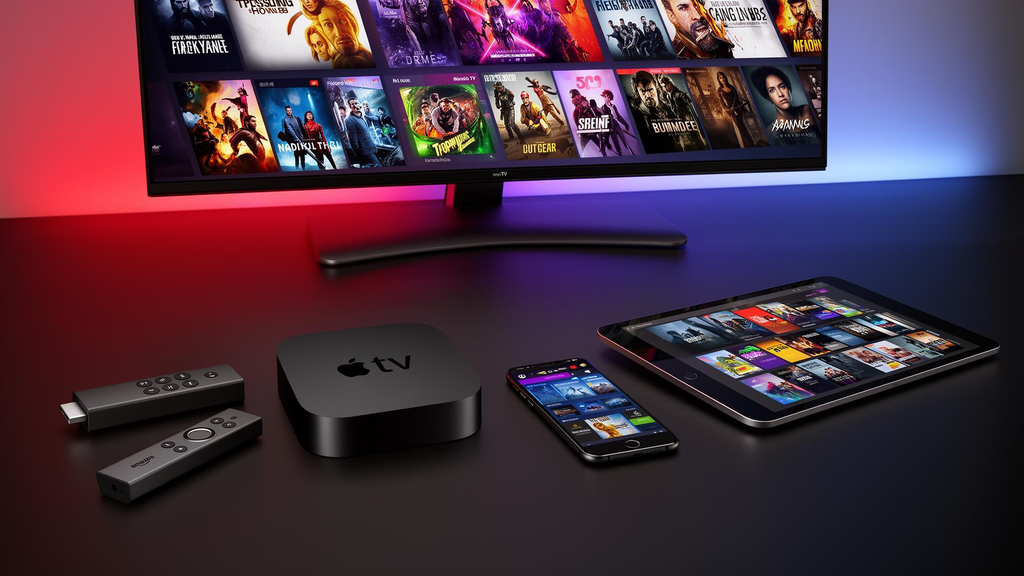
One of the most important decisions when buying an IPTV subscription is the number of simultaneous connections.
A connection is an active viewing session, not necessarily the total number of devices you own.
For example, you might have an IPTV player installed on a living-room television and another compatible device in a bedroom.
If only one device is streaming at a time, your usage differs from a household where both screens are playing separate streams simultaneously.
IPTV Connection Comparison
| Connection Allowance | Maximum Concurrent Viewing Sessions | Example |
|---|---|---|
| 1 connection | 1 | One television at a time |
| 2 connections | 2 | Two simultaneous viewers |
| 3 connections | 3 | Three screens playing together |
| 4 connections | 4 | Four active viewing sessions |
| 5 connections | 5 | Five simultaneous streams |
These examples explain the connection concept. Actual use remains subject to the purchased plan and any additional account, location or device restrictions.
How Many Connections Does Your Household Need?
Ask yourself three questions:
- How many televisions or streaming devices might play content simultaneously?
- Do different household members regularly watch independently?
- Will you use any features that could request additional streams?
For a household with one regular viewer, a one-connection plan may be sufficient.
For a household where two people frequently watch different content at the same time, two permitted simultaneous connections may be more appropriate.
Do not assume that buying five connections provides unlimited devices, unlimited locations or unrestricted account sharing. Confirm any additional conditions before purchase.
The published pricing table covers one connection. For an accurate total on two to five connections, use the current plan selector or contact Digital Lizard IPTV.
Which Devices Can You Use With an IPTV Subscription?
Device compatibility is an important part of choosing the right subscription.
Different operating systems support different applications, and not every IPTV player is available on every television.
IPTV Compatibility Guide
| Device | Setup Consideration |
|---|---|
| Amazon Fire TV Stick | Select a compatible Fire TV player |
| Android TV | Use a player compatible with Android TV and remote navigation |
| Samsung Smart TV | Check Tizen-compatible applications |
| LG Smart TV | Check webOS-compatible applications |
| Android smartphone | Choose an appropriate Android player |
| Apple TV | Confirm that the player supports tvOS |
| Windows computer | Use a supported desktop application or viewing method |
Player availability can vary by operating-system version, country, device model and app-store restrictions.
IPTV Subscription for Fire TV Stick
Fire TV Stick is a common choice for customers who want a streaming device connected to a television through HDMI.
Before purchasing:
- Confirm the exact Fire TV model and operating system.
- Identify a compatible player.
- Check whether the player requires a separate payment.
- Verify that it accepts the login method supplied with your subscription.
- Confirm that your internet connection is reliable.
For installation guidance, use the Digital Lizard IPTV Fire TV setup instructions.
IPTV Subscription for Samsung Smart TV
Samsung Smart TVs commonly use the Tizen operating system.
A player designed for Android may not run directly on a Samsung television.
Open the television’s application store and check whether a suitable player is available for your model and region.
If the preferred application is unavailable, a separate compatible HDMI streaming device may provide another viewing option.
IPTV Subscription for Android TV
Android TV offers access to compatible television-oriented applications.
To prepare your device:
- Connect Android TV to the internet.
- Open its application store.
- Find a player that supports your subscription’s login format.
- Install the player.
- Enter the supplied account details.
- Test playback.
Use a television-oriented player when you want easy navigation with a remote control.
IPTV Subscription for Apple TV
Apple TV uses tvOS, which differs from Android and Fire TV operating systems.
Before purchasing, check the App Store for an appropriate tvOS application and verify support for the login format provided with your account.
Can You Use an IPTV Subscription on Several Devices?
That depends on your subscription’s simultaneous connection allowance and any additional usage restrictions.
Installing a player on several devices is not the same as having permission to stream on all those devices simultaneously.
If you expect to switch between home and another location, ask about location and account restrictions before purchasing.
How to Buy Digital Lizard IPTV Online
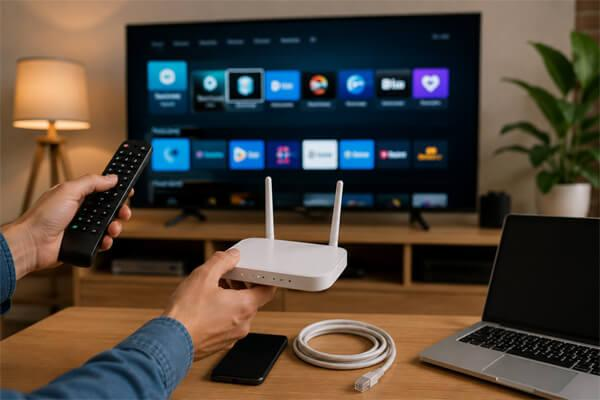
The buying process should begin with selecting a suitable configuration rather than choosing a package solely because its annual monthly equivalent looks inexpensive.
Step 1: Visit the Official Website
Open Digital Lizard IPTV and navigate to the pricing or subscription section.
Check that you are using the intended website before entering personal or payment information.
Step 2: Choose Your Subscription Duration
Select one of the currently offered durations:
- 1 month
- 3 months
- 6 months
- 12 months
Review the full amount payable for the selected option.
Step 3: Confirm Your Connection Count
Select the connection allowance matching your expected simultaneous usage.
If you need more than one connection, verify the displayed checkout total instead of estimating it from the single-connection price.
Step 4: Confirm Device Compatibility
Before completing payment, ensure that you have access to a supported player and understand how to configure it.
A device that supports video streaming in general may not support the specific player or login format you plan to use.
Step 5: Review Subscription Terms
Read the Terms and Conditions and Refund Policy.
Check the subscription duration, connection allowance, billing arrangement, refund eligibility and any applicable limitations.
Step 6: Complete Your Order
Open the subscription order page and complete the required fields.
Review the selected payment method and final amount before confirming.
Keep your order confirmation for your records.
Step 7: Configure Your IPTV Player
After receiving the necessary account information, open your compatible IPTV player and choose the appropriate login method.
Enter your supplied information carefully.
Depending on the player and account configuration, setup may require a username, password, server address or another supported format.
Never enter your account credentials into an unrelated website or untrusted application.
Step 8: Test Your Viewing Setup
Once the player loads, test the functionality relevant to your subscription.
Check that the application opens correctly and that the expected account information loads.
If there is a problem, use the official setup guide before changing multiple settings at once.
Understanding IPTV Streaming Quality
A subscription label or player feature alone cannot guarantee that every stream will play at a particular resolution.
Actual picture quality depends on several factors:
- The format and resolution of the source stream.
- The capabilities of your streaming device.
- The player application.
- Your internet connection.
- Wi-Fi interference or network congestion.
- The television’s display capabilities.
- Service and delivery conditions.
A television that supports 4K does not automatically make every programme available in 4K.
Similarly, a high-speed internet connection does not eliminate all possible playback problems.
Wi-Fi or Ethernet: Which Is Better?
Both can work when the network is stable and has adequate capacity.
A wired Ethernet connection can reduce some wireless interference issues. A well-configured Wi-Fi network may also provide reliable playback.
If buffering appears, identify whether the problem affects one device, one network, or several unrelated streams before assuming that the subscription itself is responsible.
IPTV Subscription Free Trials: What to Check
A trial can help you understand whether a supported application works on your device and whether the service fits your needs during the trial period.
Digital Lizard IPTV provides a contact page where customers can ask about current trial availability.
Do not assume a trial is automatically available or that its conditions are identical to a paid plan.
Before accepting any trial, confirm:
- Its duration.
- Whether payment information is required.
- Which features are included.
- Whether it ends automatically.
- Whether a paid subscription follows unless cancelled.
The US Federal Trade Commission provides consumer guidance on free trials and automatic renewals.
Refunds, Subscription Terms and Customer Protection
Understanding refund eligibility is an essential part of buying a subscription online.
Digital Lizard IPTV’s published refund policy describes a three-day refund request period, subject to the policy’s eligibility conditions.
Requests should be made within three days of activation or purchase when the applicable conditions are met. A request does not automatically guarantee approval.
The policy also explains that support may request information about the affected device, application, credentials or technical issue before reviewing a claim.
For the current conditions, read the Digital Lizard IPTV Refund Policy.
Keep Your Order Information Secure
Retain your order confirmation and transaction reference in a secure place.
Do not post usernames, passwords, server details or payment-card information in public comments or discussion forums.
If you need account assistance, contact support through the official website.
Common Problems After Buying an IPTV Subscription
Some setup problems are caused by configuration or application compatibility rather than an account issue.
The following diagnostic steps can help narrow down the cause.
Problem 1: IPTV Login Details Are Not Accepted
Check your username and password carefully.
Look for:
- Unwanted spaces.
- Incorrect uppercase or lowercase letters.
- An incomplete server address.
- The wrong login method.
- Missing or incorrectly entered account fields.
If the information still fails, contact support with the error message, without publishing your password.
Problem 2: IPTV Player Is Not Available
An application may be unavailable because of the device model, operating system or regional app-store availability.
Check your device’s official store for an appropriate alternative.
Do not assume an unfamiliar download file is trustworthy simply because it claims to offer the same player.
Problem 3: IPTV Is Buffering
Try the following checks:
- Restart your streaming device.
- Check your internet connection.
- Restart the router if appropriate.
- Check whether other devices are consuming significant bandwidth.
- Test a different stream that is available within your subscription.
- If possible, test a different network or a wired connection.
If the problem continues, provide support with the device model, application name and approximate time of the problem.
Problem 4: Programme Guide Information Is Missing
Some compatible players may need time to load their electronic programme guide.
Check whether the application provides a guide-refresh option.
Guide availability can depend on the account configuration, source data and player functionality.
Problem 5: Streaming Stops When You Use Another Device
Review your simultaneous connection limit.
For example, starting a second viewing session while using a one-connection allowance can create a conflict, depending on how the account enforces concurrent playback.
If the problem occurs even when the permitted number of connections is respected, ask support to investigate.
Problem 6: The Application Works but Some Features Do Not
IPTV players and subscriptions may include different functions.
A player may support favourites, programme guides, playback controls or other features, but not every function is necessarily available with every app version and account configuration.
Confirm whether the missing function belongs to the player, your subscription or the particular source content.
For further guidance, visit the Digital Lizard IPTV FAQ.
How to Choose the Right IPTV Subscription for Your Household
The best subscription choice is not necessarily the longest or most expensive package.
Instead, evaluate your actual viewing requirements.
| Your Priority | Recommended Decision Process |
|---|---|
| Lowest initial commitment | Compare the shortest available duration |
| Several people watching together | Check simultaneous connection options |
| Fire TV Stick | Verify Fire TV player compatibility |
| Samsung or LG television | Confirm native TV application availability |
| Watching on different devices | Review simultaneous-use and device restrictions |
| Long-term subscription | Compare total cost, terms and service suitability |
| Uncertain compatibility | Contact support before paying |
The most useful plan is one that aligns with how and where you watch, the applications your devices support, and the purchase terms you understand.
Frequently Asked Questions About Buying IPTV in the USA
Where can I buy an IPTV subscription in the USA?
You can explore Digital Lizard IPTV’s available subscription options through its official pricing page. Before buying any internet television subscription, confirm the seller’s terms, content rights, supported devices and current pricing.
How much does a Digital Lizard IPTV subscription cost?
The published one-connection prices checked on November 20, 2026, are $16 for one month, $36 for three months, $55 for six months and $75 for twelve months. Check the live pricing page for the latest totals and additional connection options.
Can I buy IPTV for Fire TV Stick?
You can use an internet television subscription on a Fire TV Stick when the device, player, login format and subscription are compatible. Consult the setup instructions before ordering.
Can I use IPTV on two televisions?
Two televisions may stream simultaneously when your subscription provides the necessary connection allowance and your devices are supported. Review any applicable account restrictions.
Does an IPTV subscription include an IPTV player?
Not necessarily. The subscription and the player are distinct products or services. Some player applications may require separate licensing or payment.
Is a twelve-month IPTV subscription cheaper?
At the published one-connection prices, the twelve-month plan has the lowest monthly equivalent. However, its full price is payable upfront. Compare the overall commitment and terms before selecting it.
Can I request an IPTV trial?
You can contact Digital Lizard IPTV to ask about current trial availability and terms. Trial access and eligibility should be confirmed before relying on a trial offer.
Can I get a refund if my IPTV subscription does not work?
Digital Lizard IPTV publishes a three-day refund request period subject to stated conditions. Review the current policy and contact support promptly with your order details and a description of the issue.
Final Checklist Before You Buy IPTV Subscription USA
Before placing your order, confirm that:
- Your device supports an appropriate IPTV player.
- The player supports the supplied account format.
- Your plan includes enough simultaneous connections.
- You understand the full subscription price.
- You have reviewed the relevant content and usage permissions.
- You know the subscription duration and applicable billing terms.
- You have read the refund policy.
- You know how to contact customer support.
Making these checks before payment is more useful than choosing a subscription based only on marketing claims or a low advertised monthly equivalent.
Choose Your Digital Lizard IPTV Subscription
Digital Lizard IPTV provides subscription options with different durations and simultaneous-connection allowances.
Start with the device you already own, select the number of connections your household needs, and compare the full amount payable for each duration.
Once you understand the configuration and applicable terms, you can proceed to the official subscription page.
Compare Digital Lizard IPTV Plans & Choose Your Subscription
Need help deciding which package or device setup is appropriate? Contact Digital Lizard IPTV Support before placing your order.