
Searching for Trendyscreen IPTV in the UK can raise more questions than it answers. You may see claims about live television, films, streaming quality, trial access and device compatibility, but a promotional page cannot tell you whether a particular subscription is suitable for your home. Even the name itself needs checking: several independently accessible websites use very similar Trendyscreen branding while presenting different offers and conflicting statements about their identity.
This guide takes a practical approach. It explains how an IPTV subscription works, what to ask before purchasing, how to assess Fire TV and Smart TV compatibility, and how to investigate buffering, login errors and programme guide problems. It also explains the distinction between UK viewing requirements and a provider’s permission to distribute content. There is no hands-on test or unverified performance rating hidden behind this article.
Quick answer: Trendyscreen IPTV is marketed as internet-delivered television access, but the precise offer depends on the seller and website. For a UK household, the sensible order is to confirm the seller, check content permissions and plan terms, identify a compatible player, and only then evaluate any available trial or short-term subscription.
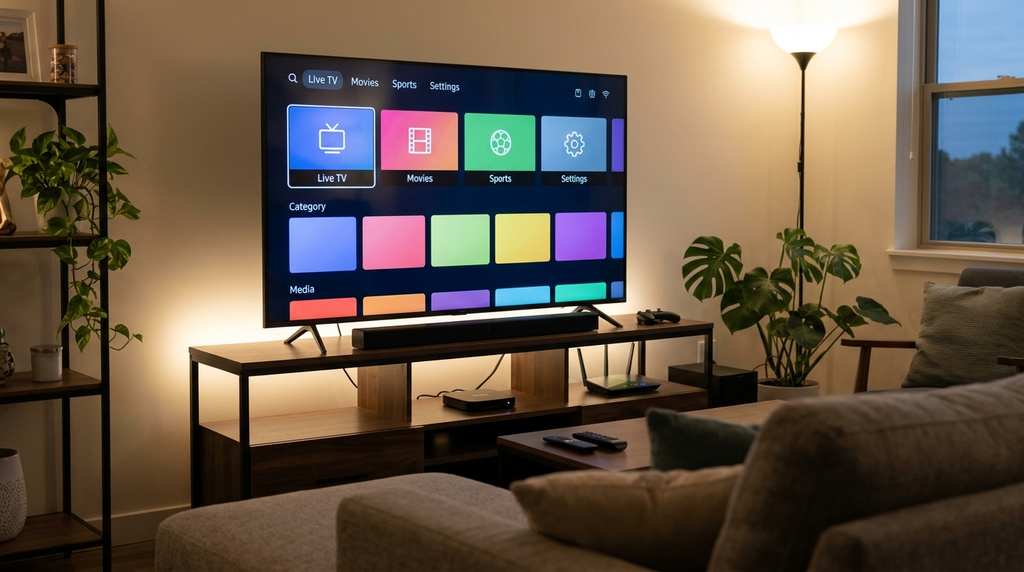
Table of Contents
Table of Contents
What is Trendyscreen IPTV?
IPTV means Internet Protocol Television: video delivered over an internet connection using a compatible service and application. Depending on the system, the application may show live programme categories, on-demand titles and an electronic programme guide (EPG). Some IPTV applications supply a viewing interface only; they do not themselves grant access to programmes.
Websites using the Trendyscreen name advertise subscription-based access and describe compatibility with connected televisions, streaming sticks and mobile devices. Those descriptions are website claims, not the result of an independent subscription test. A list of advertised features should be considered a starting point for verification, not proof that every feature will work on every account.
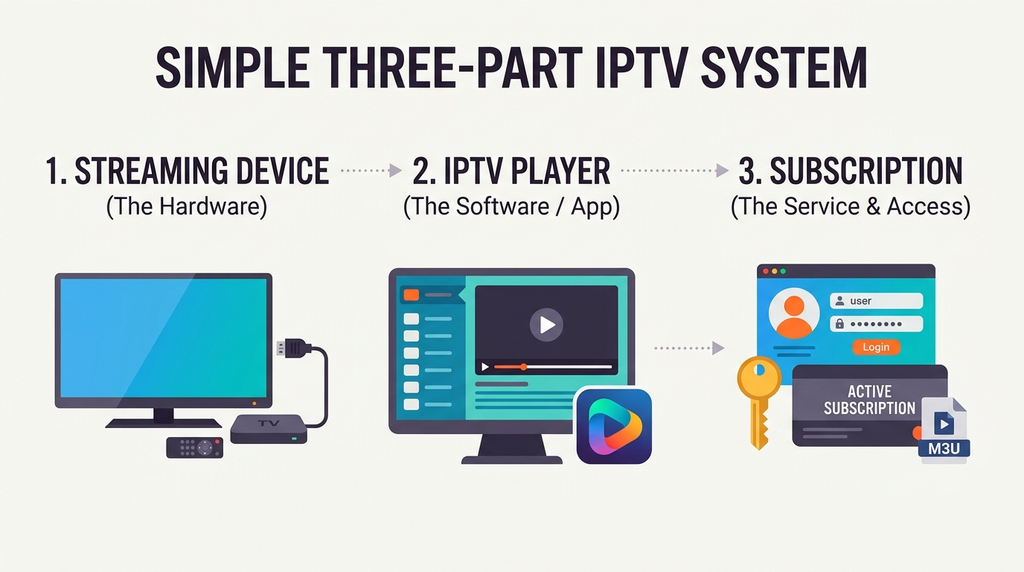
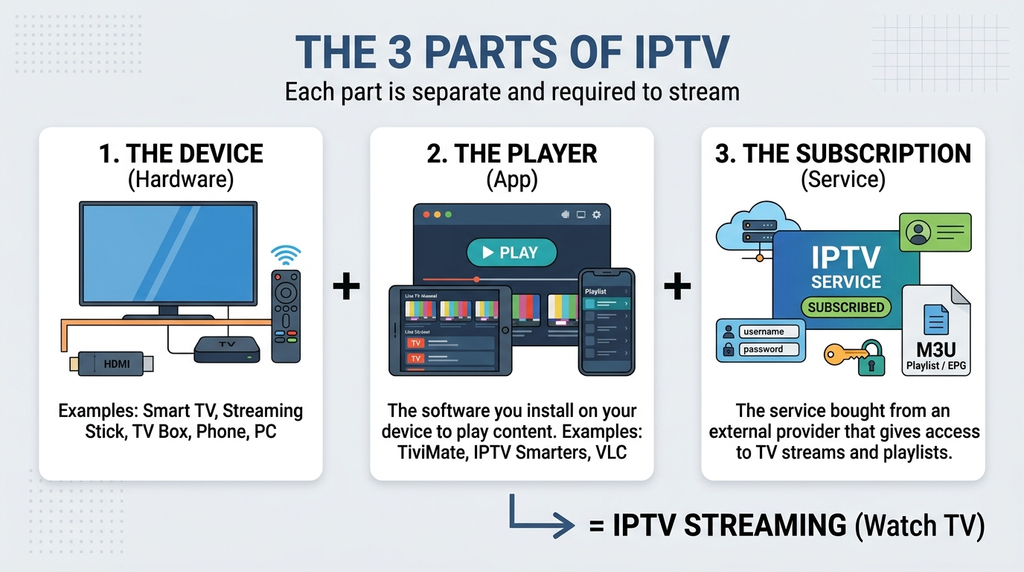
There are three separate elements in a typical arrangement:
| Element | Its role | What to confirm |
|---|---|---|
| Internet connection and device | Connects your television or screen to an online service | The device has adequate connectivity, storage and app support |
| IPTV player | Loads a supported playlist or service login and displays available media | It accepts the credentials you actually receive |
| Content subscription | Determines permitted sources, account duration and simultaneous viewing | The seller’s identity, content permissions and written terms |
A familiar misunderstanding is to buy a player upgrade and expect it to activate a television package. A media player and a content subscription are not interchangeable. A compatible player may still show an empty home screen until it receives a valid, authorised source.
What makes an IPTV service useful in the UK?
For a British household, the most important features are not the total number of items printed in an advertisement. A usable service should provide a clear route to setup, the right viewing permissions, suitable UK availability, reliable operation on your particular device and support when something breaks. If you regularly use a TV guide, its listings also need to match local time, including changes between Greenwich Mean Time (GMT) and British Summer Time (BST).
Consider two households. One watches on a single living-room screen; the other wants separate viewing on two televisions. They may need different connection allowances even if both can install the same app. Likewise, a family using a Samsung television has a different app-store environment from someone using a Fire TV Stick. Matching the subscription to the equipment comes before deciding whether the marketing looks impressive.
Why the exact seller matters
Public search results contain multiple Trendyscreen-branded websites. Some describe themselves as the only official source, while other similarly named pages present different catalogue totals, plan descriptions or claims about which addresses belong together. Public-facing statements alone do not establish common ownership, a shared customer database or a single support operation.
It would therefore be misleading to announce a universal Trendyscreen IPTV price, guaranteed channel count or definitive official website without resolving those differences. The practical lesson is to evaluate the exact address and legal seller shown at checkout.
Before entering payment details, work through this identity check:
- Record the full domain name. Pay attention to spelling and the domain extension, rather than relying on a logo or a search-result heading.
- Identify who takes the payment. Check the merchant or legal business details disclosed during checkout and retain the receipt.
- Read that seller’s policies. A refund statement on one similarly named website may not apply to an order placed elsewhere.
- Check the promised support route. Save the order reference and a support contact associated with the same business.
- Verify access rights for your must-have programmes. The presence of a title or category in a promotional list does not establish UK distribution authorisation.
- Protect private details. Never enter an IPTV password or playlist URL into an unrelated site simply because it uses a similar name.
This is not an accusation that a particular website is fraudulent. It is a response to a verifiable ambiguity in public branding. Good buying decisions depend on the actual contracting party, not assumptions made from a search result.
Features worth checking
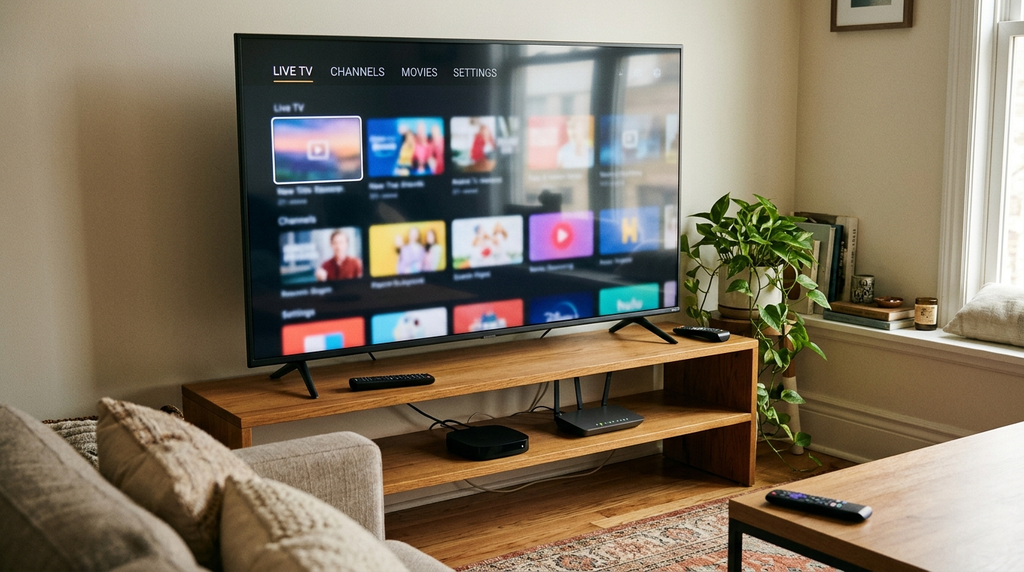
Marketing often groups several technically different benefits together. Separating them prevents buyers from treating an attractive claim as a guarantee.
Live channels and on-demand libraries
Ask for a current list of the specific categories or programmes you need and evidence that they may be supplied to UK users. A very large advertised catalogue can include regional variations, duplicate entries or items that change over time. Without an independent audit, no headline total should be treated as a verified count.
On-demand access deserves a separate question: does the service offer the relevant title in your region, in the language and format you need, for the entire subscription period? Live channels and on-demand catalogues may behave differently in an application even when they are listed in a single advertisement.
Electronic programme guide (EPG)
An EPG is a schedule displayed next to programme entries. It may depend on guide data supplied by the service, a separate EPG feed and the player’s interpretation of time-zone settings. A loaded channel list does not guarantee a complete programme guide.
During a permitted test, inspect a handful of familiar listings. Check the current start time, whether descriptions populate, how far ahead the schedule extends and whether a refresh corrects missing entries. In the UK, an unexplained one-hour difference can indicate a GMT/BST or time-shift configuration problem.
Picture quality and 4K claims
An advertisement mentioning HD or 4K is not a guarantee that each source is available in that resolution. The original material, stream encoding, player, display, device performance and available bandwidth all affect the viewing result. In particular, a 4K-capable television can display a lower-resolution source; the screen’s specification does not verify the source quality.
Judge picture quality on the content you are authorised to access. Watch for clarity in motion, stable audio, sensible loading time and the ability to continue playing for a sustained period. Do not rely on unverified “zero buffering” or “perfect uptime” slogans.
Multi-device access versus simultaneous streams
Installing the app on multiple devices does not mean every device can play at the same time. A one-connection account generally allows one active stream, whereas a two-connection plan permits two concurrent streams if that is what the written terms specify. Connection counting can be affected by sessions left running in the background, so always check the seller’s exact policy.
A simple household calculation helps: count the maximum number of screens that may be playing simultaneously, not the number of phones, tablets and televisions you own.
Trendyscreen IPTV pricing and trials
A single reliable Trendyscreen IPTV UK price list could not be established across the similarly named websites examined for this guide. Some display US-dollar pricing, but their promotional figures, connection details and refund wording are not interchangeable. This article deliberately avoids presenting one site’s checkout as the universal price for every Trendyscreen-branded seller.
For any offer you consider, ask for the following in writing:
| Item to compare | Information you need | Why it affects value |
|---|---|---|
| Total payment | Full price due now, not only an advertised monthly equivalent | Prevents confusion over long-term commitments |
| Currency | GBP, USD or another currency, plus applicable conversion charges | The final amount on a UK bank statement may differ |
| Duration | Exact start, expiry and renewal rules | Clarifies when access ends and whether billing repeats |
| Connections | Number of simultaneous streams included | Avoids unexpected household restrictions |
| Trial | Length, available features and whether card details are needed | Ensures the test is representative |
| Refund policy | Eligibility, exclusions and time limits | Defines the actual remedy if something fails |
| Player costs | Any separate software or activation fees | Reveals the complete setup cost |
How to evaluate a trial properly
A trial can reveal whether your chosen player, device and home network function together. It does not independently establish content rights, the provider’s long-term reliability or the likelihood that every future programme will remain available. Ask whether the trial uses the same server and account rules as the paid plan, rather than assuming so.
If trial access is offered, use it methodically: sign in on your primary device, confirm that the guide and relevant authorised sources load, check a second household screen only if multiple connections are included, and record any errors. Avoid placing a long-term order solely because the first few minutes of playback appear smooth.
A useful way to compare subscription commitments
Compare total outlay, months covered, connections and written support terms side by side. A low apparent monthly average can simply reflect an annual upfront commitment. If important details are missing, mark them “not confirmed” rather than filling the gaps with assumptions.
Choosing the right device and player
The best IPTV device is the one that can run a trustworthy application compatible with your permitted subscription format. There is no universal application that is guaranteed to appear in every device store, every UK region or every hardware generation.
| Device type | Normal installation route | Important limitation |
|---|---|---|
| Fire TV Stick or Fire TV | Search the Fire TV interface for a supported app | Availability depends on the device and store catalogue |
| Samsung Smart TV | Use the television’s Apps area | Samsung’s TV platform is not Android TV |
| LG Smart TV | Use the television’s own app store | The app selection can differ from Samsung or Google TV |
| Google TV or Android TV | Find compatible software through the supported app store | TV-oriented and mobile-only apps may differ |
| Android phone or tablet | Use a trusted compatible mobile application | Touchscreen controls may not suit a television remote |
| Apple TV | Find a tvOS-compatible application | An iPhone app is not automatically a tvOS app |
Fire TV Stick: the cleanest setup route
Begin with the official device interface. Amazon’s Fire TV app-installation guidance describes the normal process for finding and downloading applications.
- Connect the Fire TV device to your home network and install available system updates.
- Search the supported app catalogue for a player that accepts your authorised login format.
- Check the app’s publisher, availability and any separate charges before installation.
- Open the player and select its matching account or playlist option.
- Enter the details from the correct subscription seller and wait for synchronisation.
- Test a permitted source and verify that the programme guide, if supplied, displays correctly.
Do not install an unknown APK solely because a website or video provides a numerical downloader code. A code does not authenticate the application or confirm who created the file. For broader device-specific help, read our Fire TV setup walkthrough, which explains account methods and cautious installation practices.
Samsung, LG and Google TV
For Samsung televisions, Samsung’s UK support instructions explain app management through the television platform. Look up your exact model and software version because an app seen in a different model’s tutorial may not be available on yours.
LG television owners should use the application catalogue appropriate to their model rather than assuming that an Android installer will run. For Google TV, Google’s installation guide explains how available applications are found and installed. An IPTV player should be evaluated separately from the content credentials entered into it.
If you are a Digital Lizard customer, the complete device setup guide covers Smart TVs, Fire TV, Android devices and Apple TV. These instructions apply to Digital Lizard account setup and should not be interpreted as evidence that Digital Lizard and Trendyscreen are affiliated.
How IPTV login methods work
Two sign-in methods frequently appear in IPTV tutorials: Xtream-style account details and an M3U playlist. Both are ways for a compatible player to obtain information; neither method proves that the underlying programmes have been licensed for distribution.
Xtream-style login
A player that supports this method may ask for a server or portal address, a username and a password, sometimes alongside a profile name you choose. Use the complete details supplied for your own account. Do not replace the service address with the seller’s homepage unless the instructions explicitly tell you to do so.
M3U playlist
An M3U file or URL can point a compatible application towards media entries. A private playlist link may contain identifiers or credentials inside the address itself. Treat the complete URL as confidential information, and do not post it in public comments, screenshots or third-party “playlist converters”.
| Question | Xtream-style sign-in | M3U import |
|---|---|---|
| Typical input | Server address, username and password | A complete playlist URL or file |
| App requirement | A compatible account-login screen | An M3U import feature |
| Guide availability | Depends on service and app integration | May require additional guide data |
| Rights status | Not established by the login format | Not established by the playlist format |
| Common mistake | Using the wrong server or mistyping credentials | Pasting an incomplete or exposed private URL |
For a fuller explanation, see our Xtream Codes versus M3U comparison. If a login fails, identify the stage that failed before purchasing another app or changing equipment.
A practical UK streaming test
A good evaluation changes one variable at a time. Rather than declaring a provider “fast” or “slow” after a single attempt, build a small record you can use to distinguish network conditions from account and app problems.
Step 1: Establish the device baseline
Check that the television or streaming stick connects to the internet normally, its software is current, and ordinary network activity is working. If possible, compare Wi-Fi with Ethernet or another stable connection. Connection speed alone is not a complete test; local interference and interruptions matter too.
Step 2: Verify account activation
Record whether you can sign in, whether categories appear and whether a permitted source actually starts playing. These are distinct milestones. Successful sign-in with an empty guide is not the same failure as a rejected password.
Step 3: Test at a realistic viewing time
A short test during an otherwise quiet hour tells you little about your usual evening experience. If permitted trial access is available, use it during the times you normally watch and observe whether playback remains stable. This is an editorial testing method, not a claim that we conducted such a trial on Trendyscreen.
Step 4: Check guide and accessibility features
Review time-zone accuracy, legibility from the sofa, remote navigation, subtitle options if present, and whether the controls can be used comfortably by everyone in the household. A visually impressive channel count is of little value if the application is difficult to operate.
Step 5: Keep a simple test record
| Test | Result to record | Follow-up if it fails |
|---|---|---|
| App installation | Installed / unavailable / error | Check platform and app publisher |
| Account login | Accepted / rejected | Confirm exact credentials privately |
| Catalogue loading | Loaded / partial / empty | Ask the account seller about activation |
| EPG | Correct / missing / one hour out | Refresh data and inspect GMT/BST settings |
| Playback | Starts / buffers / audio issue | Test network, player and one permitted source |
| Second screen | Allowed / connection limit reached | Check plan’s concurrent-stream allowance |
| Support | Reply received / unanswered | Retain order and support reference |
This record is more useful than an unsupported overall rating. It tells you what worked, where it worked and what still needs checking.
Common problems and fixes
The IPTV app opens, but the login fails
First determine whether the player expects separate account fields or a complete playlist. Verify every character in the server address, username and password, including punctuation, capitalisation and accidental spaces. Check account expiry with the seller who received your payment. Never publish login details while requesting help.
The channel list loads, but the EPG is empty
An empty programme guide is usually a separate investigation from a rejected account. Check whether EPG data was included, refresh it using the app’s supported controls and confirm the correct time-zone setting. If schedules remain empty, request the correct guide information from the account provider instead of guessing an unrelated URL.
Playback buffers or stops
Start with the home network and the particular device. Restart the player, check whether other household traffic is using available bandwidth, test a better Wi-Fi position or an Ethernet connection, and note whether the problem affects one permitted stream or all of them. If the issue is isolated to one source, the account seller may need to investigate that source. A VPN is not a universal cure and does not create distribution rights.
One television works, but the other does not
Check app availability and login compatibility on the second television. Then examine the simultaneous connection limit: if the account allows only one stream, an active session on the first device may prevent another from playing. Close the first session before testing the second when permitted by the terms.
The app asks for a separate payment
Read what the software purchase actually unlocks. An application may charge for its own interface features while the television subscription remains a separate product. Do not assume a player premium payment extends your content subscription, provides new channels or resolves an expired account.
For additional fault-isolation steps, our Digital Lizard IPTV troubleshooting guide sets out checks for installation, login, EPG and playback. It is technical guidance, not a claim to support another seller’s account.
UK legal and privacy considerations
Internet-delivered television is a technology, not a guarantee of copyright authorisation. A provider needs the necessary permissions for the protected programmes it supplies. The UK government’s guidance on illicit streaming devices distinguishes ordinary streaming equipment from arrangements used to access protected content without the relevant permission.
There is a second, separate issue for viewers: the UK TV Licence. TV Licensing’s guidance on online viewing explains when live television viewing and certain broadcaster-specific services require a licence. A TV Licence does not authorise a provider to distribute copyrighted programmes without the required content rights; the two questions must be assessed separately.
This guide does not establish the broadcasting permissions of any particular Trendyscreen-branded seller. It also does not certify Digital Lizard’s rights for any specific programme. If a title, premium channel or event matters to you, request written confirmation of the seller’s applicable UK authorisation instead of relying on a channel logo or sales message.
Privacy and payment practices also deserve scrutiny. Before creating an account, identify who handles payment, how your personal information is used, whether cancellation is possible, and what evidence you can keep if access fails. Use applications from trusted sources and avoid sharing password-bearing playlist links. If a seller cannot explain these basics, resolve the uncertainty before paying.
Comparing a clearly documented alternative
If your original reason for searching Trendyscreen IPTV is to find a straightforward subscription process, compare every candidate against the same written checklist. That includes the service discussed here and any separate alternative, rather than assuming that one brand’s claims can stand in for another’s.
At Digital Lizard IPTV, readers can review published subscription information, device instructions and support routes. The pricing page currently shows the following totals for one simultaneous connection:
| Digital Lizard duration | Published one-connection total (USD) |
|---|---|
| 1 month | $16 |
| 3 months | $36 |
| 6 months | $55 |
| 12 months | $75 |
These prices describe Digital Lizard’s own published offer, not Trendyscreen’s. The site also presents options for one to five simultaneous connections; check the selected connection count and final checkout amount for any multi-connection order. UK customers should verify currency conversion, relevant content availability, and applicable terms before purchase.
For a useful side-by-side decision, compare the following rather than relying on unverified “best IPTV” awards:
| Decision factor | Questions to ask either seller |
|---|---|
| Written plan details | What is the full total, duration, renewal rule and number of streams? |
| Supported devices | Does the account format work with my exact TV or streaming stick? |
| Content authorisation | Can the seller substantiate UK rights for the programmes I want? |
| Technical instructions | Is there an understandable installation and troubleshooting path? |
| Customer support | Is there an identifiable route for account-specific issues? |
| Refund terms | What do the published terms actually permit? |
Digital Lizard’s frequently asked questions answer general questions about plans and setup, and its contact page provides a route for order or compatibility queries. Digital Lizard is independent of Trendyscreen: this article does not suggest the two services share ownership, subscriptions or customer support.
Frequently asked questions
Is Trendyscreen IPTV a television app or a subscription?
The Trendyscreen name is used to market IPTV subscription access. A separate compatible player may be needed to display any authorised sources. Buying or installing a player by itself does not necessarily provide television content.
What is the official Trendyscreen IPTV website?
Publicly available similarly named websites make conflicting claims about their status. This article cannot independently certify one official website for every offer using the name. Verify the exact domain, business identity and payment recipient before placing an order.
How much does Trendyscreen IPTV cost in the UK?
There is no single verified UK price across the different sites using similar branding. Check the actual checkout total, billing currency, subscription term, number of concurrent streams and refund policy for the specific seller.
Does Trendyscreen IPTV work on Fire TV Stick?
Some Trendyscreen-branded pages advertise Fire TV compatibility. Actual use depends on the account format, the specific Fire TV device, the chosen player and the seller’s current support. Use a trusted installation route and confirm compatibility before paying.
Can I use one subscription on two televisions?
Only if the purchased plan and its terms permit the required number of simultaneous streams. Installing an app on two televisions does not itself increase the account’s allowance.
Why does an IPTV programme guide show the wrong time?
The guide feed, player settings or device time zone may be out of sync. In the UK, check the GMT/BST change before adding an arbitrary one-hour offset; then refresh the guide using the supported app controls.
Is a free IPTV trial proof that a service is legal?
No. A trial can help evaluate functionality on your own device, but it does not demonstrate that every programme is authorised for UK distribution. Content rights and technical performance require different checks.
How can I compare Digital Lizard IPTV with a Trendyscreen offer?
Use the same criteria: seller identity, content rights, final price, duration, connections, device support, customer assistance and refund terms. Compare the exact written offers, not claims transferred from one website to another.
Final assessment
Trendyscreen IPTV is a search term worth examining carefully rather than a subscription to select from a headline alone. The public information reviewed shows overlapping branding and inconsistent marketing claims, so seller verification and written terms are essential. Device support, guide accuracy, connection limits and practical playback tests then determine whether an authorised service fits your household.
If you would prefer to review a separate, clearly presented set of subscription durations and device instructions, explore Digital Lizard IPTV subscription options. Check the final terms, device compatibility and distribution permissions for the programmes you want before ordering.