
TiviStation appears in search results as both an IPTV subscription brand and a media-player app, which makes a simple buying decision less clear than it first seems. Before paying, a buyer needs to confirm the exact domain, understand whether the offer includes content or only player software, compare simultaneous connections, verify device support, and read the applicable refund terms.
This TiviStation review examines those points using publicly available information rather than unverified promises. It also compares the published plans with Digital Lizard IPTV and provides a setup and troubleshooting framework for U.S. viewers.
Table of Contents
Table of Contents
What Is TiviStation?
Tivi Station is a name used for internet-based television services and a media-player application. Public TiviStation subscription pages advertise live channels, on-demand movies and series, EPG support, and access on popular streaming devices. The app itself should be treated separately: a media player organizes and plays a supplied subscription but does not necessarily include channels.
This distinction affects cost and setup. A player may be free or have its own app fee, while the content provider charges separately for account credentials and a limited subscription period.
TiviStation app versus TiviStation subscription
The Amazon Appstore listing for Tivi Station describes it as a media player. That does not establish that the app includes a television package.
A subscription page instead sells time-limited access and delivers login details. These may include a username, password, server address, M3U playlist, or another supported format.
Use this simple rule:
- Player app: The software installed on the television or streaming device.
- Subscription: The account information and authorized content supplied for a defined period.
- Connection: One stream that can play at a time under the provider’s account rules.
- Device: Hardware on which a compatible player can be installed.
Installing an app on three devices does not mean all three can stream at once. Simultaneous use depends on the purchased connection count.
Why the Tivi Station domain name matters
Several similarly named websites appear in search results, using singular, plural, “store,” and “IPTV” variations. Their channel counts, prices, and policies are not consistent.
That inconsistency does not prove that a particular site is fraudulent. It does mean buyers should not assume that every Tivi Station-branded domain has the same owner, service, support team, or policy.
Before paying, record the exact domain and verify:
- The operator named in the terms and privacy policy.
- The final price, connection count, and refund exclusions.
- The support email and domain shown on the receipt.
- The app or login method delivered after purchase.
Keep screenshots of the plan, refund terms, and confirmation in case the delivered account differs from the order.
TiviStation Features and Provider Claims
The prominent TiviStation subscription page currently promotes live television, video on demand, EPG, catch-up, HD and 4K playback, device compatibility, and customer support. These are provider claims, not independent performance-test results.
Translate each headline feature into a buyer check.
| Advertised area | What it means | What to verify before buying |
|---|---|---|
| Live channels | Linear channels delivered over the internet | Ask for the exact country, language, sports, and local-channel availability you need |
| VOD | Movies and series available on demand | Verify title availability and how frequently the catalog changes |
| HD or 4K | Streams may be offered at different resolutions | Confirm which specific channels are genuinely available at each quality level |
| EPG | An electronic program guide | Check guide coverage, time-zone accuracy, and refresh behavior |
| Catch-up | Previously aired programming may remain available | Ask which channels support it and for how long |
| Multi-device support | Compatible apps exist for multiple platforms | Separate supported devices from simultaneous connection limits |
| Customer support | Assistance may be available for setup or account problems | Test the advertised contact method before choosing a long plan |
Large catalog totals are difficult to audit. A smaller list containing the exact programming needed can be more valuable than an impressive headline number.
Live channels, VOD, EPG, and picture quality
Build a must-have list covering local stations, sports, news, and preferred languages, then ask the provider to confirm availability.
“4K support” does not mean every channel is 4K. Source quality, encoding, broadband, Wi-Fi, hardware, and player settings all affect the result.
Test the EPG on important channels. Playback may work while the guide is missing, outdated, or using the wrong time zone.
Device compatibility and connection limits
TiviStation advertises Fire TV, Android TV, Smart TV, Apple TV, MAG, and Kodi compatibility. App availability still varies by country, hardware, operating system, and store policy.
Samsung Tizen does not use the same apps as Android TV, and a phone-first app may be awkward with a television remote.
One connection normally allows one active stream. A household using two televisions at once should compare two-connection plans.
TiviStation Pricing and Plans
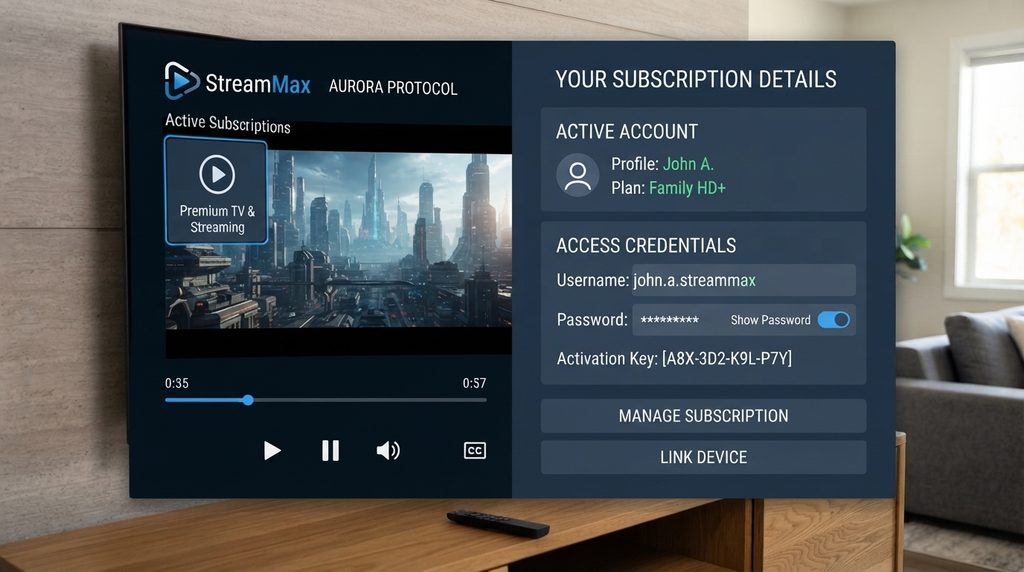
The TiviStation page reviewed for this article publishes plans from one to five connections and durations of one, three, six, and twelve months. Its displayed one-connection prices are $15 for one month, $35 for three months, $60 for six months, and $80 for twelve months.
These figures are a snapshot, not a permanent quote. Similar TiviStation-branded domains currently display different totals, so the checkout page attached to the exact seller should be treated as the controlling price.
Published one-connection prices
| Duration | TiviStation listed total | Approximate monthly equivalent | Commitment level |
| 1 month | $15 | $15.00 | Lowest commitment |
| 3 months | $35 | $11.67 | Short-term savings |
| 6 months | $60 | $10.00 | Medium commitment |
| 12 months | $80 | $6.67 | Lowest listed monthly equivalent, highest commitment |
The monthly equivalent helps compare value but should not override risk. Start short when identity, performance, or channel availability remains uncertain, and verify any trial terms in writing.
TiviStation versus Digital Lizard IPTV pricing
The following comparison uses one-connection prices publicly displayed on the two sites at the time of review. It does not claim that the underlying channel catalogs, stream sources, or performance are identical.
| Duration | TiviStation published price | Digital Lizard IPTV published price | Lower listed total |
| 1 month | $15 | $16 | TiviStation by $1 |
| 3 months | $35 | $36 | TiviStation by $1 |
| 6 months | $60 | $55 | Digital Lizard by $5 |
| 12 months | $80 | $75 | Digital Lizard by $5 |
Digital Lizard IPTV pricing plans currently state the total for one connection and explain that one connection means one simultaneous stream. Options for one to five connections are available, while the final total depends on the selected duration and connection count.
Price alone cannot establish which option is better. Compare the exact channels needed, device setup, player requirements, support response, policy terms, payment documentation, and simultaneous streams.
Is TiviStation Legit and Worth It?
A responsible TiviStation assessment cannot be reduced to a yes-or-no label. Public pages show plan details and an app listing exists, but several similarly named domains make operator identity and policy matching harder to verify. Buyers should validate the exact seller, content authorization, checkout terms, support channel, device compatibility, and short-term performance before making a long commitment.
What can be verified
Public pages show TiviStation-branded plans, connection counts, device claims, and setup support. Amazon also lists a TiviStation media player.
The reviewed page claims a 36-hour trial and seven-day refund period. Recheck both on the exact checkout domain because similar sites may use different terms.
What remains uncertain
Marketing copy cannot prove channel authorization, uptime, support speed, EPG coverage, or stream resolution. Treat “zero buffering” and stability percentages as advertising until tested on the buyer’s network and device.
A Trustpilot page for tivistation.com contains critical feedback, but that singular domain differs from the plural domain used for this pricing snapshot. Treat it as a signal to investigate, not proof about every TiviStation-branded seller.
Copyright and authorization
IPTV is a delivery method, not a legal classification. Media players can carry authorized content, while unlicensed distribution can create legal and continuity risks.
The U.S. Copyright Office points consumers toward authorized online sources for copyrighted works. Ask how a provider is authorized to distribute its U.S. channels and VOD.
A low price, large catalog, app-store listing, or payment processor does not confirm content licensing.
Who may find TiviStation suitable?
TiviStation may interest buyers who:
- Want live television and VOD in one interface.
- Use a compatible TV, streaming device, or computer.
- Can verify the seller and start with limited exposure.
- Have stable internet and accept possible stream variability.
It may not suit buyers who:
- Need an independently verified catalog or guaranteed event access.
- Cannot tolerate EPG, app, server, or network troubleshooting.
- Want a conventional contract with a nationally recognized operator.
- Cannot verify authorization and seller identity.
How to Set Up TiviStation
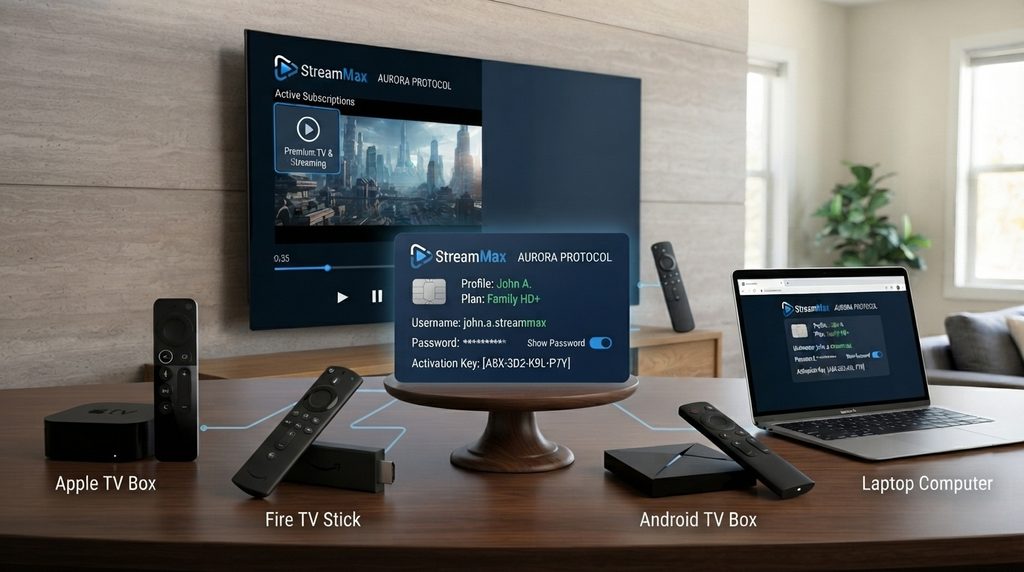
TiviStation setup normally requires a compatible media player plus the subscription details delivered by the seller. Install the player from a trusted app store, choose the matching login method, enter the username, password, and server or playlist information exactly, then allow the catalog and EPG to synchronize before judging performance.
Menu names differ, but the process is similar:
- Confirm that the subscription is active.
- Identify the supplied login format: Xtream-style credentials, M3U playlist, portal, or provider-specific login.
- Install a compatible player from the device’s official store when possible.
- Add a new profile and choose the matching login format.
- Enter the credentials without extra spaces.
- Save the profile and wait for the first synchronization.
- Test live channels, VOD, EPG, and the purchased connection count.
Keep credentials private. A person holding the full login may use the account or exhaust its connection limit.
TiviStation setup on Samsung or LG Smart TV
Samsung Tizen and LG webOS use separate app stores. Find a player that supports the supplied login format, install it, then add the account. Do not install an Android file on Tizen or webOS.
TiviStation setup on Fire TV Stick
Search the Amazon Appstore first and confirm the developer before installation. Add the delivered credentials in the player. Avoid unknown APK files and unverified applications.
TiviStation setup on Android TV, Android Box, or phone
Use Google Play to choose an app compatible with the hardware and login format. Prefer a TV-optimized player for remote navigation, then allow the catalog and guide to synchronize.
TiviStation setup on Apple TV
Install a compatible player from the tvOS App Store; not every iPhone app has an Apple TV version. Enter the account details and verify the full server address, including its http or https prefix.
TiviStation setup on Windows or macOS
Use a reputable desktop player from its official developer or app store. Avoid browser extensions and “playlist converters” that request the full paid login.
Internet Speed and Streaming Quality
The FCC Broadband Speed Guide lists approximately 5–8 Mbps for one HD video stream and 25 Mbps for one 4K stream. These figures are activity estimates, not a guarantee that an IPTV provider or home Wi-Fi network will deliver flawless playback.
| Intended use | Basic download-speed estimate | Practical planning note |
| One HD stream | 5–8 Mbps | Leave capacity for phones, computers, and background updates |
| Two HD streams | 10–16 Mbps combined | Add overhead and verify the subscription includes two connections |
| One 4K stream | About 25 Mbps | Use Ethernet or strong 5 GHz/6 GHz Wi-Fi where practical |
| Two 4K streams | About 50 Mbps combined | Add overhead for the rest of the household |
The combined figures above are simple arithmetic based on the FCC’s per-stream estimates. Real households should provision more capacity because advertised broadband speed, Wi-Fi throughput, congestion, and server conditions are not identical.
When one channel buffers but others play normally, the source feed may be the problem. When every stream buffers, check the local network, device resources, player settings, and internet connection before assuming a provider-wide outage.
Common TiviStation Problems and Fixes
Change one variable at a time so the cause remains identifiable.
| Problem | Likely checks | Recommended action |
| Login rejected | Typo, expired plan, wrong method, bad server URL | Re-enter each field and ask the seller to verify account status |
| Channels do not load | Sync failure, server issue, bad profile | Restart, refresh the playlist, and test one other compatible player |
| Frequent buffering | Weak Wi-Fi, congestion, device or source issue | Test speed, try Ethernet, restart the router, and compare channels |
| EPG missing or wrong | Stale guide, time zone, source-data problem | Refresh EPG, check time zone, and confirm provider coverage |
| App unavailable | Region, hardware, OS, store policy | Find a compatible player in the official store |
| Connection-limit error | Too many streams or an open session | Stop all streams, exit every player, then test one device |
| Credentials missing | Wrong email, spam, activation or payment delay | Check spam and contact the seller with the order number |
| Works on phone, not TV | App, network, codec, or hardware issue | Try another trusted TV player and compare network performance |
Use only the support details on the order domain; do not share credentials with an unsolicited “technician.”
How to Choose a TiviStation Plan
A plan should match risk, household usage, and device needs rather than simply minimize the monthly equivalent.
Step 1: List the content that matters
Write down the exact channels, languages, sports, local stations, and on-demand categories the household expects. Request confirmation before payment, especially when a single event or regional channel is essential.
Step 2: Count simultaneous streams
Count how many screens will actively play at the same time during the busiest period. Buy two connections for two concurrent streams, even if the account is installed on more devices.
Step 3: Verify the main device
Confirm app availability and login compatibility on the primary television or streaming box. A service is not a good value if setup depends on an untrusted application or an unsupported device.
Step 4: Limit the first commitment
Choose a shorter plan when the domain identity, support, catalog, EPG, or performance has not been validated. Extend the duration only after the service works on the actual device and network.
Step 5: Read policies before paying
Check the refund request window, nonrefundable conditions, activation timing, renewal method, and cancellation process. Save the version displayed at checkout.
Step 6: Use a documented payment flow
The receipt should identify the seller, amount, date, and purchased plan. Avoid paying a different person or domain unless the relationship is clearly explained and documented.
TiviStation Alternative: Digital Lizard IPTV
Buyers comparing TiviStation can also evaluate Digital Lizard IPTV using clearly separated pages for pricing, device setup, frequently asked questions, and the subscription form.
Current one-connection prices are listed as:
- 1 month: $16 total
- 3 months: $36 total
- 6 months: $55 total
- 12 months: $75 total
The pricing page states that buyers can choose from one to five simultaneous connections. The setup guide covers Samsung and LG Smart TVs, Amazon Fire TV, Android TV, Android boxes, Android phones, and Apple TV.
Digital Lizard’s public FAQ also tells buyers to verify the final checkout price, use a compatible third-party player, and read the refund policy before ordering. It states a three-day refund-request period, which should be reviewed directly because eligibility conditions matter.
TiviStation versus Digital Lizard: decision summary
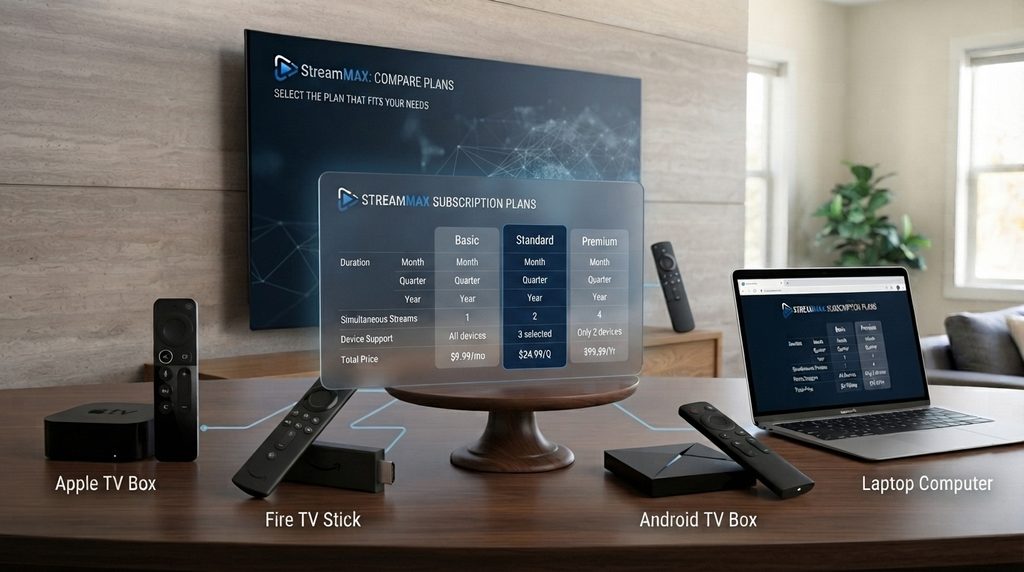
| Decision factor | TiviStation | Digital Lizard IPTV |
| Brand identification | Several similarly named domains appear in search | Product, pricing, setup, FAQ, and checkout are presented under one .us domain |
| One-connection durations reviewed | 1, 3, 6, and 12 months | 1, 3, 6, and 12 months |
| Simultaneous options | Public page displays 1–5 connections | Pricing page states 1–5 connections |
| Device information | Broad compatibility claimed | Separate step-by-step setup sections by platform |
| Trial and refund language | Reviewed page claims a 36-hour trial and seven-day refund period | FAQ states a three-day refund-request period; no trial is promised on the reviewed pages |
| Best next step | Verify the exact seller and test identity, compatibility, and policy terms | Review current prices, check device setup, then select the required connection count |
Digital Lizard should be evaluated using the same authorization, support, compatibility, and policy checks applied to TiviStation. Buyers ready to compare current totals can view Digital Lizard IPTV plans before choosing a duration.
Common Buying Mistakes
Avoid these errors when evaluating TiviStation or any alternative:
- Confusing the app with the subscription. Confirm whether the order includes content access, player software, or both.
- Buying an annual plan first. A lower monthly equivalent does not compensate for an untested service.
- Counting installed devices instead of active streams. Connection limits usually apply to simultaneous playback.
- Assuming every channel is 4K. Ask which specific feeds are available at the claimed resolution.
- Ignoring the exact domain. Similar names can lead to different sellers, prices, and policies.
- Trusting a channel total without a must-have list. Verify the programming the household will actually watch.
- Skipping the refund exclusions. A stated period does not mean every situation qualifies.
- Using unknown apps or APK files. Prefer official app stores and recognized developers.
- Paying without a detailed receipt. Preserve the plan, amount, seller identity, and order number.
- Assuming an app-store listing proves content rights. Software distribution and programming authorization are separate questions.
TiviStation FAQ
Is TiviStation an app or an IPTV service?
Both. Amazon lists a TiviStation media player, while TiviStation-branded websites sell subscriptions. Confirm which product is offered because a player alone does not include channels.
How much does TiviStation cost?
The reviewed page lists one-connection totals of $15 for one month, $35 for three, $60 for six, and $80 for twelve. Verify the exact seller’s checkout because similar domains show different prices.
Does TiviStation offer a free trial?
The reviewed provider page claims a 36-hour trial. Confirm its current availability, included devices, payment requirements, and whether it converts to a paid plan.
Can TiviStation work on Fire TV Stick?
Yes, subject to region and device availability. Confirm that the Amazon-listed or another trusted Fire TV player supports the seller’s login format.
Can I use TiviStation on multiple devices?
Installation on several devices does not guarantee concurrent use. Two televisions streaming together normally require a plan with two simultaneous connections.
Why is TiviStation buffering?
Possible causes include Wi-Fi, congestion, hardware, player settings, or the source. Compare channels, test Ethernet, restart the equipment, and check broadband speed.
Why is the TiviStation EPG missing?
Refresh the playlist and EPG, verify the time zone, and allow synchronization to finish. Missing data on only some channels may originate with the provider’s guide source.
Is TiviStation legal in the United States?
The technology can be used legally. The decisive question is whether the seller is authorized to distribute its programming in the United States.
Is TiviStation worth it?
Consider it only after verifying the seller, required channels, device, connections, support, policies, and authorization. Start short when these remain uncertain.
What is a practical TiviStation alternative?
Digital Lizard publishes one-, three-, six-, and twelve-month prices, offers one to five connections, and provides device-specific instructions. Compare its current plans and pricing with the exact TiviStation offer.
Final Verdict
TiviStation presents a broad IPTV offer, but the strongest buying concern is not the headline channel count. It is confirming the exact seller behind the domain, separating the player from the subscription, verifying content authorization, testing required channels on the main device, and matching the plan to simultaneous streams.
Published TiviStation prices are competitive, yet similar domains and mixed public signals justify a short, documented first commitment. Buyers who prefer clear plan totals and device-specific guidance can compare the current Digital Lizard IPTV pricing options, review the setup page, and select the connection count that reflects actual household use.