
Yourflix attracts buyers who want live television, sports, movies, and series without a traditional cable contract. The difficult part is not understanding the promise. It is identifying the exact seller, because several unrelated websites use the Yourflix name while publishing different prices, features, refund terms, and support claims.
This research-based Yourflix review explains what to verify before paying, how to compare the real cost, which devices may work, and when a clearer alternative makes more sense. It does not claim hands-on testing or treat unverified catalog and uptime claims as facts.
Table of Contents
Table of Contents
Quick Verdict: Should You Buy a Yourflix Subscription?
Do not buy based on the Yourflix name alone. First confirm the exact domain, seller identity, authorized content, current checkout total, simultaneous-connection limit, compatible player, refund conditions, and payment method. Several Yourflix-branded sites appear in current search results, so an offer found on one domain may not apply to another.
Yourflix may suit a buyer who has identified the seller, confirmed the required content and devices in writing, and tested the service where available. Avoid committing when the business, content authorization, connection limit, or refund route remains unclear.
Who may find Yourflix suitable
- Viewers who can verify lawful availability of the content they need.
- Households with a confirmed compatible player.
- Buyers willing to test a short term before making a longer commitment.
Who should avoid committing immediately
- Anyone who has not confirmed the exact domain and seller.
- Households that cannot verify the player or simultaneous-stream limit.
- Buyers offered only a hard-to-reverse payment route.
What Is Yourflix?
“Yourflix” currently functions as a shared commercial keyword rather than one clearly identifiable product in search. Multiple domains use similar branding to advertise prepaid internet television packages. Their plan totals, channel counts, video-on-demand claims, connection options, trials, guarantees, currencies, and support routes do not consistently match.
An opinion about one Yourflix domain does not prove that another has the same ownership, infrastructure, terms, or support. Save the exact URL, checkout, policies, and seller contact used for the order.
Yourflix subscription versus IPTV player
A subscription and a player are separate components. The subscription supplies authorized account access or a playlist. The player is the application that organizes live TV, movies, series, favorites, and the Electronic Program Guide.
Paying for one does not automatically pay for the other. Confirm all three costs before ordering:
- The television service plan.
- The player application, if paid.
- Any extra connection, device, or activation fee.
Prefer the device’s official app store and confirm the developer before entering credentials.
Why the exact Yourflix domain matters
The domain determines the company, checkout, policy, and support route. Ask support to confirm the duration, connections, total charge, refund window, renewal behavior, and required player in writing. Stop if those details change between the sales page, checkout, and message.
What Current Yourflix Search Results Reveal
Current U.S. search results show several Yourflix-branded websites rather than one dominant official result. Some advertise one-, three-, six-, and twelve-month terms. Others add 24-month plans, multiple-device selectors, trial language, or different refund windows.
Results also mix an IPTV subscription name, a video-management app, and an open-source personal media project. Confirm the product type before comparing offers.
Common features advertised under the Yourflix name
Across the commercial results, recurring claims include:
- Live channels and on-demand movies or series.
- HD, Full HD, or 4K playback where available.
- Smart TV, Fire TV, Android, iOS, Apple TV, and computer compatibility.
- Electronic Program Guide access.
- Short and long prepaid terms.
- Email or messaging-based activation and support.
- One or more simultaneous connections.
These are seller claims, not independent tests. Ask about specific content rather than relying on a catalog number.
Claims that require independent verification
“No buffering” cannot be guaranteed because playback depends on the source, routing, network, player, and device. Catalog totals, 8K claims, uptime percentages, ratings, and testimonials also need evidence. Ask what happens when a promised channel, player, or connection fails.
Yourflix Pricing: How to Compare the Real Cost
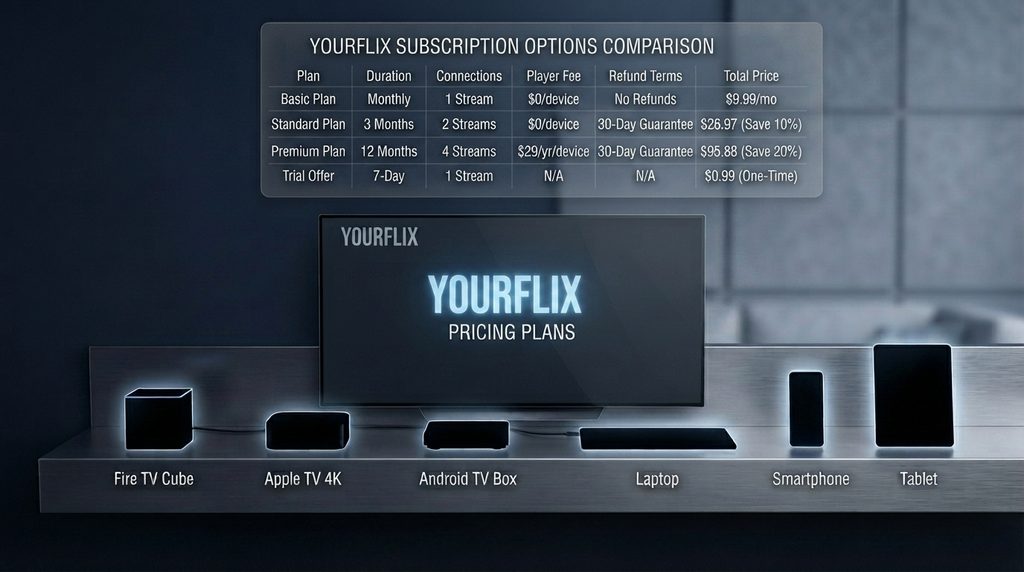
There is no single reliable Yourflix price across all current branded domains. Advertised amounts differ, and some pages use dollars while others use euros or pounds. The meaningful price is the final total on the exact domain where the buyer will pay.
Two twelve-month offers can differ in connections, player fees, renewal, support, and refund terms.
Normalize every plan before comparing
Use the following table for every candidate. Fill it from the seller’s current checkout and policy pages, not from an old review.
| Cost factor | What to record | Why it changes value |
|---|---|---|
| Total charged today | Final amount and currency | Reveals the actual commitment |
| Plan duration | Activation date and end date | Prevents confusion about “months” |
| Simultaneous connections | Streams allowed at the same time | Determines household usability |
| Player cost | Free, one-time, or recurring | May add a separate expense |
| Trial terms | Duration, limits, and payment requirement | Shows what can be tested first |
| Refund terms | Window, exclusions, and request method | Defines the real exit route |
| Renewal | Manual or automatic | Prevents unexpected billing |
| Support | Channel and stated hours | Matters during setup and outages |
Divide the total by the number of months, then by simultaneous connections when comparing household plans. This exposes the real structure without pretending price proves quality.
Monthly versus annual commitment
A yearly plan can lower monthly cost but increases buyer risk. Choose a longer term only after testing the real device and network during demanding viewing hours.
Yourflix vs. Digital Lizard IPTV
A responsible comparison should use verifiable buying criteria, not unsupported claims about which service has more channels or never buffers. The Yourflix search landscape is fragmented. Digital Lizard IPTV presents one named U.S. website with published pricing, a device setup guide, connection explanations, checkout, FAQs, and a refund policy.
The following comparison reflects publicly visible information on August 21, 2026. Buyers should recheck every page before payment because prices and policies can change.
| Buying criterion | Yourflix-branded search results | Digital Lizard IPTV website |
| Seller identification | Multiple domains use the name | One stated domain: digitallizardiptv.us |
| One-connection pricing | Varies by domain and currency | $16 for 1 month, $36 for 3, $55 for 6, $75 for 12 |
| Connection explanation | Varies by seller | Defines a connection as simultaneous viewing |
| Connection range | Must be checked on the exact domain | Website presents options from 1 to 5 connections |
| Device guidance | Claims and instructions vary | Separate Smart TV, Fire TV, Android, and Apple TV guide |
| Refund information | Different windows and conditions appear | Published three-day request period, subject to policy |
| Player requirement | Often a separate compatible player | Compatible player generally required |
| Content authorization | Must be independently verified | Must be independently verified |
Verify distribution authorization separately with either provider.
When Digital Lizard is the clearer alternative
Digital Lizard is easier to evaluate when the buyer values a visible plan matrix, defined simultaneous connections, device-specific setup, and a published refund-request period. Review its current pricing plans and setup guide, then use the subscription page only after confirming content, connections, policy, and total.
Yourflix Pros and Cons
Potential advantages and limitations should be read as characteristics of the current search landscape, not a verdict on every seller using the name.
| Potential advantages | Important limitations |
| Short and long prepaid terms appear in search | No single Yourflix offer applies to every domain |
| Many sellers claim broad device compatibility | Exact app availability varies by platform and region |
| Live TV and VOD categories are commonly advertised | Catalog and quality claims are rarely independently verified |
| Some sellers mention trials or refund windows | Trial and refund terms differ between domains |
| Multiple connection options appear on some sites | Other offers may cover only one simultaneous stream |
| Setup through familiar IPTV players may be possible | The player may require a separate fee and configuration |
Plan flexibility has value only after seller identity is resolved.
Ten Checks Before Buying Yourflix
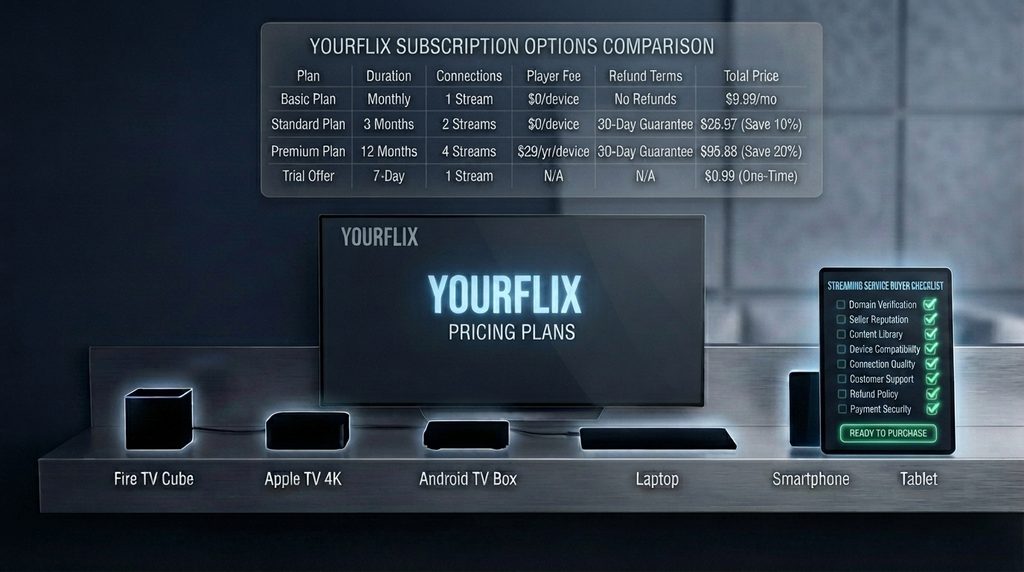
1. Verify the exact seller and domain
Confirm that the URL, policies, support email, checkout, and payment descriptor identify the same seller.
2. Ask about content authorization
IPTV is a delivery method, not proof of lawful distribution. Ask how the provider is authorized to supply the advertised content.
3. Confirm specific content in writing
List the networks, local stations, leagues, languages, or programs that matter and ask whether they are live, on demand, or region-limited.
4. Match the player to the exact device
Provide the device model, operating system, and country. Confirm the required app in that platform’s official store.
5. Define the connection limit
Ask how many screens can stream simultaneously; installation on several devices may still allow only one active stream.
6. Test the real viewing conditions
During a legitimate trial, use the intended device and peak viewing period. Test required channels, audio, captions, EPG, and app restart.
7. Check network capacity per active stream
The FCC lists roughly 3–4 Mbps for SD, 5–8 Mbps for HD, and 25 Mbps for 4K. Leave capacity for other streams and household activity.
8. Test support before purchase
Ask one technical and one policy question. Require direct, consistent, written answers before payment.
9. Read the refund exclusions
Record when the refund clock starts, exclusions, mandatory troubleshooting, and the request method.
10. Choose a payment method with recourse
The FTC’s online-shopping guidance says credit cards generally offer the best protection when something goes wrong. HTTPS does not prove legitimacy, and cryptocurrency typically lacks card-style dispute protections.
Yourflix Device Compatibility
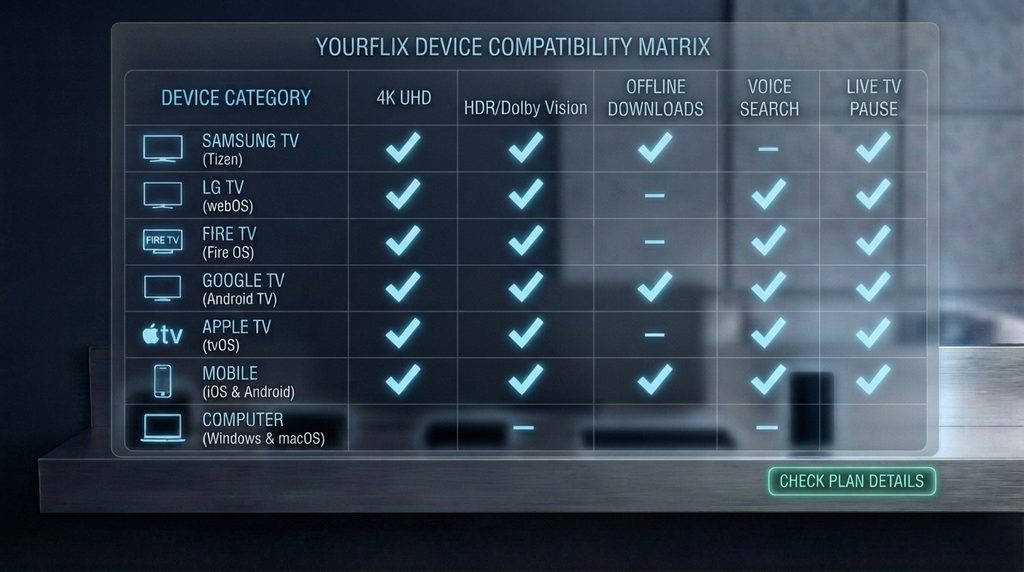
Do not treat “works on every device” as a setup instruction. The correct question is whether a legitimate player that accepts the supplied login format is available for the exact platform.
| Device platform | What to verify before buying | Preferred installation route |
| Samsung Smart TV | TV model, Tizen version, app-region availability | Samsung Apps or Smart Hub |
| LG Smart TV | webOS version and compatible player listing | LG Content Store |
| Fire TV Stick | Fire OS compatibility and remote-friendly interface | Amazon Appstore |
| Android TV / Google TV | Play Store listing and TV interface support | Google Play on the TV |
| Apple TV | Native tvOS application and login compatibility | Apple TV App Store |
| Android or iPhone | Official mobile app and screen-use limits | Google Play or Apple App Store |
| Windows or Mac | Supported application, browser, or player format | Official developer or platform store |
Use the official instructions for Google TV, Fire TV, and Apple TV. Check actual model availability through Samsung or the LG Content Store.
How to Set Up Yourflix or a Comparable Subscription
The exact buttons vary by player, but the safe setup sequence remains consistent.
- Confirm authorization and account details. Use only authorized content and keep credentials private.
- Install a legitimate compatible player. Prefer the official app store and verify the developer.
- Choose the matching login method. Common formats use a username, password, and server address, but the supplied information must match the player.
- Enter credentials exactly. Remove spaces, check capitalization, and never post them publicly.
- Let synchronization finish. Large category and EPG data can take time to load.
- Test one stream first. Check picture, sound, search, favorites, and EPG.
- Stay within the connection limit. Exceeding it can cause errors or restrictions.
- Save support details securely. Retain the order reference and policy snapshot.
Digital Lizard customers can follow the site’s device-specific IPTV setup guide for Samsung and LG Smart TVs, Fire TV, Android devices, and Apple TV.
How Much Internet Speed Do You Need?
Use 3–4 Mbps as a rough baseline for SD, 5–8 Mbps for HD, and 25 Mbps for one 4K stream, then add capacity for every other active stream and household task. These FCC reference figures describe video demand; they do not guarantee that a specific provider, player, Wi-Fi network, or device will perform well.
A fast plan can still buffer because of weak Wi-Fi, congestion, or an unstable source. Test near the streaming device and leave overhead for other users; Ethernet can improve local stability.
Buffering and Login Troubleshooting
Buffering has several possible causes. Diagnose one layer at a time instead of immediately changing providers or installing untrusted software.
| Symptom | Likely area | First checks |
| Every stream buffers | Home network, device, or account | Speed test, restart router/device, test Ethernet |
| One channel fails | Source or channel availability | Test other channels and contact provider |
| Evenings are worse | Congestion or provider capacity | Test the same content at different times |
| App freezes | Player cache, storage, or update | Restart, update, clear cache where supported |
| Login fails on all devices | Credentials, activation, or server | Re-enter details and contact account support |
| Second screen fails | Connection limit | Stop other streams and verify plan count |
| EPG is empty | Guide data, time settings, or sync | Refresh EPG and confirm date/time |
Test another legitimate app on the same device. If every app struggles, focus on the device or network; if one channel fails, the source is more likely involved. Restart and update before considering a factory reset.
Is Yourflix Legal and Safe to Buy?
Content authorization
IPTV can deliver authorized or unauthorized content. The U.S. Copyright Office explains that copyright owners hold exclusive rights that include public performance of audiovisual works, subject to statutory limitations. A low price, polished website, or working stream does not establish distribution rights.
Website and payment safety
HTTPS encrypts data but does not verify the merchant. Check seller identity, contact details, fulfillment, refund terms, and checkout consistency. Retain receipts and leave if the total changes or the seller refuses to explain the product.
Best Yourflix Alternatives by Use Case
The best alternative depends on what the buyer actually needs. No single provider is the correct substitute for every Yourflix searcher.
| Buyer priority | Alternative category | Why it may fit |
| Clear prepaid plan path | Digital Lizard IPTV | Published duration pricing, connection explanation, setup guide, and policy pages |
| U.S. local channels and mainstream live TV | Licensed live-TV streaming bundle | Native apps, documented lineups, established billing, and regional availability tools |
| Movies and series | Licensed on-demand service | Focused catalog, official apps, profiles, and predictable playback support |
| Free legal viewing | Ad-supported streaming service | No subscription commitment, with a smaller or different catalog |
| Personal media collection | Personal media-server software | Streams media the user owns or is authorized to use |
For a prepaid alternative, compare Digital Lizard IPTV pricing and verify content, device, connections, and authorization. Buyers prioritizing established licensed bundles can compare YouTube TV, Hulu + Live TV, Sling TV, Fubo, or DIRECTV STREAM using current local lineups. Choose by lawful fit, not channel count.
Common Buying Mistakes
- Treating every Yourflix site as one company. Similar names do not prove common ownership.
- Buying a year before testing a month. Discounts amplify the cost of a poor fit.
- Confusing installed devices with simultaneous streams. Several devices may share one connection.
- Trusting catalog totals. Verify the specific channels or programs needed.
- Ignoring the player fee. The app and service may be billed separately.
- Testing only on a phone. The intended TV, app, and Wi-Fi location matter.
- Believing HTTPS proves legitimacy. Encryption does not establish identity or licensing.
- Ignoring payment and policy limits. Refund deadlines and dispute rights affect real value.
- Sharing credentials publicly. This can expose the account and trigger connection errors.
Final Buyer Decision Framework
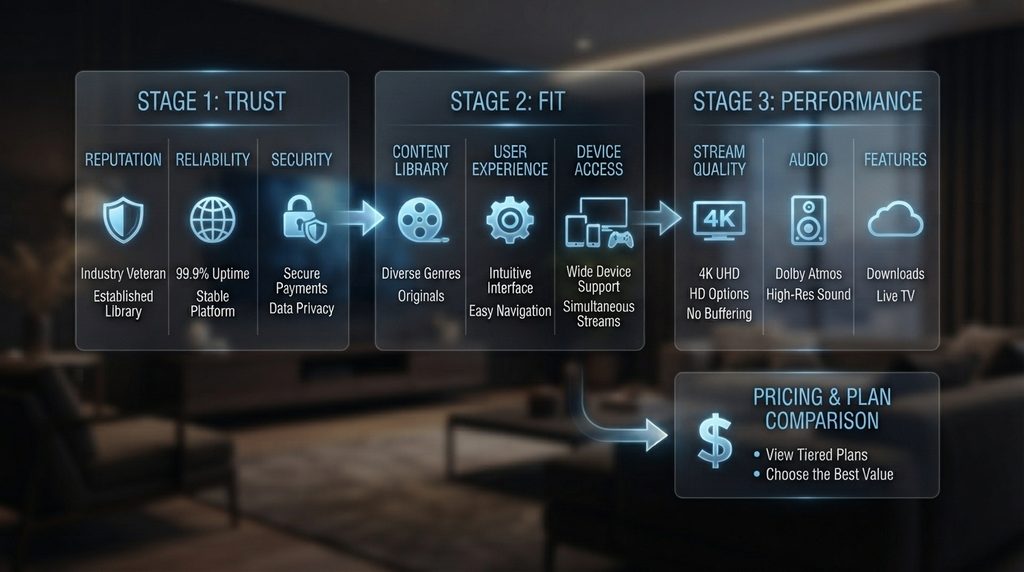
Use three gates. Do not advance to the next gate until the current one is resolved.
Gate 1: Trust
Confirm the domain, seller, authorization, terms, checkout identity, and payment protection.
Gate 2: Fit
Confirm content, device, player, connections, region, EPG needs, and network capacity.
Gate 3: Performance
Use a legitimate trial or the shortest plan. Test peak-time streams, navigation, EPG, restart, simultaneous use, and support. Compare longer-term savings only afterward.
Yourflix FAQ
What is Yourflix?
Yourflix is used by multiple products and IPTV websites. Identify the exact domain and seller before comparing prices, devices, reviews, or policies.
How much does Yourflix cost?
Prices vary by domain. Compare the final total, currency, duration, connections, player fee, renewal, and refund terms at the exact checkout.
Does Yourflix offer a free trial?
Some sellers mention trials and others do not. Verify the duration, limits, payment requirement, and cancellation terms with the exact seller.
What devices work with Yourflix?
Listings claim support for major TV, mobile, and computer platforms. Actual compatibility depends on the model, region, player, and login format.
Does a Yourflix subscription include the player app?
Not necessarily. Ask which player is required and whether it has a free, one-time, or recurring fee.
How many devices can use Yourflix at once?
It depends on the plan. Installation on several devices does not automatically allow simultaneous playback; confirm the connection count.
Why is Yourflix buffering?
Causes include Wi-Fi, bandwidth, congestion, device limits, the player, connection count, routing, or source. Test another app and channel before contacting support.
Is Yourflix legal in the United States?
The name cannot answer it. Legality depends on whether the provider is authorized to distribute the specific content; use only lawfully supplied content.
What is a practical Yourflix alternative?
Digital Lizard publishes plan, connection, setup, checkout, FAQ, and refund pages. Mainstream licensed services better fit buyers prioritizing native apps and documented U.S. lineups.
Final Verdict on Yourflix
Yourflix may describe a workable streaming offer, but the keyword currently leads to multiple sellers with inconsistent plans and claims. The decisive step is identifying the exact domain, then verifying authorization, content, device compatibility, simultaneous connections, total cost, refund terms, and payment recourse.
Start with the shortest sensible commitment and test the real device during real viewing hours. If the fragmented Yourflix identity creates too much uncertainty, compare the transparent plan structure on the Digital Lizard IPTV pricing page, check the setup guide, and proceed only when the service fits all three gates: trust, fit, and performance.