
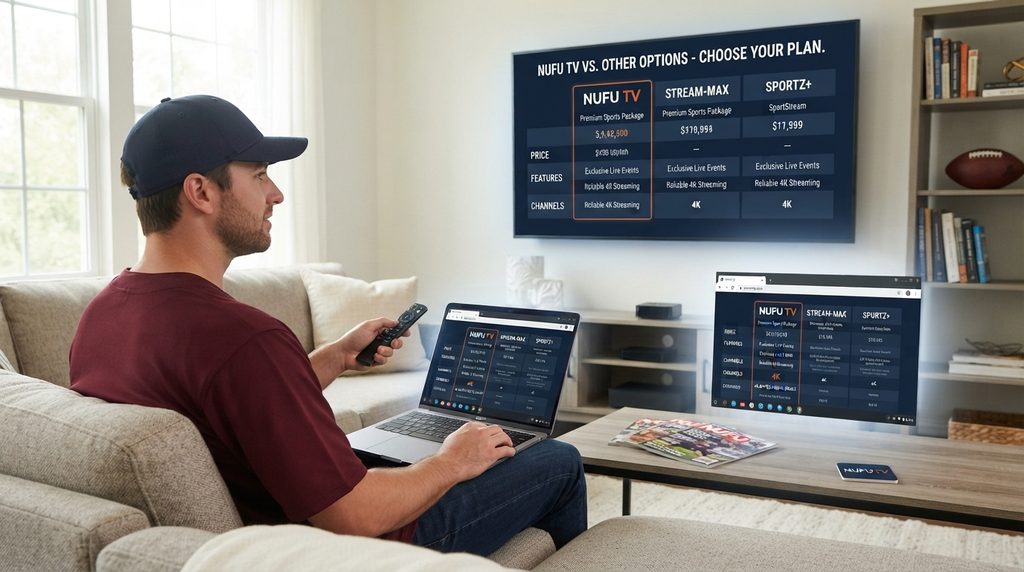
Nufu TV attracts sports fans with a simple pitch: a large selection of live games, no blackout restrictions, multiple-device access, and lower pricing than a typical cable package. Those claims make the service interesting, but they do not answer the questions that matter most before paying. Buyers still need to verify the current price, device compatibility, streaming reliability, support process, refund terms, and—above all—whether the service is authorized to distribute each event in their location.
This Nufu TV review separates what the company advertises from what can be independently confirmed. It also explains the confusing difference between the Nufu TV sports subscription and the similarly named NUFU IPTV player, then gives you a practical checklist for making a safer decision.
What is Nufu TV?
Nufu TV presents itself as a subscription streaming service focused on live sports. Its website currently advertises NFL, NBA, NHL, MLB, MLS, college football, rugby, and other sports content. It also promotes 1080p streams, replay support, two simultaneous devices, and viewing without regional blackouts.
That description should be treated as the provider’s own marketing, not as independent verification of performance or media rights. The Nufu TV homepage is the best source for its current advertised features, while the checkout page is the place to confirm the price actually charged.
Nufu TV service vs. NUFU IPTV player
This distinction prevents a surprisingly common purchasing mistake.
The Nufu TV service sells access to a sports package through nufu.tv. The NUFU Smart IPTV Player listed in app stores is player software. The player can organize M3U playlists and includes features such as search, casting, picture-in-picture, and multiple playlists.
Both the Google Play listing and Apple App Store listing state that the player itself does not supply digital content. Users are responsible for adding content they are authorized to use.
In practical terms, installing a NUFU-branded app does not automatically mean you have a sports subscription. Likewise, buying a subscription does not guarantee that every similarly named app is the correct login destination. Confirm the exact app and activation method with official support before paying.
Nufu TV pricing and plans
Pricing deserves extra attention because Nufu TV’s public pages currently show different plan structures.
| Source checked | Plan shown | Advertised price | Term | Important note |
|---|---|---|---|---|
| Nufu TV homepage | Weekly | $6.99 | 7 days | Homepage entry point |
| Nufu TV billing page | Monthly | $20.99 | 1 month | Appears at checkout |
| Homepage and billing | Half-yearly | $79.99 | 6 months | Verify final total before payment |
| Homepage and billing | Annual | $124.99 | 12 months | Highest upfront commitment |
These prices were visible when this article was researched on September 15, 2026. The official Nufu TV billing page should be treated as the final reference at purchase time because offers can change.
The checkout page also advertises a 24-hour money-back guarantee for the monthly, six-month, and annual bundles. Save a screenshot of the exact plan, guarantee language, and total shown before completing payment. A marketing-page promise is much easier to discuss with support when you have a dated record.
Which Nufu TV plan makes the most sense?
For a first-time buyer, the shortest available paid term carries the least commitment. A six- or twelve-month package may reduce the effective monthly cost, but the savings matter only if the service remains compatible, reliable, supported, and appropriate for your viewing needs.
Use this decision rule:
- Choose a trial or short plan to test activation, picture stability, audio sync, and support response.
- Consider six months only after testing the service during a real high-demand game.
- Consider annual billing only when you understand the refund rules and are comfortable with the licensing evidence and service risk.
Do not buy the longest plan simply because the per-month calculation looks cheaper. Upfront savings cannot compensate for a service you cannot reliably use.
What does Nufu TV advertise?
Nufu TV promotes a concentrated sports package rather than a conventional entertainment bundle. Its current pages advertise:
- Live NFL, NBA, NHL, MLB, MLS, and NCAAF coverage
- Out-of-market games and no provider-imposed blackouts
- NFL RedZone and NFL Network
- 1080p video quality
- Ad-free viewing
- Replay support
- Two simultaneous devices
- Support across common streaming platforms
- No automatic renewal
Some limitations are disclosed on the same website. Nufu TV says it does not currently offer DVR. One FAQ answer also says the service does not offer on-demand content, although parts of the checkout copy mention game replay. Ask support to explain exactly what “replay” includes, how long games remain available, and whether it applies to every league.
The claim that subscriptions do not renew automatically is useful for budget control. Still, confirm the payment summary and retain the receipt. If any offer is presented as a free trial, the Federal Trade Commission’s subscription advice recommends understanding when the trial ends, what you will be charged, and how cancellation works.
Which devices work with Nufu TV?
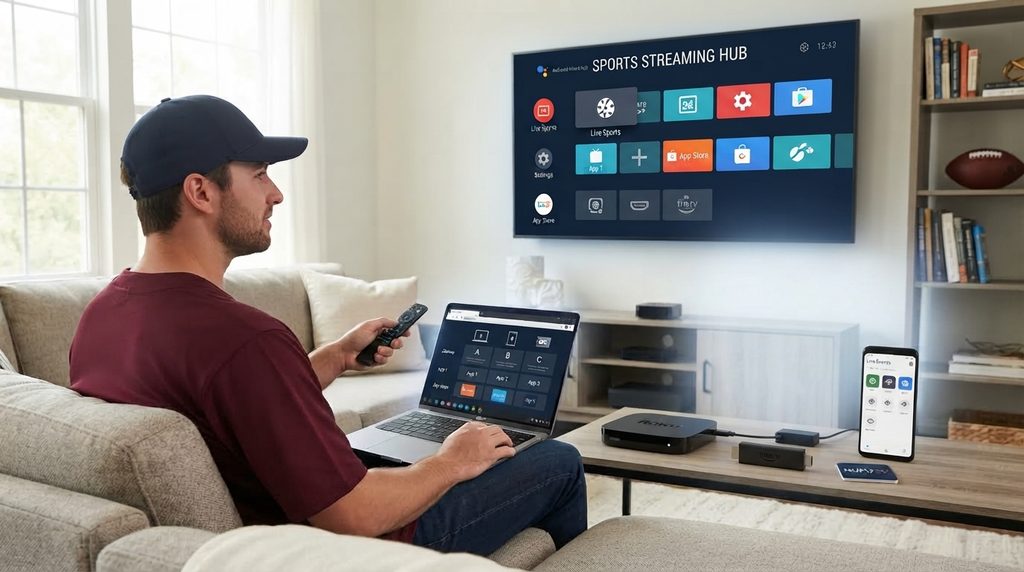
Nufu TV advertises compatibility with Android TV, Amazon Fire TV Stick, Roku, Xbox, Chromecast, Nvidia Shield, phones, tablets, and desktop browsers. Compatibility, however, can mean either a native app, casting, browser playback, or use through a separate IPTV player.
| Device | Likely viewing route | What to verify first |
|---|---|---|
| Android phone/tablet | Nufu app or browser | Correct official app and Android version |
| Android TV/Nvidia Shield | TV app or compatible player | Remote navigation and hardware decoding |
| Amazon Fire TV Stick | App or supported IPTV player | Installation source and available storage |
| Roku | Roku channel or casting route | Current channel availability and login method |
| iPhone/iPad | iOS player plus AirPlay | Whether subscription credentials work in that app |
| Apple TV | AirPlay or a compatible tvOS player | Native-app availability versus casting |
| Samsung/LG Smart TV | Compatible player or casting | App-store availability for the exact TV model |
| Windows/Mac | Web browser | Supported browser, pop-up blocking, and account login |
Best setup path by device
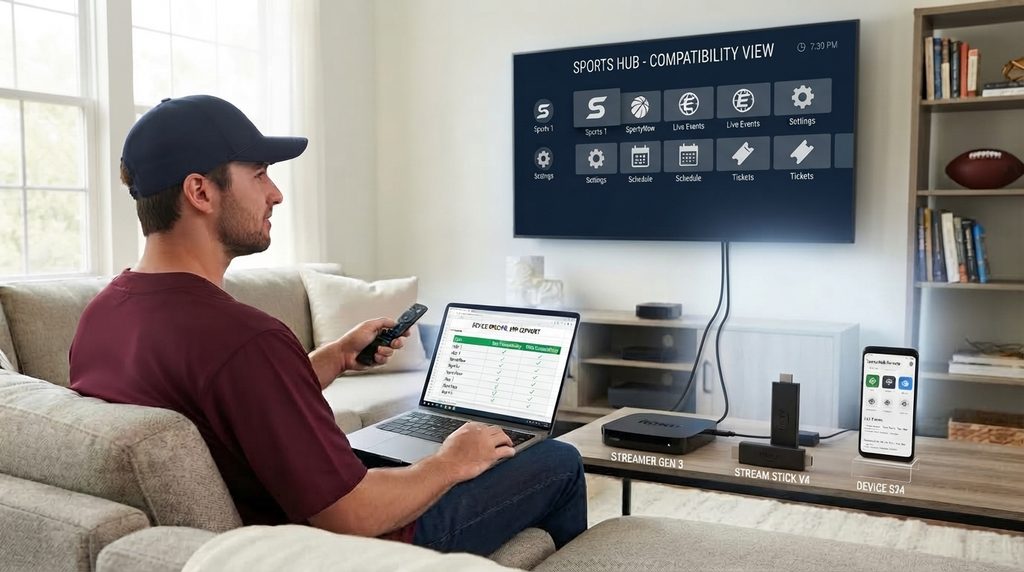
Android TV and Fire TV devices usually offer the most flexibility because they support several legitimate player apps and familiar remote controls. Roku can be simple when an official channel is available, but channel availability can change. On Samsung or LG TVs, the app store varies by model, country, and operating-system version.
Before subscribing, ask support one precise question: “What is the official installation method for my exact device model and country?” A clear answer is more useful than a generic list of platform logos.
Is Nufu TV legal and legitimate?
Nufu TV says that its service is legal and U.S.-based, but a buyer should independently verify content licensing before subscribing. App-store availability, a U.S. contact address, payment-card acceptance, and positive reviews do not by themselves prove that a service holds distribution rights for every league, channel, event, and territory it advertises.
This is not a declaration that the service is legal or illegal. Public-facing pages reviewed for this article did not provide enough detailed licensing information to independently confirm the broad sports-rights claims.
Why does that matter? Major sports rights are normally divided among broadcasters, streaming platforms, game windows, and geographic markets. The NFL’s official ways-to-watch page lists multiple authorized providers for different games. Official MLB.TV and NBA League Pass information also explains that blackout restrictions can apply.
A low-cost service advertising every major game with no location-based restriction therefore deserves careful due diligence. “No blackouts” is not proof of wrongdoing, but it is a reason to request specific rights information rather than relying on a general statement.
A five-point licensing check before buying Nufu TV
- Ask who licenses the streams. Request the names of leagues, networks, distributors, or content partners.
- Check territorial coverage. Rights valid in one country may not cover the United States or your state.
- Compare official viewing options. If a league assigns games across several exclusive partners, ask how one service can lawfully provide them all.
- Read the terms and refund policy. Look for a legal entity, governing law, cancellation method, and clear content-rights language.
- Keep the response. Save written confirmation, the checkout terms, and your receipt.
An IPTV player is a neutral technology tool. Its lawful use depends on the source of the streams and whether the user or provider has permission to distribute and view them.
How reliable is Nufu TV?
No responsible review can promise that a live streaming service will never buffer. Reliability depends on the source feed, provider capacity, home connection, Wi-Fi conditions, device performance, and app quality. The hardest test is not an empty weekday—it is a popular game when many customers connect at once.
The public evidence is mixed. App-store and Trustpilot reviews include praise alongside complaints about audio, navigation, interruptions, activation, and support. Reviews are anecdotes rather than controlled tests, but repeated themes are worth checking during a short trial.
For a fair test, use the same device and network you plan to use long term. Test:
- A high-demand live game, not only a replay
- Channel launch time and stream recovery after switching
- Audio/video synchronization
- 30–60 minutes of continuous playback
- Both allowed devices at the same time
- Support response before a payment problem occurs
A “1080p” label describes resolution, not overall quality. A stable 720p stream can look better than an unstable 1080p feed with aggressive compression or frequent drops.
Nufu TV pros and cons
| Potential advantages | Important drawbacks or uncertainties |
|---|---|
| Sports-focused catalog advertised in one place | Public licensing details were not sufficient for independent verification |
| Short-term plan appears available | Homepage and billing page show different short-plan structures |
| Two simultaneous devices advertised | Multi-device quality may depend on app and connection |
| Replay and 1080p claims | DVR is not currently advertised, and replay scope is unclear |
| No automatic renewal claimed | Buyers should still confirm checkout and retain receipts |
| Broad device claims | Installation route differs by platform and model |
| Lower advertised price than many multi-service combinations | Reliability and support reports are mixed |
Who might consider it—and who should not?
Nufu TV may attract a sports fan who values broad event selection, uses a supported device, and is willing to test a short plan. It may also appeal to a household that wants two simultaneous screens and does not need DVR.
It is a poor fit for buyers who require documented rights ownership, guaranteed availability for a specific team, a full cloud DVR, native apps on every TV, or phone support with predictable response times. It is also unsuitable for anyone unwilling to accept the risk attached to unclear licensing or changing app availability.
If predictable access and clearly documented league relationships matter more than having everything in one interface, official league packages and established live-TV providers are the stronger choice.
How to evaluate Nufu TV before paying
Use this checklist before starting a Nufu TV subscription:
- List the exact games you need. Include league, team, local market, and national broadcasts.
- Confirm the final checkout price. Do not rely only on a landing-page banner.
- Verify the app for your device. Get the exact app name and official store link.
- Request licensing details. Ask for written confirmation relevant to the United States.
- Read refund conditions. Confirm the time limit and required contact method.
- Start with the shortest option. Avoid a large upfront commitment before testing.
- Test during peak demand. Major live events reveal more than menus and replays.
- Contact support once. Ask a genuine compatibility question and assess the response.
- Save evidence. Keep screenshots, emails, receipts, and advertised terms.
- Use a unique password. Never reuse your email or banking password on a streaming account.
If you are comparing IPTV-based options, review the current subscription options and pricing plans only after confirming that the available content is licensed for your location. Device owners can also check the setup guide before purchasing.
How to set up Nufu TV
The exact steps depend on the device and the credentials supplied. A safe general process is:
- Visit the official service website and confirm the current plan.
- Ask support for the correct app-store link for your device.
- Install the app from an official store whenever possible.
- Create an account using a unique password.
- Enter only the activation details delivered through the provider’s official channel.
- Test a stream, audio, subtitles if offered, and remote-control navigation.
- Sign in on a second device only if your plan permits simultaneous streams.
Avoid APK files from random download pages, shortened links from strangers, and “modified” premium apps. Sideloading an unknown file can expose the device and account even when the subscription itself is genuine.
What should happen after purchase?
You should receive a payment confirmation and clear activation instructions. These should identify the official app or web player, the login method, device limits, and a support contact. If the email does not arrive, check spam and then contact the address published on the official website.
Do not repeatedly purchase the same plan when activation is delayed. First confirm whether the charge succeeded and keep the transaction reference.
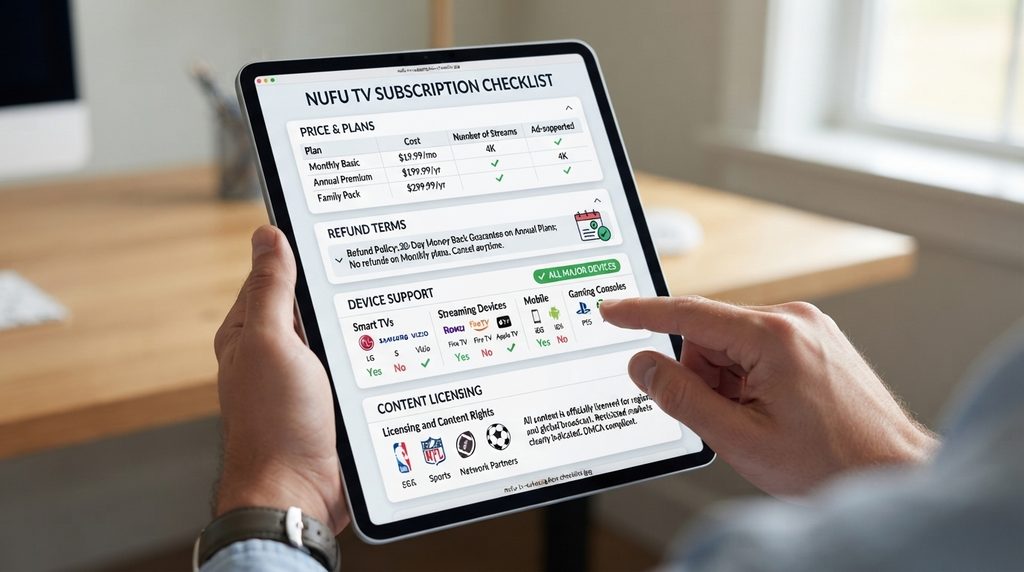
Troubleshooting common Nufu TV problems
| Problem | Likely causes | Practical first steps |
|---|---|---|
| App will not install | Unsupported model, region restriction, low storage | Confirm device model, update OS, free storage, use official store |
| Login fails | Wrong app, mistyped credentials, expired plan | Verify app name, reset password, check subscription status |
| Stream buffers | Weak Wi-Fi, congested network, overloaded feed | Restart router/device, test Ethernet or 5 GHz, lower quality if available |
| Audio continues after switching | Player/app bug | Stop playback, force-close app, update or reinstall official version |
| Second screen fails | Device-limit rule or account-session problem | Sign out unused devices and confirm two-stream entitlement |
| No activation email | Spam filter, wrong email, delayed processing | Check spam, verify charge, contact official support with receipt |
| Roku option missing | Channel changed or unavailable by region | Search Roku store and request the current official method |
Quick buffering diagnosis
First run a speed test on the streaming device, not on a different phone. Then restart the app and router. If other services play normally but one Nufu TV feed repeatedly fails, document the channel, event, time, and device and send those details to support. That evidence helps separate a provider-side issue from a home-network problem.
Nufu TV alternatives for U.S. sports fans
The best alternative depends on the league and whether you need local, national, or out-of-market games. No single authorized service necessarily carries every event.
| Viewing need | Option to investigate | Main consideration |
|---|---|---|
| Out-of-market Sunday NFL games | NFL Sunday Ticket through YouTube | Does not replace every national or local game source |
| Mobile NFL access and supported live games | NFL+ | Device and casting rules vary by tier |
| Out-of-market baseball | MLB.TV | Local and national restrictions may apply |
| Out-of-market basketball | NBA League Pass | Local and nationally televised blackouts apply |
| Broad live channel bundle | YouTube TV, Hulu + Live TV, Fubo, Sling, or DIRECTV STREAM | Compare regional channels, sports add-ons, and local availability |
| Selected NBC sports | Peacock | Coverage depends on the league and event window |
| Free legal linear channels | Pluto TV, Tubi, The Roku Channel | Limited premium live-sports coverage |
Start with the official league schedule and “where to watch” page. Build the smallest combination that covers your must-see games instead of paying for overlapping packages.
Common Nufu TV buying mistakes
Confusing the player with the service. A free IPTV player does not automatically include channels, and an app-store listing is not proof of a separate subscription’s rights.
Buying a year before testing. Long plans increase financial exposure when compatibility or reliability is uncertain.
Assuming “no blackouts” guarantees authorized access. It describes the viewing experience claimed by the provider, not the evidence behind distribution rights.
Ignoring the checkout page. The homepage and payment page may display different offers. Confirm the final order summary.
Using unofficial installation files. Unknown APKs and copied app links add security risk and complicate support.
Frequently asked questions
What is Nufu TV?
Nufu TV is marketed as a subscription service for live sports, including major U.S. leagues and out-of-market games. Its website advertises 1080p streaming, two simultaneous devices, replays, and no blackouts. Buyers should verify current pricing, app compatibility, refund terms, and content licensing before subscribing.
How much does Nufu TV cost?
At the time of research, the homepage advertised $6.99 weekly, $79.99 for six months, and $124.99 yearly. The billing page instead showed $20.99 monthly alongside the same six-month and annual prices. Check the final checkout page because pricing and promotions can change.
Does Nufu TV offer a free trial?
Some Nufu TV landing pages and community posts mention trials, but availability can change. Do not assume a trial exists until the checkout page clearly shows its length, required payment information, conversion price, and cancellation terms.
How many devices can use Nufu TV at once?
The official website currently says two devices can stream at the same time. Confirm that the limit applies to simultaneous playback rather than merely registered devices, especially if you plan to use different apps or locations.
Does Nufu TV work on Roku and Fire TV Stick?
Nufu TV advertises Roku and Fire TV compatibility. The actual installation method may be a native channel, casting workflow, or third-party player. Ask for the current official store link and instructions for your exact device before paying.
Is Nufu TV the same as the NUFU Smart IPTV Player?
Not exactly. Nufu TV is marketed as a sports subscription, while the NUFU Smart IPTV Player listings describe software that does not supply content. A player requires a lawful playlist or authorized account, and its app-store presence does not independently verify a subscription service.
Is Nufu TV legal in the United States?
The company says its service is legal and U.S.-based. However, the public pages reviewed did not provide enough specific licensing documentation to independently verify rights for every advertised league and event. Ask for partner and territorial-rights details, then compare them with official league viewing information.
Does Nufu TV have DVR or replays?
The website advertises replay support but says it does not currently offer DVR. Those are different functions: replay is provider-selected past content, while DVR normally lets the viewer record programs. Confirm which games are replayable and how long they remain available.
What should I do if Nufu TV keeps buffering?
Restart the app, streaming device, and router; test the connection on the affected device; try Ethernet or a strong 5 GHz Wi-Fi signal; and update the official app. If other services work normally, record the event, channel, device, and time and contact support.
Can I cancel Nufu TV auto-renewal?
Nufu TV currently says it does not automatically renew subscriptions. Verify this on the checkout page and receipt because payment terms can change. Keep a screenshot and monitor the payment method after the subscription ends.
Final verdict: Is Nufu TV worth it?
Nufu TV has an appealing sports-first proposition, short-term pricing, two-screen support, and broad device claims. The decision should not rest on price alone. The inconsistent short-plan display, mixed reliability reports, unclear replay scope, and lack of sufficiently detailed public licensing evidence all require verification.
Before buying Nufu TV, confirm the final charge, test the shortest available option on your real device during a major game, and request written content-rights information. If those checks do not produce clear answers, choose an authorized league package or established live-TV provider. To compare another IPTV-based setup, view available plans and verify content authorization and device compatibility before purchase.