
VLC is one of the simplest ways to test or play compatible IPTV network streams without committing to a complicated player interface.
It is a free, open-source multimedia player developed by VideoLAN. The official VideoLAN website says VLC can play most multimedia files as well as various streaming protocols, making it useful for users who receive a compatible network stream or playlist from a streaming provider.
That does not mean VLC provides television channels by itself.
You normally need a separate IPTV subscription or a legitimate network-stream source. This distinction is especially important for customers considering Digital Lizard IPTV, because the subscription and the player perform different jobs.
This guide explains how VL C IPTV works, how to configure it, what can go wrong, and how Digital Lizard IPTV can fit into the setup.
Table of Contents
Table of Contents
What Is VL C?
VL C is a free and open-source multimedia player created by the VideoLAN project.
It runs on multiple operating systems and supports a wide range of media formats and network streaming protocols. VideoLAN lists support for inputs including HTTP, FTP, UDP/RTP and TCP/RTP, alongside local media files and many audio and video formats.
The Android version also supports network streams, HLS, DASH, Android TV, subtitles and hardware decoding.
That makes VLC useful for several purposes:
- Playing local video files
- Opening direct network streams
- Testing a streaming URL
- Playing compatible playlists
- Troubleshooting IPTV playback
- Checking whether a stream works outside another player
Does VLC Include IPTV Channels?
No.
VL C is a media player.
It does not automatically give you an IPTV subscription, television package, username, password or server account.
Think of it like a television set.
The TV displays content, but you still need a content source.
The same idea applies to VLC.
Can You Use VLC for IPTV?
Yes, VLC can play compatible IPTV and other network streams when you have a valid stream source.
VideoLAN officially documents support for multiple streaming protocols and network inputs, including HTTP and RTP/UDP.
In a typical IPTV setup, a provider may supply one of the following:
- Direct stream URL
- M3U playlist URL
- Downloadable playlist file
- Username and password
- Server information
- Another login format intended for a dedicated IPTV player
Whether VL C works depends on the format supplied.
A subscription designed only for a player login method may be easier to use through a dedicated IPTV application instead.
What You Need Before Using VLC With IPTV
Before opening the application, prepare three things.
A Compatible Device
Desktop versions of VLC are available for systems including Windows, macOS and Linux. VideoLAN also distributes versions for Android and other platforms.
A Working Internet Connection
Streaming video depends on a stable connection.
Performance can also be affected by:
- Wi-Fi quality
- Internet congestion
- Device hardware
- Stream quality
- Decoder performance
- Other devices using bandwidth
The Digital Lizard IPTV FAQ similarly notes that buffering can depend on player software, device hardware, Wi-Fi quality and internet conditions.
Valid Stream or Subscription Information
VLC cannot invent a stream.
You need a legitimate network source or compatible IPTV subscription.
If you use Digital Lizard IPTV, keep the account information supplied after activation available while setting up your compatible player. The site’s setup guide tells users to keep their username, password and server information private.
7 Best Tips for Setting Up VLC IPTV
1. Download VL C From the Official VideoLAN Website
Avoid random download websites.
The official VideoLAN site distributes VL C for Windows, macOS, Linux, Android and additional platforms.
Using the official source reduces the risk of downloading modified or unwanted software.
Once installed:
- Launch VLC.
- Allow the application to complete its initial setup.
- Confirm your internet connection is working.
- Keep your stream URL or playlist ready.
2. Understand What Your Provider Gives You
Before entering anything into VL C, check the format of the information you received.
Common formats include:
- M3U URL
- M3U file
- Direct HTTP stream
- Network stream
- Username/password/server credentials
Not every credential format goes directly into VLC.
For example, an application that supports a dedicated account-login interface may ask for username, password and server separately.
VLC is usually more convenient when you have a usable stream or playlist URL.
If your Digital Lizard IPTV account was provided for another login method, follow the site’s Setup Guide or contact support before trying to convert the details manually.
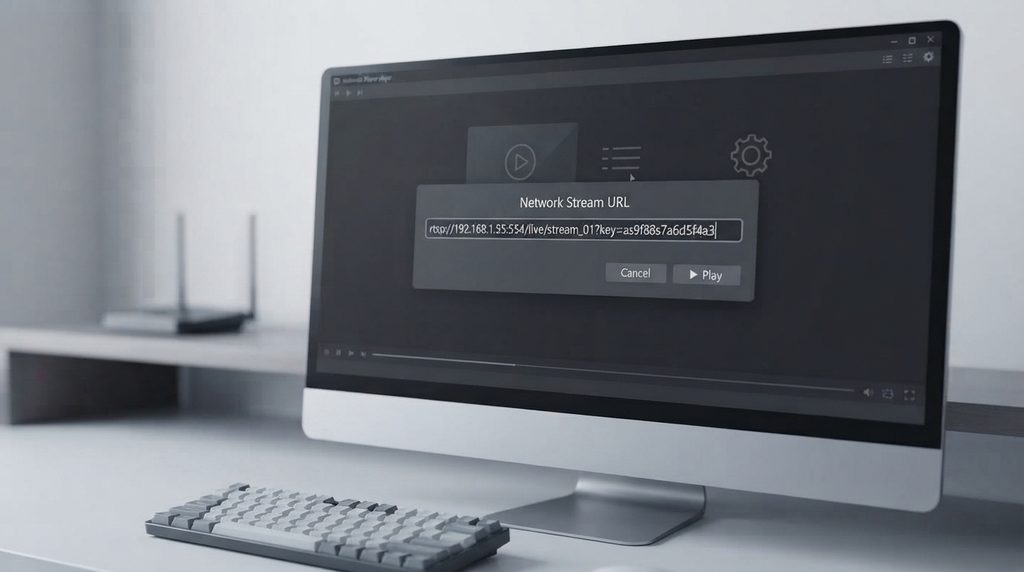
3. Open a Network Stream in VL C
A direct network stream is one of the easiest methods.
On desktop VL C:
- Open VLC.
- Select Media.
- Choose Open Network Stream.
- Paste your authorized stream URL.
- Click Play.
- Give the connection a few seconds to initialize.
The exact menu wording can vary slightly between versions or operating systems.
Because VideoLAN officially supports HTTP and other streaming inputs, VLC can act as a simple network-stream player when the source format is compatible.
Important Security Tip
Do not publish your subscription URL publicly.
Some playlist URLs can contain account credentials inside the address.
Treat them like a password.
4. Load an M3U Playlist Into VL C
M3U is a common playlist format.
If your authorized service gives you an M3U file, you may be able to open it directly.
A typical process is:
- Save the M3U file to your device.
- Open VL C.
- Choose Media > Open File.
- Select the M3U file.
- Open the playlist panel.
- Choose a stream.
If you receive an M3U URL instead, you may be able to paste the URL through Open Network Stream.
Whether every entry works depends on the underlying stream source and its compatibility.
5. Give the Stream Time to Start
Users sometimes assume a stream has failed immediately.
Network playback can need several seconds to:
- Establish a connection
- Retrieve information
- Fill a playback buffer
- Initialize a decoder
- Start audio and video
If a channel or stream does not load instantly, wait briefly before repeatedly clicking Play.
If it still fails, move to troubleshooting.
6. Troubleshoot VL C IPTV Playback Methodically
Do not change ten settings at once.
Test one thing at a time.
Start with:
- Verify that your internet works.
- Confirm the URL was copied correctly.
- Restart VLC.
- Restart the device.
- Test another authorized stream from the same source.
- Test the connection on Ethernet if possible.
- Update VLC.
- Check whether the same stream works in another compatible player.
This isolates the source of the problem.
For example:
- If no streams work, the account or network may need checking.
- If only one stream fails, the issue may be specific to that source.
- If another player works but VL C does not, the issue may involve compatibility or decoding.
- If all players buffer, investigate the internet connection or source.
7. Choose the Right Subscription and Number of Connections
The player is only one part of the setup.
You also need a subscription appropriate for your household.
The current Digital Lizard IPTV pricing page lists one-connection packages at:
| Duration | Current Total Price |
|---|---|
| 1 month | $16 |
| 3 months | $36 |
| 6 months | $55 |
| 12 months | $75 |
The website explains that one connection means one simultaneous stream rather than the number of devices you own. It also indicates that buyers can choose connection counts from one to five.
That distinction matters.
You could install VL C on several devices but still only watch one stream at a time if your subscription contains one simultaneous connection.
For current plan information, visit the Digital Lizard IPTV pricing page.
VLC vs a Dedicated IPTV Player
VLC is powerful, but it is not always the best interface for every IPTV user.
| Feature | VL C | Dedicated IPTV Player |
|---|---|---|
| Direct network stream | Excellent | Usually supported |
| Local video playback | Excellent | Often secondary |
| M3U support | Good | Often designed around it |
| TV-style interface | Basic | Usually better |
| EPG integration | Limited compared with dedicated apps | Often built in |
| Favorites | Basic | Often easier |
| Channel organization | Functional | Usually more TV-focused |
| Troubleshooting streams | Very useful | Useful |
| Desktop use | Excellent | Depends on app |
| Android/TV use | Available | Often optimized for TV |
When VL C Makes Sense
Use VL C if you want:
- A simple player
- Direct network-stream playback
- Desktop compatibility
- A way to test a stream
- Local and network media in one app
- A free open-source player
When a Dedicated IPTV Player Makes More Sense
A dedicated player may be easier if you want:
- TV-style menus
- Better EPG presentation
- Favorites
- Categories
- Remote-control navigation
- Account-login screens
- A living-room interface
The Digital Lizard IPTV setup guide recommends choosing a player designed for your device and login format.
How Digital Lizard IPTV Fits Into a VL C Setup
This is the key distinction.
VL C is the playback software.
Digital Lizard IPTV is presented by its site as the subscription service.
A typical setup therefore looks like:
Subscription → account/stream information → compatible player → device → internet connection
For a customer using a compatible VL C IPTV format:
Digital Lizard IPTV → authorized stream information → VL C → Windows/Android/other compatible device
The exact process depends on the account format supplied.
If the account is better suited to another application, use the Digital Lizard IPTV Setup Guide instead of forcing it into VLC.
Why Consider Digital Lizard IPTV?
For readers who already understand the player side and now need a subscription, Digital Lizard IPTV gives buyers several useful decision points before purchase.
Its current website provides:
- Published pricing
- 1–5 simultaneous connection options
- Device-specific setup guidance
- Subscription information
- FAQ
- Support resources
The pricing page currently shows one-connection plans from one month through twelve months.
That makes it possible to choose based on commitment length rather than purchasing blindly.
New User?
A shorter plan may make sense while you confirm:
- Device compatibility
- Player preference
- Wi-Fi performance
- Login method
- Streaming setup
Already Comfortable With Your Setup?
A longer plan can lower the effective monthly cost based on the currently published one-connection prices.
Always verify the current total at checkout because prices may change.
Compare Digital Lizard IPTV plans
Common VLC IPTV Problems and Fixes
Why Does VL C Show a Network Stream Error?
The most common possibilities include:
- Incorrect URL
- Expired credentials
- Network problem
- Server/source problem
- Unsupported stream format
- Temporary connection failure
- Authentication problem
Start by copying the URL again.
Make sure there are no missing characters or accidental spaces.
If the stream contains account credentials, do not edit individual sections unless you know what they represent.
Why Is VLC Buffering?
Buffering does not automatically mean VL C is broken.
Possible causes include:
- Weak Wi-Fi
- Congested network
- High stream bitrate
- Slow source
- Device performance
- Decoder issue
- Other downloads using bandwidth
The Digital Lizard IPTV FAQ also identifies player software, hardware, Wi-Fi and network conditions as potential playback factors.
Try These Fixes
- Restart the router.
- Restart the device.
- Move closer to Wi-Fi.
- Try Ethernet.
- Close downloads.
- Test another stream.
- Update VLC.
- Test another compatible player.
Do not assume changing the IPTV provider is the first solution.
Find out whether the problem follows the stream, the device or the network.
Why Is There Audio but No Video?
This can indicate a decoding or video-output problem.
VideoLAN says VLC provides hardware decoding on most platforms and can fall back to software decoding in certain situations.
Possible troubleshooting steps include:
- Update VL C.
- Restart the player.
- Try another video output configuration.
- Test hardware decoding options.
- Test another device.
- Compare the same stream in another player.
Avoid randomly changing advanced settings unless basic troubleshooting fails.
Why Does One Stream Fail but Others Work?
That usually suggests the problem is not your entire VL C installation.
The failing stream itself may have:
- A temporary source issue
- A different codec
- A different bitrate
- An unavailable endpoint
Testing several streams is a quick way to determine whether the issue is isolated.
Why Does VL C Work but My IPTV App Does Not?
That information can be useful.
If the exact same stream works through VL C but fails in another player, the problem may involve:
- Player settings
- Application compatibility
- Login configuration
- Decoding
- Cache
- App-specific bugs
That is why VLC can be valuable as a troubleshooting tool even when it is not your everyday IPTV interface.
VL C on Android
VideoLAN provides an official Android version.
According to the VideoLAN website, V LC for Android supports network streams, HLS, DASH, subtitles, hardware decoding and Android TV.
This makes it useful for:
- Android phones
- Android tablets
- Android TV
- Supported Android-based media devices
The interface differs from the Windows desktop version, so the menu path may not be identical.
Look for the network-stream option and enter your authorized stream URL.
VLC on Windows
Windows remains one of the simplest environments for testing IPTV streams with VLC.
A common workflow is:
- Install the official VLC.
- Open the player.
- Select Media.
- Open Network Stream.
- Paste your stream URL.
- Click Play.
This makes Windows especially useful for diagnosing whether a stream URL works before troubleshooting a television or streaming box.
Is VLC Safe?
The official VLC software from VideoLAN is free and open source.
VideoLAN’s feature page states that VLC contains no spyware, ads or user tracking.
The important part is downloading it from the official VideoLAN website or an official platform store.
Avoid unofficial download pages claiming to offer modified or “premium” versions.
Is VL C Legal?
VL C itself is legitimate media-player software.
Legality of the content being played is a separate question.
A player can open both legitimate and unauthorized sources.
Users should therefore make sure they have the right to access the streams or content they play.
The presence of a stream inside VLC does not by itself establish that the content is licensed.
Does VL C Improve Stream Quality?
Not automatically.
A media player cannot create video quality that is absent from the source.
Actual quality can depend on:
- Source resolution
- Source bitrate
- Compression
- Network stability
- Device decoder
- Display settings
VLC does offer substantial decoding support and video/audio controls, but those features do not transform a poor source into a high-quality one. VideoLAN documents broad codec support, hardware decoding and video/audio filtering features.
Can VLC Fix IPTV Buffering?
Not by itself.
Changing players can sometimes help when the issue is app-specific, but buffering caused by a poor network or slow source will normally remain.
Use VLC as part of a diagnosis.
For example:
| Result | Possible Direction |
|---|---|
| VLC and another player both buffer | Check network or stream |
| Only VLC buffers | Check VLC settings/version |
| Only one channel buffers | Check that specific stream |
| Ethernet works, Wi-Fi buffers | Investigate wireless network |
| All streams fail | Verify account/network details |
This type of comparison gives you more useful information than repeatedly reinstalling applications.
Is VL C the Best IPTV Player?
There is no universal best player.
VLC is excellent when your priorities are:
- Flexibility
- Network playback
- Format support
- Desktop use
- Troubleshooting
- Free open-source software
A dedicated IPTV app may be better when your priorities are:
- EPG
- TV remote navigation
- Channel groups
- Favorites
- Catch-up interfaces
- TV-focused design
The choice depends on how you watch.
Who Should Use VL C With Digital Lizard IPTV?
A VLC IPTV setup can be useful for users who:
- Watch primarily from a computer
- Want to test a network stream
- Prefer a simple open-source player
- Need broad codec support
- Already have an M3U or network-stream URL
- Want a second player for troubleshooting
For a living-room television, a dedicated IPTV player may still provide a more comfortable interface.
The Digital Lizard IPTV website has device-specific setup instructions for Smart TVs, Fire TV, Android and Apple TV, so users should compare those options before deciding on VL C as the main interface.
Choosing a Digital Lizard IPTV Plan
Before paying, consider three questions.
How Many Devices Will Stream at the Same Time?
The website explains that the connection count means simultaneous streams.
One person who owns four devices but only watches one at a time may need only one connection.
A household with three people watching at the same time may need three.
How Long Do You Want to Subscribe?
Current one-connection pricing published by the website is:
- 1 month — $16
- 3 months — $36
- 6 months — $55
- 12 months — $75
Is Your Device Compatible?
Check the Digital Lizard IPTV Setup Guide before selecting a longer plan.
That is especially important for Smart TVs because application availability varies by platform, model, year and region.
Common Mistakes With VLC IPTV
Assuming VL C Is an IPTV Provider
It is not.
It is a player.
Downloading VL C From Unknown Websites
Use the official VideoLAN source.
Sharing Playlist URLs Publicly
A URL can contain sensitive subscription information.
Buying Several Connections Just Because You Own Several Devices
Connections normally refer to simultaneous usage.
Expecting VL C to Provide a Full TV Interface
It is primarily a multimedia player.
Ignoring Device and Network Performance
Even an excellent player cannot compensate for every network problem.
Frequently Asked Questions About VL C
What is VL C?
VL C is a free, open-source, cross-platform multimedia player created by VideoLAN. It can play a wide range of media files and network streaming protocols.
Can VL C play IPTV?
Yes, provided you have a compatible and authorized stream or playlist. VL C supports multiple network-streaming inputs including HTTP and RTP/UDP.
Does VL C include channels?
No. VLC is a media player, not a subscription provider.
Can I use VL C with Digital Lizard IPTV?
Potentially, when the account information supplied to you is available in a format that VL C supports. If your login format is designed for another player, use the site’s setup guide or support resources.
How do I open IPTV in V LC?
On desktop, open Media > Open Network Stream, paste your authorized stream URL, and select Play.
Can VL C open M3U playlists?
Yes, compatible M3U playlist files or URLs can generally be opened through VLC’s file or network-stream functions.
Is VLC free?
Yes. VideoLAN distributes VLC as free and open-source software.
Does VL C work on Android TV?
VideoLAN states that its Android version supports Android TV as well as network streams.
Why is VL C IPTV buffering?
Possible causes include the network connection, Wi-Fi, device hardware, stream source, bitrate or player configuration. Test another stream and another compatible player to isolate the problem.
Should I use VL C or an IPTV-specific app?
Use VL C for simple stream playback and troubleshooting. Consider a dedicated IPTV application when you want a television-focused interface, EPG, favorites and easier remote navigation.
Conclusion
VL C remains a practical choice for playing and testing compatible IPTV network streams because it is free, open source, cross-platform and supports a broad range of streaming protocols and media formats.
For IPTV users, the most important thing to remember is that VL C is the player, not the subscription.
If you need a compatible streaming subscription, Digital Lizard IPTV provides published pricing, multiple connection options and device-specific setup resources that can help you choose an appropriate configuration.
Check your device first, select the number of simultaneous connections you actually need, and then compare Digital Lizard IPTV plans.