
What is the best IPTV to purchase? The best choice is a subscription that fits your actual viewing habits, works with your devices, allows the number of streams your household needs, and makes its costs and policies clear. At Digital Lizard IPTV, we help US shoppers compare subscription lengths, simultaneous connections, and practical setup requirements before ordering. Our published one-connection options start at $16 for one month, with longer terms available; your chosen connection count determines the final checkout total.
If you want to make a confident purchase rather than guess, use the seven checks below. Start with the Digital Lizard IPTV pricing page to see current offers, or follow this guide first to decide which option makes sense for your household. We will explain what the service is, where a separate player app fits in, and what happens after you subscribe. We will also flag details you should confirm, including the availability of any must-have programming and applicable rights to access it in your region.
View current subscription plans
Table of Contents
Table of Contents
What is the best IPTV to purchase? Start With Your Household
The answer starts with the household, not a provider ranking. A single person watching from one television does not need the same number of simultaneous connections as a family using the living room, bedroom, and a mobile device at once. Likewise, a customer trying streaming for the first time may value a short initial commitment more than the lowest effective monthly cost.
Our website offers internet-based television subscription options intended for use with compatible player applications and supported devices. Published categories include live TV and on-demand viewing, but availability depends on the package and active sources. We do not suggest that every channel, game, movie, or series is included. Ask about specific programming that matters to you before paying, and independently confirm appropriate distribution rights where relevant.
To decide what is the best IPTV to purchase?, use the following seven checks in order. They keep your decision focused on compatibility, the people watching, the true amount due, and what you will need after payment.
Check 1: Understand What You Are Buying
A paid IPTV subscription is not the same product as a television, a streaming stick, or an IPTV player app. The subscription provides access to the content categories and account capabilities specified by the seller. A player app is the software that accepts the account details and displays the stream on your screen. A compatible device is the television, box, phone, or tablet that runs that software.
This distinction affects your cost and your setup. A customer who already owns a suitable smart television may still need to install a compatible player. A customer who already paid for a player license may still need a content subscription. Some third-party applications offer paid features or separate licenses; our subscription price should not be confused with those potential app charges.
When people search what is the best IPTV to purchase?, they often compare advertised channel lists before checking how the product actually works. A more useful first question is: Can I install a player that supports the account login format I will receive? Our device setup guide describes the supported device families and the typical use of a username, password, and required server information.
Your television or streaming stick is the hardware. Your IPTV player is the application. Your Digital Lizard IPTV subscription is the separate service account. Confirm all three work together before spending money on an extra app or a longer subscription.
Your television or streaming stick is the hardware. Your IPTV player is the application. Your Digital Lizard IPTV subscription is the separate service account. Confirm all three work together before spending money on an extra app or a longer subscription.
Check 2: Verify Your Device and Player First
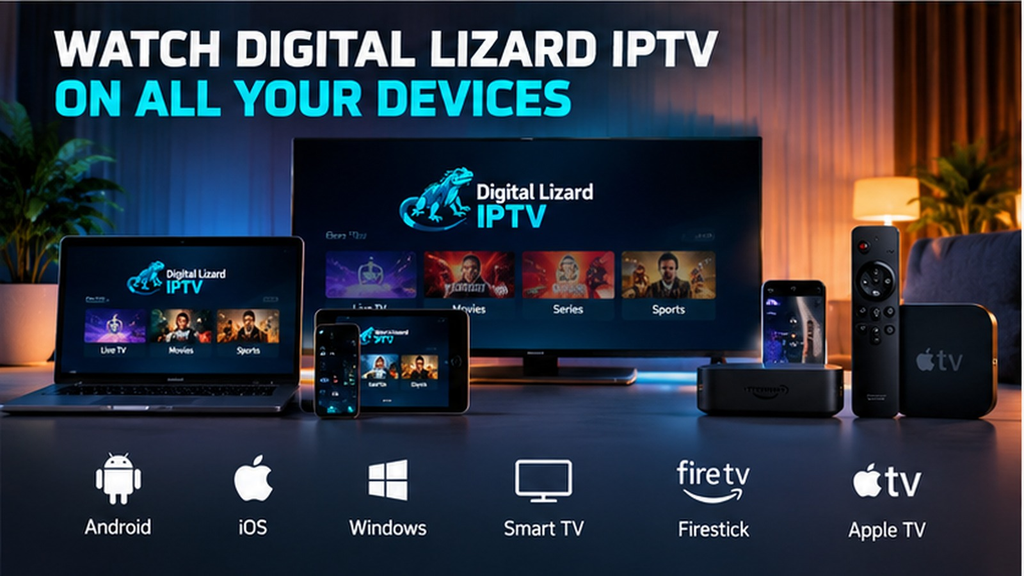
What is the best IPTV to purchase? For many buyers, it is the subscription they can reliably configure on the screen they already own. Our setup instructions cover Samsung and LG smart TVs, Amazon Fire TV Stick, Android TV, Android boxes, Android phones, and Apple TV. These are device families, not a guarantee that every model supports every application.
A Samsung television typically runs Tizen; an LG smart television uses webOS; an Android TV device and an Apple TV use different software environments. Do not assume that an Android app will install on a Samsung or LG television. Check your device model, operating-system version, region, and official app store before buying a player license.
For a typical setup, connect the device to the internet, install a suitable player from its supported store where available, choose the login method matching your subscription details, and enter the supplied credentials carefully. The player may request a username, password, and server address. Application menus differ, so our device-specific guide is more useful than a generic instruction that tells everyone to download one particular app.
If you are shopping for a family member, ask which television or streaming box they actually use. Someone with a Fire TV Stick may navigate setup differently from someone using a phone. A remote-friendly interface matters on a television, while a mobile-friendly interface matters on a handset. Buying a longer subscription before resolving these differences can turn a simple purchase into a frustrating first evening.
Search your exact television or streaming device’s supported app store for a compatible player. Check the app’s login methods and any separate price. The presence of a player on one operating system does not prove it is available on another.
Search your exact television or streaming device’s supported app store for a compatible player. Check the app’s login methods and any separate price. The presence of a player on one operating system does not prove it is available on another.
Before moving to pricing, confirm three facts: the exact model, an available compatible player, and the login format the player accepts. That is a stronger answer to what is the best IPTV to purchase? than relying on a logo or app name alone.
Check 3: Count People Watching at the Same Time
One of the most important choices on our site is the simultaneous-connection count. The homepage displays options from one through five connections. A connection refers to an active stream permitted at the same time, not simply to an app installation or the total number of devices in the house.
Imagine a living-room television, a bedroom television, and a phone. If only one person watches at a time, one simultaneous connection may match that pattern. If two people regularly watch different streams at once, they should select a plan with at least two simultaneous connections. If three people watch independently, compare the matching three-connection option. These are buying scenarios, not claims about your exact household.
A practical rule is to count your busiest typical viewing period, not the number of screens you own. You do not automatically need five connections because there are five devices at home. Equally, installing the same IPTV player on three devices does not entitle you to run three streams on a one-connection subscription.
For the question what is the best IPTV to purchase?, simultaneous use can matter more than a nominally cheaper headline price. First choose the number of streams, then compare duration and final amount due. Our subscription pricing options give you that starting point; the checkout total should be checked again after selecting your connection count. Our connection FAQs can answer additional questions.
| Household viewing pattern | Connections to consider | Why |
|---|---|---|
| One person watches on one screen at a time | 1 | One concurrent stream may be sufficient. |
| Two family members watch separate programs at once | 2 | Two independent concurrent streams are needed. |
| Three independent viewers use different screens together | 3 | Choose capacity for three simultaneous sessions. |
| Four or five people watch independently | 4 or 5 | Match actual concurrent use, then verify final price. |
The connection allowance limits simultaneous playback, not the total number of devices where an app might be installed. Picture a busy evening and count independent viewers. Select that connection count before comparing your order total.
The connection allowance limits simultaneous playback, not the total number of devices where an app might be installed. Picture a busy evening and count independent viewers. Select that connection count before comparing your order total.
Check 4: Compare the Real Cost of Each Subscription Term
The Digital Lizard IPTV pricing page currently shows four durations for a single simultaneous connection: one month, three months, six months, and twelve months. A shorter term means less initial commitment; a longer term reduces the effective monthly cost if you use the service for the full purchased period.
| Duration | Published total for 1 connection | Effective monthly cost* | Example purchasing goal |
|---|---|---|---|
| 1 month | $16 | $16.00 | Start with a shorter commitment. |
| 3 months | $36 | $12.00 | Choose a moderate term. |
| 6 months | $55 | About $9.17 | Balance term length and monthly equivalent. |
| 12 months | $75 | $6.25 | Lower monthly equivalent with a larger upfront commitment. |
Monthly equivalents divide the published total by the full term; they are not separate monthly installment bills. The prices above apply to one connection, as published when this article was prepared. Prices for two through five connections and any other checkout adjustments must be confirmed on the live ordering page. Price changes are possible.
For a shopper asking what is the best IPTV to purchase?, a twelve-month plan is not automatically the best personal choice just because its monthly equivalent is lower. It requires more money upfront and a longer commitment. A one-month plan may make more sense for a first purchase, especially when you are still learning which player and device arrangement works for you.
The right sequence is simple: choose your active-screen count; decide how long you reasonably expect to use the service; compare the total due, not only the monthly equivalent; and read the policies. If your main priority is avoiding a large initial payment, the shorter term may suit you. If you are already familiar with the service and prefer fewer renewal decisions, consider a longer term after confirming your expectations.
Our pricing page is the correct destination for the current published offer: Check current Digital Lizard IPTV prices. The order form is the final point to confirm your selected option and total.
Check 5: Match Your Network to Your Viewing Expectations
A plan cannot guarantee identical video performance in every home. Playback is affected by your internet provider, Wi-Fi strength, device processing, player software, network congestion, and the active source. A stream that behaves well on a wired television may behave differently on a phone using crowded Wi-Fi.
Before choosing what is the best IPTV to purchase?, test the connection on the actual device you expect to use. Restart outdated equipment, update the device where appropriate, and place Wi-Fi hardware so the screen receives a dependable signal. If a wired Ethernet connection is available, it can reduce one common source of wireless interference. These steps do not eliminate every buffering cause, but they narrow down avoidable local issues.
For reference, the US Federal Communications Commission has published general broadband guidance showing that different video activities require different levels of bandwidth. Such figures are broad planning guides, not measured requirements or performance promises for our service. Multiple active streams, other household traffic, compression, and device behavior can change what your network needs.
There is also a difference between a player successfully loading its menu and video actually playing smoothly. After activation, check whether the account loads, whether a permitted stream starts, and whether audio and controls behave as expected. If you experience problems, our setup guide covers initial troubleshooting, while the support page explains what information to include in a request.
Do not base your entire purchase on the phrase “4K” alone. High resolution depends on source availability, the application, the device, and the network. It is more useful to ask what picture options apply to the programming you actually want and whether your equipment can handle them.
Check 6: Confirm Content, Rights, Refund Rules, and Support
What is the best IPTV to purchase? It is a service whose material terms you can understand before payment. Treat any program list as something to verify, especially for sports events, premium networks, regional stations, and on-demand titles. Programming availability can change with packages, sources, territory, and rights. A subscription should never be presented as automatic access to every premium channel or event.
IPTV is a delivery technology, not a blanket license to redistribute copyrighted programming. Buyers should confirm that the programming they intend to access is lawfully offered in their region. Our published marketing information does not, by itself, establish rights for every listed channel or title. If a particular broadcast is essential to your purchase, ask for clarification and, where appropriate, verify with the rightsholder.
Our website’s refund policy describes a three-day period for making a refund request, subject to the policy’s conditions and eligibility review. It is not an unconditional three-day money-back promise. Read that page and our terms and conditions before paying, keep your order confirmation, and report issues promptly through the official contact route.
Support also matters. Our contact page accepts questions about orders, account access, device setup, and playback. If you need assistance, share your order reference, device model, application, and error description. Do not send full payment-card numbers or post account passwords publicly. Clear details help support identify whether the problem is a login error, app compatibility, connection limit, or local network issue.
Our published refund policy permits requests within a three-day period, subject to the stated eligibility conditions. Review the policy before ordering and retain your confirmation. A request period is not a guarantee that every request will be approved.
Our published refund policy permits requests within a three-day period, subject to the stated eligibility conditions. Review the policy before ordering and retain your confirmation. A request period is not a guarantee that every request will be approved.
Check 7: Know How Ordering and Setup Work
Before completing your purchase, understand the handoff between selecting a subscription and using it on a compatible player. Our subscription page shows an order form for choosing a new subscription or renewal and submitting contact, device, and payment information. The exact selected plan and total should be visible during the ordering journey. The site describes account processing and the delivery of setup information; no guaranteed activation time should be assumed.
Your purchase does not install a player app automatically. Once your account information is supplied, you still need to configure a compatible application, enter the account details correctly, and allow it to load. If your player uses a different login method than the details received, follow the relevant guidance or contact support rather than purchasing an unrelated app at random.
When considering what is the best IPTV to purchase?, ask what you will need on day one. Have your device connected to the internet. Know which app you intend to use. Make sure you can access the purchase email and safely store credentials. Confirm that the number of concurrent streams and the order total match your selection.
This preparation is especially useful for people buying a subscription for a parent or another family member. You may need to help them use the device’s official app store, enter credentials with the remote, or navigate the account menu. The Digital Lizard IPTV setup guide provides starting instructions for the device families listed above.
How to Buy Your Digital Lizard IPTV Subscription
After the seven checks, the ordering journey should feel straightforward. Here is the practical sequence based on the current pages of our website:
- Visit the pricing page. Open our current plans and confirm that your device setup is feasible.
- Decide on simultaneous connections. Select the number of independent streams your household expects to use together, within the options offered on the website.
- Choose a subscription duration. Compare one, three, six, or twelve months and consider the complete upfront commitment.
- Review the selected order. Continue to the subscription order page and verify the chosen plan, connection allowance, and final amount.
- Provide the required order details. Complete the form fields shown for your transaction and choose an available payment method displayed during checkout. Do not send card information through a casual support message.
- Keep the confirmation and account information secure. Follow the account and activation instructions you receive. Processing time can vary; no exact delivery deadline is promised here.
- Set up and test the compatible player. Use our device guide, check the login carefully, and contact support if you cannot complete setup.
The answer to what is the best IPTV to purchase? becomes easier when you can identify the plan that satisfies your seven checks. If the device works with a player, your stream allowance is sufficient, your desired content and rights are confirmed, and the total commitment fits, you are ready to review the current order.
Choose your Digital Lizard IPTV subscription
Frequently Asked Questions About Buying IPTV
What is the best IPTV to purchase? How should a first-time buyer decide?
Start with a compatible device and player, one realistic viewing scenario, and a term that does not require more commitment than you want. Compare verified options instead of relying on claims about unlimited content or guaranteed playback. If you are new to the service, review the shorter-term option and the checkout total before choosing a longer one.
What is the best IPTV to purchase? Does a longer subscription save money?
The published one-connection amounts are $16 for one month, $36 for three, $55 for six, and $75 for twelve. Longer terms have lower calculated monthly equivalents, but they require the full total upfront. Savings versus repeatedly buying a one-month plan are only a useful comparison if you expect to use the full period. Final multi-connection pricing is separate.
Can I watch on two televisions at the same time?
Yes, if the selected subscription allows two simultaneous connections and both televisions can run compatible players. Owning two TVs or installing an app on both is not the same as having permission for two concurrent streams. Select the appropriate connection allowance while ordering.
Do I need to pay for an IPTV player separately?
Possibly. Player applications are third-party software and may charge for a license or premium functions. The content subscription and player application are separate products. Check the particular app’s current terms and its compatibility with your device and the login format used by your subscription.
Will Digital Lizard IPTV work on my Samsung, LG, Fire TV, Android, or Apple TV?
Our setup guide covers these device families, but compatibility can vary by exact model, system version, app-store region, and available player. Check the supported store and the device instructions rather than assuming every television uses the same app.
Does the subscription include every channel, movie, or live sports event?
No such universal inclusion should be assumed. Available categories and individual programming can vary by package, source, location, and time. Verify any must-have title, channel, or event before purchase, including the authorization to access it in your territory.
What information do I receive after ordering?
The website describes account activation details and setup guidance. After processing, use the supplied information, typically including the applicable login credentials and server details, with a compatible player. Exact activation timing is not guaranteed in this article. Retain the order confirmation in case you need support.
How does renewal work?
The subscription order page presents both new subscriptions and renewals. Check the current renewal option, selected duration, payment amount, and terms before submitting. Do not assume automatic renewal or any particular reminder schedule unless it is expressly shown for your transaction.
What is the refund policy?
The published policy currently allows requests within a three-day period, subject to applicable conditions and review. Read the full policy for eligibility, submit a request through the official contact channel, and retain relevant order information. It is not a no-questions-asked guarantee.
Where do I get help if my IPTV account does not load?
First verify the device’s connection, player compatibility, username, password, server details, and matching login method. Then use our setup guide or contact form and provide the device model, app name, order reference, and exact error. Keep passwords and full card numbers private.
Choose the Best-Fitting Subscription for Your Screen and Budget
So, what is the best IPTV to purchase? It is the subscription you can evaluate clearly: one that supports your actual devices, your household’s simultaneous viewing needs, and a term you are comfortable purchasing. At Digital Lizard IPTV, we publish one-, three-, six-, and twelve-month options and provide device setup resources to help you make that decision.
Start by checking your preferred device and player, then decide on the number of concurrent streams. Compare the total cost for your chosen duration, verify any essential content and its lawful availability, and read the relevant order and refund terms. You do not need to guess your way through a purchase or rely on promises that no provider can verify for every network and every title.
When you are ready, explore Digital Lizard IPTV plans, confirm the live price for your selected connection count, and continue to the subscription page to submit your order.