
Searching for IPTV Smarter 4K because you want to enjoy live TV, entertainment, and compatible high-resolution streams on your favorite device? The first step is understanding what the player does, what your device supports, and which streaming subscription fits your household.
At Digital Lizard IPTV, we offer subscription options based on viewing duration and simultaneous connections, with setup guidance for compatible devices. Our plans include live TV and on-demand categories, with HD and 4K availability depending on the content and playback conditions.
Before purchasing, use these seven checks to decide what you need, avoid unnecessary app expenses, and select a subscription that matches your viewing habits.
Explore Digital Lizard IPTV Plans
Table of Contents
Table of Contents
What Is IPTV Smarter 4K?
IPTV Smarter 4K is a search phrase commonly associated with IPTV player applications and watching internet-delivered television in Ultra HD. However, it should not be confused with a verified, single product name or an IPTV subscription that automatically includes content.
An IPTV player is software that displays media supplied through a compatible source. A subscription provides access to the service and content offered under its own terms. Your streaming device processes the video, and your television or monitor determines what resolution you can actually display.
These elements work together, but they are not interchangeable.
A customer can install a suitable IPTV player without having a content subscription. Likewise, purchasing an IPTV subscription does not necessarily include a license for every third-party player application.
At Digital Lizard IPTV, our role is to provide subscription access and account setup information. Customers choose a compatible player for their device and use the account details supplied with their subscription.
Is IPTV Smarter 4K the Same as IPTV Smarters Pro?
Not necessarily. The terms are often used interchangeably in searches, but a search phrase does not establish the identity or developer of a particular application.
Smarters Pro and similarly named player applications may support different operating systems, login methods, interfaces, and licensing terms. Features can also vary by version.
Check the developer, app-store listing, supported platform, and licensing conditions before installing or paying for any player.
The official Smarters Pro website explains that its player does not include IPTV subscriptions or media content.
Quick Tip: App vs. Subscription
Installing a player associated with IPTV Smarter 4K does not automatically unlock channels or 4K programming. You need a compatible, authorized content source, an appropriate playback device, and sufficient streaming performance. Confirm each requirement before spending money.
7 Checks for Your Best IPTV Smarter 4K Setup
The best-fitting setup depends on your television, application, internet connection, number of viewers, and preferred subscription duration.
These seven checks help you make that decision.
1. Confirm Which IPTV Player You Need
Before searching for downloads, identify the operating system on your device.
A television running Samsung Tizen requires applications designed for Tizen. An LG television generally uses webOS. An Android TV device uses Android-compatible applications.
Even when several applications have similar names, they may not work on the same hardware.
For an IPTV Smarter 4K setup, check whether the player supports your device, offers a login method compatible with your account, and can display the streams you plan to watch.
Do not assume that a player advertised for one platform will also work on another.
If you’re unsure which application to use, our device setup guide explains how to prepare supported device categories.
2. Check Whether Your Device Can Display 4K
A 4K television generally has a resolution of 3840 × 2160 pixels, often described as Ultra HD or UHD.
However, owning a 4K television does not mean that every program will be delivered in UHD.
Your equipment must support the stream’s resolution and video format. If you use an external streaming box or stick, its output capabilities and the HDMI connection also matter.
An older streaming device connected to a modern 4K television may have limitations that prevent native UHD playback.
Likewise, a player may display an HD stream on a 4K television without converting it into genuine native 4K content.
When preparing your IPTV Smarter 4K setup, check your actual hardware specifications rather than relying on the application’s name.
3. Evaluate Your Home Internet Connection
A stable internet connection is essential for uninterrupted streaming.
Video quality can be affected by available bandwidth, Wi-Fi signal strength, network congestion, stream bitrate, and the number of devices using your connection.
A broadband package advertised with high download speeds does not guarantee that every room receives the same connection quality.
For example, a television located far from your router may experience unstable Wi-Fi even when your internet plan has substantial bandwidth.
If possible, test your connection from the device you intend to use.
For more consistent performance, consider an Ethernet connection where your equipment supports one, or position your router to improve signal coverage.
No IPTV subscription can guarantee uninterrupted playback under every network condition.
4. Select the Right Number of Simultaneous Connections
One of the most important decisions when selecting an IPTV subscription is determining how many people will watch at the same time.
At Digital Lizard IPTV, we offer subscription selections for one to five simultaneous connections.
A simultaneous connection represents an active stream, not simply the number of devices on which an application has been installed.
Consider a household with a television in the living room, another in the bedroom, and a streaming device in a home office.
If only one person watches at a time, a one-connection option may be sufficient. If two people regularly stream independently, a plan permitting two simultaneous connections is more appropriate.
| Household scenario | Simultaneous streams to consider |
|---|---|
| One person watching on one screen | 1 |
| Two people watching independently | 2 |
| Three family members watching separately | 3 |
| Four independently active screens | 4 |
| Five independently active screens | 5 |
These are hypothetical examples to help calculate the required connection allowance, not performance guarantees.
The number of simultaneous streams should reflect real usage, rather than every device you own.
Before You Buy: Count Active Screens
Think about the busiest viewing period in your home. If three people regularly watch different streams simultaneously, choose a connection allowance that accommodates three active streams. Adding the same account to multiple installed applications does not increase the purchased concurrency limit.
5. Review the Subscription Duration
Choosing a subscription duration is about balancing your initial payment with how long you expect to use the service.
Our published options include one-month, three-month, six-month, and twelve-month subscriptions.
The shortest option requires a smaller initial payment. Longer options reduce the average monthly equivalent at the currently published one-connection prices.
However, the effective monthly comparison is not the same as a monthly payment schedule.
For example, our listed twelve-month one-connection price is $75, equivalent to $6.25 per month over twelve months. The published annual plan requires the full $75 commitment, rather than twelve separate $6.25 monthly payments.
When deciding on a longer subscription, first confirm that your preferred device can be configured correctly and that the selected plan suits your household.
You should also review the current order terms, refund conditions, and renewal arrangements before committing.
6. Verify Your Preferred Content and Viewing Quality
The terms 4K, UHD, HD, and Full HD describe video resolutions, not guaranteed access to particular shows or channels.
Our website describes live television and on-demand categories, with HD and 4K available where supported.
Actual picture quality depends on the particular stream, its source resolution, your player, your hardware, and network conditions.
Before buying, identify the types of programming most important to your household.
Some viewers prioritize live news. Others prefer movies, entertainment, sports, or on-demand programs.
Content availability may vary, and you should not assume that a specific channel, live sporting event, or title is included without confirming it.
The best IPTV Smarter 4K experience is one that meets your actual viewing requirements, rather than simply displaying a high-resolution label.
7. Review Setup Assistance and Purchase Terms
A suitable subscription should also have a setup process you understand.
Our website provides device-specific guidance, an order page, a support contact option, and published purchase policies.
Before placing an order, review these resources so you know how to configure your account and where to request assistance if needed.
If you plan to use a separately licensed player, check that application’s own pricing and usage conditions.
Also confirm the final subscription price, selected connection count, term, and payment details.
An IPTV Smarter 4K purchase decision should account for the entire setup, not just the advertised subscription cost.
Important: Understand the Total Cost
The subscription price and any separate third-party player licensing charge are different expenses. Review app licensing terms independently, then check the subscription’s final checkout amount and refund conditions. This helps avoid confusion about what each payment includes.
How Does 4K Streaming Work With an IPTV Player?
4K playback involves several technical components working together.
First, the content source must actually provide a stream in 4K resolution. Second, the player must be capable of processing the relevant stream format. Third, the device and display must support the necessary video output.
Finally, your internet connection must maintain sufficient throughput to receive the video without repeated interruptions.
If any one of those components is limited, the viewing experience may be affected.
Understanding Native 4K vs. Upscaled HD
A native 4K video contains more image detail than a typical Full HD video.
However, some televisions upscale lower-resolution sources to fit their 4K displays.
Upscaling can improve the appearance of certain content, but it does not create the same source detail as native UHD video.
This is why the search term IPTV Smarter 4K should not be interpreted as a guarantee of native 4K quality for every stream.
Does IPTV Smarter 4K Need a Special Internet Speed?
There is no single speed requirement that accurately describes every IPTV player, video codec, and streaming source.
Higher-resolution video often requires more bandwidth than comparable lower-resolution video, but compression methods and encoding settings matter substantially.
Your connection must also support other household activities occurring at the same time.
If multiple people are streaming simultaneously, the total network demand increases.
For practical planning, test your connection under normal household conditions rather than relying exclusively on a speed-test result taken when the network is idle.
What Can Cause Buffering?
Buffering can occur when video data does not arrive or process quickly enough for continuous playback.
Potential contributors include:
- Weak Wi-Fi coverage or network congestion.
- Temporary broadband performance problems.
- Streaming-device hardware limitations.
- Application errors or outdated software.
- Source-stream instability or unsupported video formats.
A buffering problem does not automatically mean your subscription credentials are incorrect.
Start by identifying whether the issue affects one device, one program, or every stream.
Compatible Devices for IPTV Smarter 4K Viewing
Our setup instructions cover several popular device categories. Compatibility with a specific Smarters-branded application still requires separate verification.
Samsung and LG Smart TVs
Samsung and LG televisions generally use different application ecosystems.
Before installing an IPTV player, search the television’s supported app store and confirm that the application works with your exact model and operating system.
A player available on one Smart TV model may not appear on another.
Once a compatible application is installed, follow its supported login method using the credentials supplied for your subscription.
Amazon Fire TV Stick
Amazon Fire TV devices provide a television-oriented streaming interface and access to compatible applications.
The specific Fire TV model, operating-system version, and application availability determine which player you can install.
For an IPTV Smarter 4K setup, also confirm whether your Fire TV hardware supports the intended video resolution.
A device with UHD output capabilities may be suitable for 4K playback when the available stream, application, display, and network also meet the requirements.
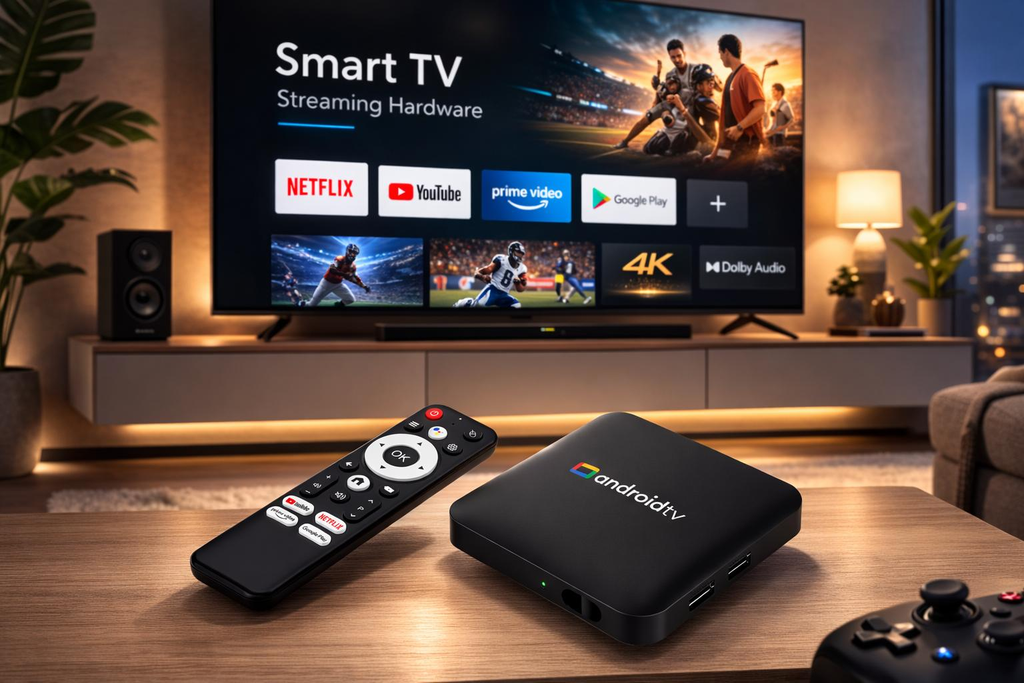
Android TV and Android TV Boxes
Android TV devices are another option for installing a compatible IPTV player.
Before purchasing a player license, check whether the application supports your Android version and remote-control interface.
Some phone applications are less convenient on a television because their navigation was originally designed for touchscreens.
Choose an interface suitable for the way you plan to watch.
Android Smartphones and Tablets
A smartphone can be useful for checking whether your account details work before troubleshooting a television.
However, mobile-device compatibility should not be assumed merely because an application works on Android TV.
Always verify the correct application version for your device.
Apple TV
Apple TV runs tvOS and requires compatible player applications.
Our setup guide covers the general process of selecting a tvOS-compatible player and adding subscription information.
Application availability, supported formats, and account configuration methods may differ.
For any platform, remember that installing an application is only one part of the IPTV Smarter 4K setup.
Choose Your Digital Lizard IPTV Subscription Plan

Once you understand your playback requirements, the next step is selecting a subscription.
We provide options for different commitment lengths and simultaneous viewing needs.
Our published one-connection plans are:
| Plan | Total USD | Connections | Best-fitting use |
|---|---|---|---|
| 1 Month | $16 | 1 | Lower initial commitment |
| 3 Months | $36 | 1 | Short-to-medium commitment |
| 6 Months | $55 | 1 | Longer viewing period |
| 12 Months | $75 | 1 | Lowest monthly equivalent among listed single-connection plans |
These are published prices checked in November 2026. Additional connection choices can change the total displayed at checkout.
Which Plan Is Best for an Individual Viewer?
For a single viewer who normally streams on one screen at a time, a one-connection subscription may be suitable.
The one-month option offers a lower initial commitment and can be a sensible starting point when you are still confirming your preferred hardware and player.
If you already understand the setup and expect to use the service longer, compare the three-, six-, and twelve-month options.
The appropriate choice depends on your budget, intended duration, and willingness to commit upfront.
Which Plan Is Best for Families?
Families should begin by counting simultaneous viewers.
If several family members commonly watch independently, select a plan with sufficient concurrent connections.
For example, a household using separate living-room and bedroom televisions at the same time should consider a two-connection option.
When more independent streams are needed, the website provides additional connection selections.
Do not select a larger plan solely because you own several devices.
Is a Longer Subscription More Economical?
Based on our currently published one-connection rates, the twelve-month option has the lowest average monthly equivalent.
The calculation is straightforward: the total prepaid price is divided by the subscription duration.
This does not automatically mean that the annual option is best for every customer.
A shorter subscription can be more suitable when minimizing the upfront cost or confirming the setup is a higher priority.
Check Current Digital Lizard IPTV Pricing
How to Subscribe and Configure Your Streaming Account
After choosing your device and connection needs, you can proceed with an order through our website.
Step 1: Compare the Available Plans
Visit our pricing page and review the published durations.
Choose the term that fits your intended usage and budget.
Step 2: Select Your Required Connections
Determine how many active streams your household needs at the same time.
Review the final order price for that selection.
Step 3: Open the Subscription Form
Continue to our subscription page.
The page provides an order summary and subscription form with customer information, device selection, and payment options.
Step 4: Review and Submit Your Order
Confirm the selected term, connection count, amount payable, and account details.
Complete the payment process using an available method shown at checkout.
Keep your order confirmation for future reference.
Step 5: Obtain Your Subscription Credentials
After your account is processed, use the account information provided for your subscription.
The required information commonly includes a username, password, and applicable server details.
Do not share these credentials publicly.
Step 6: Install a Compatible Player
Follow our IPTV setup guide to choose a compatible application for your platform.
If you intend to use an application associated with IPTV Smarter 4K, confirm its identity, licensing conditions, supported operating system, and login compatibility first.
Step 7: Add Your Account and Test Playback
Open the player, select the supported account-login method, and enter the supplied credentials.
Allow the player to load the available categories and account information.
Check playback under normal network conditions, and request setup assistance if you encounter problems.
Setup Tip: Verify Your Login Method
A player may offer multiple login methods, such as playlist URLs or account credentials. Select the method that matches the details you received. If your login fails, check spelling, capitalization, spaces, and the server information before reinstalling the application.
Troubleshooting IPTV Smarter 4K Playback Problems
Streaming problems can have several causes. Identifying the affected component is usually more helpful than immediately replacing the player or subscription.
The Player Does Not Accept My Login
First, verify that the username and password were entered exactly as supplied.
Check for accidental spaces, incorrect capitalization, and an incomplete server address.
Also confirm that the login method you selected matches your subscription information.
If the details still fail, contact subscription support with your order reference and the error description. Avoid publicly posting your credentials.
Live TV Loads but the Video Keeps Buffering
Start by restarting the affected device and checking its internet connection.
If possible, compare playback on another compatible device using the same home network, while respecting your connection allowance.
A problem limited to one device may suggest a local application, network, or hardware issue.
If several different devices show the same problem, further investigation may be needed.
The Application Is Unavailable on My Smart TV
Not every IPTV player is available on every Smart TV operating system.
Check your model, firmware version, and regional app-store listing.
Our setup guide recommends selecting a player that is compatible with the actual television platform instead of assuming Android applications work on Samsung Tizen or LG webOS.
The Player Asks Me to Pay for Activation
Some third-party players offer paid features or separate activation licenses.
That charge may be unrelated to your content subscription.
Before paying, verify what the app license includes and whether the application is compatible with your subscription.
A player activation payment should not be confused with purchasing additional television content.
Why Am I Not Seeing 4K Quality?
Start by checking whether the particular stream is actually available in UHD.
Next, verify that your playback hardware supports the stream’s format and resolution.
Your television, external streaming device, app, and network can all influence the result.
The IPTV Smarter 4K name alone does not establish that an individual stream will appear in native 4K.
If you continue to experience configuration difficulties, visit our help center or contact our support team.
Frequently Asked Questions About IPTV Smarter 4K
1. Does IPTV Smarter 4K Include Free TV Channels?
A compatible IPTV player does not automatically include a subscription or channel package. The media source is separate from the application. Check the software’s terms and obtain content through a service you are authorized to use.
2. Can I Use IPTV Smarter 4K With Digital Lizard IPTV?
You may be able to use a compatible player with your subscription if its operating system and login format match the supplied account information. Compatibility with a particular application and version should be confirmed before purchase.
3. How Much Does a Digital Lizard IPTV Subscription Cost?
Our published one-connection totals are $16 for one month, $36 for three months, $55 for six months, and $75 for twelve months. Additional simultaneous connections may change the final price. Always review the current checkout amount.
4. Do I Need a 4K Television?
A 4K display is required to see native 4K resolution at its full pixel detail. Lower-resolution devices may still be able to play compatible streams, but their actual viewing resolution will be limited by their hardware.
5. Can I Use My Subscription on Multiple Devices?
You can configure compatible devices according to the subscription terms and the player requirements. However, the number of devices that can stream simultaneously depends on the purchased connection allowance.
6. Does IPTV Smarter 4K Work on Fire TV Stick?
Compatibility depends on the exact application and Fire TV model. Confirm the app’s supported platform, availability, and licensing conditions. For UHD viewing, the device and relevant playback components must support the desired format.
7. Do I Have to Purchase a Separate IPTV Player?
A compatible third-party player is generally required. Some apps have free functionality, while others charge for activation or advanced features. The app developer’s pricing is separate from the subscription price.
8. What Happens After I Purchase a Subscription?
Once your order is processed and subscription details are provided, you can configure a compatible player using the supplied account information. Our setup guide explains the steps for supported device categories.
9. Does the Subscription Renew Automatically?
Do not assume that the monthly equivalent shown for a longer plan represents recurring monthly billing. Check the current checkout and terms for the applicable renewal arrangement, or contact support before purchasing if you need confirmation.
10. Can I Request a Refund?
Our published policy describes a three-day refund-request period, subject to eligibility conditions. Refunds are not automatically guaranteed. Read the complete Refund Policy before ordering.
Get Started With IPTV Smarter 4K and Digital Lizard IPTV
A successful streaming setup begins with the right combination of a compatible device, suitable player application, stable network, and subscription that fits your needs.
At Digital Lizard IPTV, we provide subscription durations from one to twelve months, connection selections for different household sizes, and practical setup resources.
Before ordering, confirm your device compatibility, the number of simultaneous viewers, your preferred subscription duration, and the final price.
If you’re ready to build your IPTV Smarter 4K setup, explore our subscription options and choose the one that fits your viewing requirements.