
If you are comparing an IPTV subscription 1 month UK option, the main attraction is flexibility: you can review the service for a short period without paying for a year upfront. But a monthly term is only one part of the decision. Before paying, you need to know what content the provider is authorised to supply in the UK, which devices will work, how many people can watch at once, what currency you will be charged in, and how renewals and refunds are handled.
Digital Lizard IPTV currently publishes a one-month, one-connection plan for $16 USD, rather than a fixed UK pound price. Its published pricing and setup pages are a starting point for comparing terms, not proof that any particular UK channel, live sporting event or programme is included or licensed for distribution. This guide explains what to verify and how to choose a sensible one-month plan.
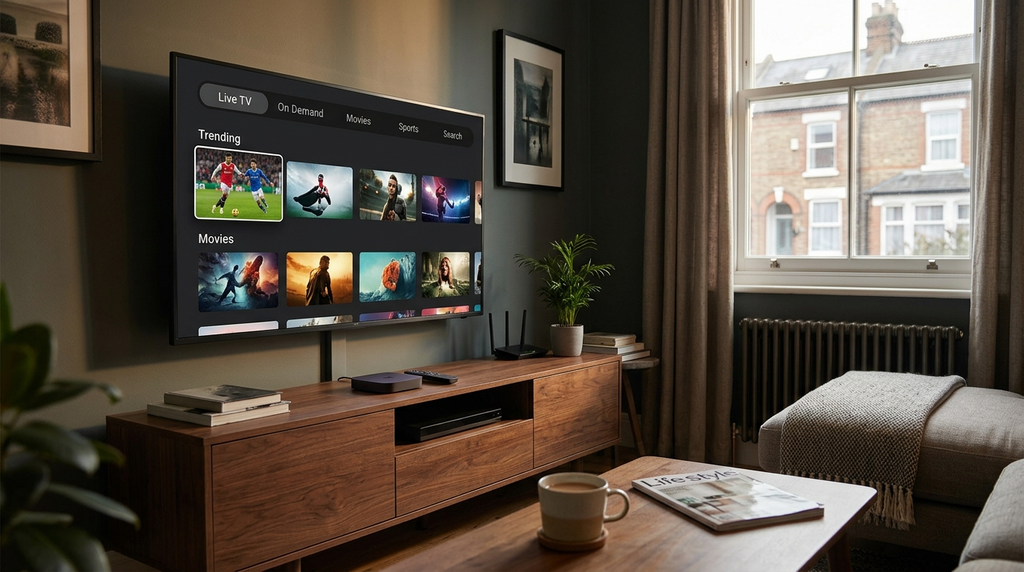
Quick answer: A one-month IPTV subscription can be suitable for a short-term commitment, but it is not automatically a 30-day free trial, a guarantee of particular channels or a licence to watch unauthorised content. Digital Lizard IPTV lists $16 USD for one month with one simultaneous connection. Confirm UK availability, content rights, your final payment currency, compatible devices, renewal terms and refund conditions before ordering.
Table of Contents
Table of Contents
What does IPTV subscription 1 month UK include?
IPTV means internet protocol television: television programming is delivered through an internet connection rather than relying exclusively on traditional terrestrial, satellite or cable distribution. Ofcom explains internet-delivered TV and why the applicable services and content standards can differ.
A subscription normally covers access to an agreed service for a specified period. It does not necessarily include the hardware, broadband connection or third-party player application. Think of the setup as three distinct components:
| Component | What it does | What to confirm |
|---|---|---|
| Streaming service | Supplies access to content covered by the service’s actual permissions and plan | UK territorial availability, rights, channel or programme list and term |
| IPTV player | Displays a permitted stream or playlist through a compatible interface | Device support, supported login method and any separate app fee |
| Internet-connected device | Runs the player and sends video to your screen | Operating-system version, app-store availability and network performance |
One month does not always mean exactly 30 days. A provider may calculate expiry from payment, account activation or a defined billing date. If the plan page does not specify the expiry rule, request it in writing before purchasing. Similarly, an inexpensive one-month package should not be described as a free trial unless the provider explicitly offers it free of charge.
For a first purchase, the value of a short term is the opportunity to assess whether the service is appropriate. It does not establish that the service is authorised to carry every programme displayed in an app.
How much does a one-month IPTV subscription cost?
As checked on 17 November 2026, Digital Lizard IPTV’s published pricing page lists the following total prepaid amounts for one simultaneous connection:
| Plan duration | Published total in USD | Approximate cost per month | Upfront commitment |
|---|---|---|---|
| 1 month | $16 | $16.00 | Lowest of the four listed totals |
| 3 months | $36 | $12.00 | Three-month prepayment |
| 6 months | $55 | $9.17 | Six-month prepayment |
| 12 months | $75 | $6.25 | Full-year prepayment |
The monthly equivalents for the longer plans are arithmetic comparisons, not separate monthly billing offers. The pricing page also says that selected connection count can affect the final total; do not apply the one-connection amounts to a two-screen household without checking.
Why a UK customer should check the payment currency
The displayed price is US dollars, not pounds sterling. A UK card issuer or payment service may convert a USD charge into GBP, and its own exchange rate or charges can affect the final amount. An exact sterling price cannot be inferred from the website’s dollar figure without a verified checkout amount and conversion terms.
Before authorising payment, check the currency shown by the payment processor, the total charged today, whether taxes or transaction fees are added, and whether any further payments will occur automatically. Keep a copy of the confirmation.
Do not mistake a lower equivalent monthly price for lower purchase risk. Twelve months may be cheaper per month on paper, but it ties up more money before compatibility, permitted catalogue and support have been established.
Which devices can you use in the UK?
Digital Lizard IPTV’s device setup guide describes a general login-based setup route for Fire TV, Samsung and LG Smart TVs, Android devices and Apple TV. This is guidance, not a guarantee that every model or app is supported.
| Device type | Sensible first step | Important limitation |
|---|---|---|
| Amazon Fire TV Stick / Fire TV | Look for a compatible application in the official app store | Availability depends on model, Fire OS and store region |
| Samsung Smart TV | Search Samsung’s Apps catalogue | Tizen apps differ from Android apps; model year matters |
| LG Smart TV | Search the TV’s supported app store | webOS compatibility is app-specific |
| Android TV / Google TV | Check Google Play for a legitimate compatible player | Phone and television versions may have different interfaces |
| Android phone or tablet | Check the official application store and player requirements | Small-screen controls and casting may differ |
| Apple TV | Check the tvOS App Store | An iPhone app is not necessarily an Apple TV app |
| Windows or Mac computer | Confirm a suitable, trusted player and supported login format | Do not assume that a television-specific app runs on a computer |
A player may require a username, password and server address, or another supported connection method. You should receive the correct account format from the legitimate provider. Some third-party players have their own paid features or app licences; purchasing the content subscription does not automatically pay for those.
For more platform-specific detail, consult the published setup instructions and confirm the exact television model or streaming device with support.
How many screens can watch at once?
A simultaneous connection means a permitted stream being watched at the same time as another stream. It is not simply the number of phones or TVs present in the house.
For example, a household might own a television, laptop and phone but only use one at a time. One connection might match that pattern if the provider allows switching devices. However, if one person watches in the sitting room while another watches in a bedroom, they may need two simultaneous connections.
Digital Lizard’s published pricing information describes a one-connection baseline and indicates that plans can be selected with one to five simultaneous connections. The additional totals vary by selection and need to be checked on the live website.
Ask three questions before choosing: How many streams may play together? Can the same account be installed on more devices than the simultaneous limit? Are different households or networks restricted by the service terms? Do not assume an answer the provider has not published.
The site’s connection and subscription FAQs explain the distinction between simultaneous use and device ownership.
How to prepare a compatible device
A basic setup should be simple enough to verify before paying for a long-term plan. The precise screens depend on the app and operating system.
- Confirm the service is authorised for the content you intend to watch in the UK. A player being available in an app store is not proof that a particular content provider has distribution rights.
- Update the device. Install available system updates, restart it and check that your broadband connection works normally.
- Find a compatible player through a trusted source. For Fire TV, Amazon’s official app-download instructions describe searching for an app and selecting the download option. Do not install unknown applications solely because an online seller supplies an unexplained code.
- Confirm the login format. Determine whether the player supports the format supplied by your authorised streaming provider.
- Enter the details accurately. When an account is legitimately activated, copy the supplied credentials without adding spaces or changing capitalisation.
- Test playback and navigation. If you have authorised access, check loading, sound, picture quality and the programme guide on the actual screen you will use.
Keep account passwords and any private playlist or server information out of public posts. If you encounter an error, the safest information to send support is your order reference, device model, player name and the wording of the error—not your full payment-card number.
Internet connection and picture quality
A streaming experience depends on more than the price of a subscription. A device may connect successfully but still struggle with weak Wi-Fi, limited hardware, local congestion or unreliable source delivery.
Begin by checking your connection at the time of day you expect to watch most often. A good daytime speed-test result will not automatically reveal evening Wi-Fi interference or congestion. Try a permitted stream on the primary device, then compare what happens on another device or network when a problem appears.
Ethernet can reduce some Wi-Fi-related interruptions on devices with a wired-network option. If you use wireless networking, consider distance from the router, other household traffic and the signal strength where the television sits. Avoid treating any advertised HD or 4K label as a guarantee: the source, device, player, display and network must all be capable of handling the selected format.
A useful distinction is between a service failure (the source itself does not deliver content) and a local playback problem (the stream is available, but the device, app or network cannot display it consistently). Support should help you identify which type you are facing rather than automatically blaming broadband.
Is IPTV legal in the UK?
IPTV is a delivery technology, not a legal status. Lawful streaming services can use it. The relevant issue is whether the service has permission to distribute the particular channels, films or sports programmes it supplies to viewers in the UK.
The UK government’s guidance on illicit streaming devices explains that ordinary streaming hardware can be used lawfully, but unauthorised access to copyrighted programming creates legal concerns. A modified device, playlist, app or VPN does not grant rights to distribute or watch protected content.
Before buying a paid IPTV package, request clear confirmation of content licensing and territorial availability. Be particularly cautious when a seller claims to include a large selection of premium UK sports and television for an implausibly small sum without explaining the source of its rights. A seller’s promise, channel-logo collage, DMCA page or checkout screen is not independent proof of broadcast rights.
Do you still need a UK TV Licence?
Potentially, yes. GOV.UK’s TV Licence guidance says you need a TV Licence to watch or record live TV on any channel or service and to use BBC iPlayer, subject to the applicable rules. A separate subscription payment does not replace that requirement.
Watching only certain non-BBC on-demand services can be different. Check official guidance against what you actually watch rather than relying on the name of the app or the type of screen.
Important: The public pages reviewed for Digital Lizard IPTV did not independently establish broadcasting or distribution rights for specific UK channels, films or live sports, so this guide does not claim that any such material is authorised or included.
Seven checks before you pay
Use this checklist to avoid spending money on a plan that looks suitable on the sales page but does not match your requirements.
- Rights and UK availability: Which programme and channel rights does the service actually hold for the United Kingdom? Ask for reliable evidence for any must-have content.
- Total price and currency: Is the amount a one-off charge or a recurring payment? Is checkout in GBP or USD? Are there extra charges?
- Expiry and renewal: Does the month start at purchase or activation? Does access end automatically, or is a further charge scheduled?
- Simultaneous viewing: How many streams are included, and what rules apply to switching devices or locations?
- Device and app: Does the exact TV or box support the necessary player, and is a separate app purchase required?
- Refund conditions: What is the written request window, what cases are eligible, and where do you submit a claim?
- Support and privacy: Is there a usable support route, a clear order reference and a sensible way to solve technical issues without exposing passwords?
For Digital Lizard, the refund policy states that requests should normally be submitted within three days of purchase or activation, with eligibility subject to review. This is not a promise that every request will be refunded. The terms and conditions advise checking the final order total and permitted use.
If a seller cannot substantiate essential rights or terms, the lowest-risk action is not to proceed with payment until those questions are resolved.
One month versus longer subscriptions
A short term is most useful when your requirements are still uncertain. Longer terms may reduce the calculated monthly equivalent, but they introduce greater upfront exposure.
| Decision factor | One-month term | Longer prepaid term |
|---|---|---|
| Money committed today | Usually lower | Usually higher |
| Room to reassess after setup | Earlier reassessment point | Longer commitment |
| Equivalent monthly price | May be higher | May be lower |
| Risk if compatibility disappoints | Less prepaid time | More prepaid time |
| Best reason to choose | Verify suitability before committing | Already-confirmed content rights, reliable setup and acceptable terms |
With Digital Lizard’s listed one-connection prices, the one-month plan costs $16 and the 12-month plan costs $75 upfront. The latter works out to $6.25 per month over twelve months, but that arithmetic alone does not prove it is the better purchase for your household. Rights, compatibility and refund terms still come first.
A separate authorised broadcaster’s monthly plan may be a more appropriate option when the main goal is to watch a specific programme, sport or channel. Check the content owner’s official UK availability information before selecting a provider.
Common setup and playback problems
The player rejects the login
Check the spelling and case of each credential, remove leading or trailing spaces, and confirm the login method matches the app. If a new account has not been activated, ask support for its status rather than repeatedly changing settings.
An app is missing from the television’s store
Different Smart TV operating systems have different app catalogues. Search for a trusted compatible app for that exact device. Do not assume an Android APK can be installed on a Samsung Tizen or LG webOS television.
Video keeps buffering
Test other legitimate video services on the device, restart the router and player, and try a wired connection if available. If another device or network behaves differently, record the comparison for support. A stream that fails on every device may indicate an upstream problem, not just weak home Wi-Fi.
The programme guide is empty
Some players have a guide-refresh option, while some services may not supply a complete EPG. Allow the app to synchronise and verify whether guide data is included. Missing guide entries do not prove that the underlying stream is working or authorised.
The service does not work while travelling
Device settings, network rules, app availability and content rights can differ by country. Contact the provider and check territorial permissions rather than assuming a VPN will make access legitimate or reliable.
For account-specific problems, use the contact and support page and include the device model, player, time of the issue and exact error message.
How to evaluate a one-month subscription
If the provider has established the relevant UK content rights and you have decided the terms are acceptable, assess the service systematically rather than making a judgement from a single successful login.
| When | What to check | What to record |
|---|---|---|
| Before payment | Rights, payment currency, connection count, expiry, refund policy | Written confirmations and checkout total |
| First setup | App compatibility, account activation and the main screen | Device and player versions; any errors |
| Several normal viewing sessions | Load time, video and audio behaviour, guide navigation | Date, time, programme category and problem pattern |
| Peak household viewing | Whether permitted simultaneous streams behave as expected | Number of active screens and network conditions |
| Before renewal | Support quality, any unresolved faults, continued rights and terms | Whether further commitment is justified |
This is a testing framework, not a claim that Digital Lizard or any other provider has passed those tests. Always respect the plan’s simultaneous-connection limits and content permissions during evaluation.
Frequently asked questions
Can I buy IPTV for just one month in the UK?
Some providers offer one-month terms. Confirm the exact duration, UK availability, distribution rights, payment amount and renewal conditions. Digital Lizard’s published one-connection option is one month at $16 USD, not a verified sterling price.
Is a one-month IPTV subscription the same as a free trial?
No. A paid one-month subscription and a free trial are different offers. Check whether a trial exists, what it includes and whether payment information is required. Do not infer that a trial is included because a provider advertises short plans.
Will a one-month IPTV plan work on a Fire TV Stick?
It may work where there is an appropriate authorised service and a compatible player for the device and operating system. Check official app-store availability and your provider’s supported login format first.
Can I use one account on two televisions?
Not necessarily at the same time. One connection means one simultaneous stream under Digital Lizard’s published baseline. Confirm whether a two-connection option is available and what the final price is before paying.
Are premium UK sports channels included?
Do not assume so. A specific sport, match or channel should only be advertised as available where the provider can substantiate the relevant UK rights and current package terms. This article makes no claim that Digital Lizard has those rights.
Does IPTV require a UK TV Licence?
If you watch or record live TV on any channel or service, or use BBC iPlayer, the official rules generally require a TV Licence. Check the current government guidance for your viewing circumstances.
Does the monthly subscription renew automatically?
Not every provider uses the same billing model. Digital Lizard’s public checkout describes a one-time order, but the pages reviewed do not establish every possible subsequent billing arrangement. Read the payment authorisation and ask the provider to confirm renewal rules in writing.
Can I get a refund if setup does not work?
A refund is not automatic. Digital Lizard publishes a three-day refund request period, subject to eligibility review. Save your order confirmation, report the problem promptly and follow the current published conditions.
Final decision: choose clarity before commitment
The strongest reason to consider an IPTV subscription 1 month UK plan is the smaller upfront commitment, not a promise that any particular programme is available. First establish UK content rights, check the true checkout currency and total, match your hardware and number of simultaneous screens, and read the expiry and refund terms.
You can review Digital Lizard IPTV’s published plans and contact the team about UK availability and rights. Do not complete a purchase until the service can substantiate any content rights and territorial availability important to you. If your main goal is one specific UK channel or sporting event, the authorised rights-holder’s own service may be the more direct choice.