
If you’re comparing IPTV subscription prices in the UK, the cheapest advertised monthly figure does not necessarily tell you what you will pay. Some services charge for a single month, others ask for a year upfront, and some bundle TV with broadband or change the price after an introductory offer. The number of screens, the streaming device and any additional app charges can also affect the bill.
The other essential question is what the subscription is actually authorised to show. IPTV simply means television delivered using internet protocols. It can describe established UK services such as NOW and Sky Stream, free-to-air platforms such as Freely, or less transparent third-party offers. They should not be treated as interchangeable.
This UK-focused guide compares published prices, explains monthly versus annual value, examines real extra costs and shows how to evaluate a streaming subscription before paying.
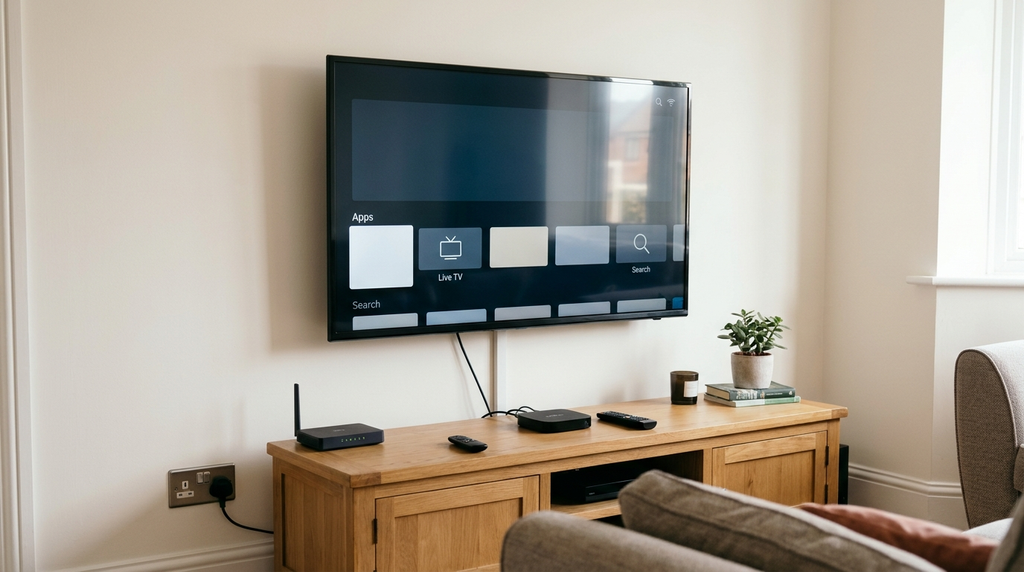
Price check: 17 November 2026. Offers can change. Compare the final checkout amount and terms before ordering.
Table of Contents
Table of Contents
Quick answer: how much does IPTV cost in the UK?
There is no single standard IPTV price in the UK. Freely offers free-to-view internet-delivered television on compatible equipment, NOW lists flexible Entertainment at £7.99 a month, and Sky Stream Essential TV is advertised to eligible new customers from £15 a month on a 24-month plan. Other services require broadband bundles, additional sports memberships or an upfront multi-month payment. These are different products with different content and conditions.
Independent IPTV sellers also advertise low monthly equivalents, but an advertised amount does not establish that the seller has permission to redistribute the channels. Compare the legal rights and terms as carefully as the price. For a third-party service, ask for proof of rights covering the particular programming and UK territory before subscribing.
IPTV subscription prices UK: published options compared
The table below compares specific offers and price structures that could be checked on provider or official support pages. It is not a ranking of best services, and not every entry includes the same programmes or hardware. Prices are shown in the currency and form in which they are advertised.
| Service or option | Published price example | Key condition | Important distinction |
|---|---|---|---|
| Freely | £0 service subscription | Compatible Freely-enabled television or device needed | Free-to-view programming; not a premium sports substitute |
| NOW Entertainment | £7.99/month fully flexible; saver offers from £4.99/month | Saver has a minimum term and can renew at a higher price | App-based entertainment membership |
| NOW Cinema | £9.99/month fully flexible | Saver terms and pricing differ | Film membership rather than a full TV package |
| NOW All Sky Sports | £34.99/month fully flexible | Other sports options and limited-term saver offers available | Distinct sports subscription; not included in basic Entertainment |
| Sky Stream Essential TV | From £15/month for eligible new customers | 24-month minimum term; price may change | TV service delivered via a Sky Stream puck |
| Virgin Media Flex | £5/month Flex platform fee | Virgin Media eligibility/broadband; paid content is extra | £5 is not an all-inclusive premium TV package |
| EE TV | Quote depends on package and broadband | EE broadband and a 24-month contract | Compare the full broadband-plus-TV bill |
Sources and conditions: NOW membership pricing, Sky Stream packages, Freely’s official description, Virgin Media Flex terms and EE TV package information. These published examples do not imply that all named services carry identical channels or that every offer is available to every postcode.
Why the cheapest headline price can mislead
A comparison is unfair if one price is for a free-to-view service, another is a sports-only membership, and a third assumes a 24-month broadband contract. The word IPTV describes the delivery technology rather than a standard package. Your real choice is between clearly defined programmes, the number of viewing screens, the total bill and the amount of contractual commitment you accept.
Look especially closely at the words from, per month, minimum term and after the offer ends. An advertised £4.99 rate can be tied to a saver period, whereas a higher rolling price may give you the flexibility to cancel sooner. The lower number is not automatically the better decision for someone who plans to watch for only a few weeks.
What does an IPTV subscription price actually include?
Before comparing any two offers, separate four parts of the setup:
- Content service: The actual television channels, films, sports or programmes you can lawfully receive.
- Player application: The app that presents the stream, whether provided by the service or developed separately.
- Streaming hardware: A smart TV, streaming puck, Fire TV device, Android TV box, phone or another compatible screen.
- Broadband connection: The internet service transporting the content, which is often billed separately.
An IPTV player is not the same thing as a television subscription. Installing a player does not automatically provide channel rights or a content catalogue. Conversely, paying for a subscription does not prove that every third-party player or smart TV model is supported.
If a plan advertises HD, 4K, a programme guide or catch-up features, establish which features are available for the particular content, device and package you plan to use. A 4K-capable television cannot transform an HD source into a guaranteed 4K broadcast. An electronic programme guide may depend on the player and the programme data supplied.
For a broader explanation of how the pieces fit together, see our digital TV and IPTV buyer’s guide.
Monthly versus annual IPTV subscriptions: which is better value?
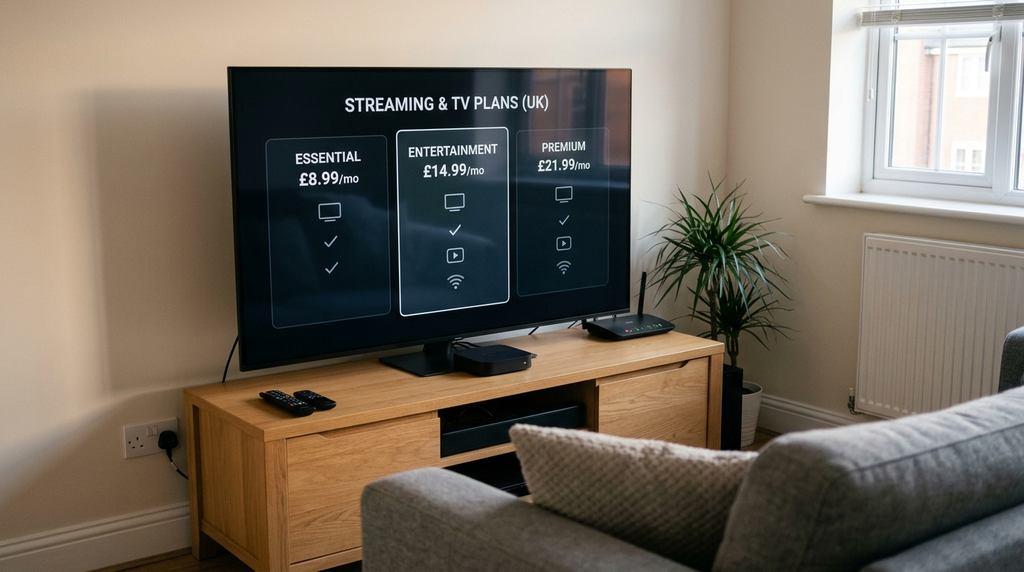
A longer plan often has a lower monthly equivalent, but the monthly equivalent is not your monthly bill if the whole term is paid in advance. The right comparison uses both the total payment and the period of access.
Monthly equivalent = total amount payable ÷ number of covered months.
For example, a hypothetical £60 plan covering 12 months works out to £5 per month, but you still pay £60 at the beginning if the terms require prepayment. A £10 rolling plan costs more per full year if you keep it for 12 months, but may be more economical if you stop after one or two months. These are calculation examples, not quotations from a seller.
When a one-month plan makes sense
A short term is useful when you have never used the service on your own television, are unsure about the content you need or do not want to commit a large amount upfront. A short contract does not solve licensing concerns, however: you should still establish that the programming you intend to watch is authorised.
When a three- or six-month plan makes sense
Medium-term subscriptions can balance a manageable payment with fewer renewals. They may suit a household with a known viewing schedule and a proven compatible device. Compare the price of the whole term against separate monthly payments, and confirm whether unused time is refundable.
When a 12-month plan makes sense
An annual purchase can reduce the average monthly cost if you expect to use a service consistently. Its trade-off is a greater upfront commitment and exposure to changes in your circumstances, the product or the seller. Before choosing a year, read cancellation terms, verify service rights and check what happens when the plan expires.
Check renewal and introductory prices
Some licensed UK streaming memberships automatically renew after their introductory minimum term. NOW, for example, distinguishes flexible monthly memberships from saver offers. Read the current NOW membership terms rather than assuming the promotional monthly figure continues indefinitely.
Other services, especially broadband-plus-TV bundles, can have annual price changes written into their contracts. A responsible comparison should estimate the total cost over the entire intended period, not simply multiply a temporary starting rate.
Digital Lizard IPTV: current published subscription prices
Digital Lizard IPTV publishes the following one-simultaneous-connection price points on its pricing plans page. These are listed in US dollars, not pounds sterling. They are examples of the site’s published commercial terms, not proof of UK content rights or UK service availability.
| Subscription term | Published total (USD) | Monthly equivalent (USD) | Upfront commitment |
|---|---|---|---|
| 1 month | $16 | $16.00 | $16 |
| 3 months | $36 | $12.00 | $36 |
| 6 months | $55 | about $9.17 | $55 |
| 12 months | $75 | $6.25 | $75 |
The site offers selection by simultaneous connection count, with an advertised range of one to five connections. The four totals above apply to one connection only. A multi-connection order may cost more; use the live selector to see the exact amount for your choice.
What should a UK buyer check before paying in USD?
- Final currency: Is your final charge in USD or converted to GBP by the checkout, bank or card network?
- Conversion and fees: Could the card provider apply its own exchange rate or foreign-currency charge?
- UK access: Is the service offered and technically available at your intended location?
- Programming rights: Can the seller provide evidence that it is authorised to distribute the specific UK channels, sports or other copyrighted content it offers?
- Devices: Is your exact TV or streaming device supported by a compatible player?
- Simultaneous use: Does the selected order cover the number of screens watching at once?
- Renewal and refunds: What does the written policy say about cancellation, expiry and eligible refund requests?
The site publishes a three-day refund request period, subject to its eligibility rules and review. That does not mean every order will be refunded automatically within three days. Its FAQs also note that player applications may have separate prices and that current order totals can change.
No UK broadcasting-rights documentation was established from the public pages examined for this article. Do not assume that a listed channel, international audience or subscription price establishes permission to broadcast UK programming. Seek appropriate written confirmation before purchasing access to copyrighted content.
Seven extra costs to include in an IPTV budget
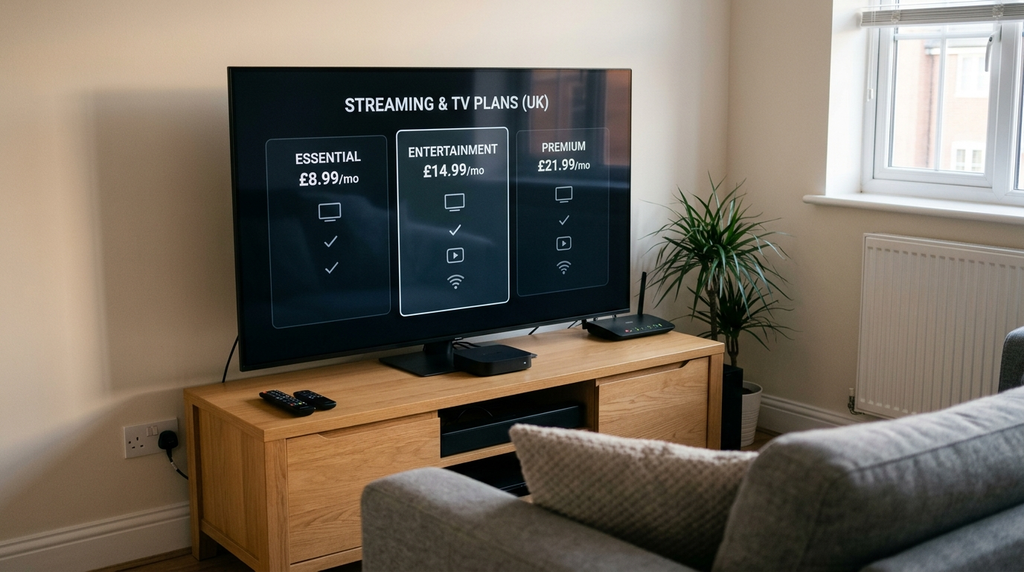
1. A UK TV Licence when required
The standard colour TV Licence is £180 a year from 1 April 2026. The TV Licensing rules require coverage when you watch live television on any channel or streaming service, or use BBC iPlayer. The licence is separate from whichever subscription you buy. Whether you need it depends on your viewing activity, not on whether the service calls itself IPTV.
2. Broadband charges
A subscription is only part of the cost if you also pay separately for home broadband or mobile data. Some pay-TV offers require a particular broadband provider. For example, EE states that a full EE TV package requires EE broadband; Virgin Media Flex similarly has eligibility requirements. Compare the combined bill rather than treating the television component as standalone.
3. Streaming device or television
A new television, streaming stick or set-top box is not automatically included in a streaming membership. Freely may require compatible equipment, and Sky Stream uses a dedicated streaming puck. Check whether the hardware is supplied, loaned, charged for or must be purchased separately.
4. Extra screens and simultaneous streams
Your family might own four screens but only watch one at a time. A single concurrent connection can be sufficient for sequential use under some providers’ rules, but it will not necessarily permit two live streams at once. Additional stream capacity or multiroom equipment may carry its own fee.
5. Player app licensing
Some third-party IPTV player apps offer free functionality while charging for additional features or activation. A player charge should never be confused with paying the television content provider. Confirm the app developer, official download source and whether the player licence is optional.
6. Higher picture quality and add-ons
Full HD, 4K, advert-reduction features, sports packages and extra simultaneous streams can be available as add-ons. Their presence depends on content and device capability. Some sports events are sold under separate pay-per-view terms rather than included in ordinary memberships.
7. Currency conversion, price rises and renewal
A USD-denominated offer can appear cheaper until your bank converts it into GBP and applies any fee. A UK television bundle can start at a promotional rate and rise under its contract. Check VAT treatment, the full payment schedule and the post-offer rate. For accurate budgeting, keep the provider’s currency and the card’s actual charged amount separate.
Is IPTV legal in the UK, and does the price matter?
IPTV technology itself is lawful. What matters for copyrighted programmes is whether the organisation delivering them has the relevant permissions. UK viewers can legally receive authorised television streams through services such as Freely, NOW, Sky and other licensed providers. A streaming stick or Android box is not inherently unlawful simply because it can play internet video.
The UK Intellectual Property Office explains that equipment becomes problematic when adapted or used to view copyrighted films, television or premium sport without permission. Read the official government guidance on illicit streaming.
A cheap price does not automatically establish that a service is unlawful; nor does an expensive price establish that it is licensed. The relevant evidence concerns who holds the distribution rights, which titles or channels those rights cover and in which territory. A provider’s channel list, screenshots, logo use, payment page or ‘HD/4K’ claim is not a substitute for that evidence.
If UK sport or other subscription-only television is your priority, check the programme’s authorised broadcaster and available official membership. For example, NOW sells explicit Sky Sports memberships rather than presenting the sports as automatically included in every entertainment plan.
TV Licence is a different question from copyright rights
A UK TV Licence and a broadcaster’s copyright licence are different things. Paying your household TV Licence does not authorise an unrelated seller to redistribute premium copyrighted channels. Conversely, subscribing to a licensed streaming platform does not remove the household TV Licence requirement when your activities trigger it.
For simple free-to-view programming, Freely is worth checking if you already own or plan to buy compatible hardware. It offers free TV channels and on-demand access, but it does not promise access to every premium event.
How many screens should your IPTV subscription cover?
A connection allowance normally describes how many separate streams may play at the same time, rather than how many screens exist in the house. That distinction can be a major cost saver.
Imagine a home with a living-room television, bedroom television and one mobile phone. If one person watches in the living room and later continues on the phone, the household may not need three concurrent streams. If two family members regularly watch different content at the same time, a single-stream plan may be insufficient.
Ask the seller these questions before upgrading: Does the rule limit concurrent playback, registered devices or both? Can you switch devices? Is the allowance per household or per user? Do downloaded programmes count? Is simultaneous viewing available on the exact content and app you want? Limits can differ between providers and packages.
Digital Lizard describes its own connection count in the subscription FAQs. For a UK TV bundle, check whether extra boxes or Boost-style add-ons are required instead of assuming that a generic ‘two-device plan’ works identically everywhere.
Devices, broadband and picture quality: what matters for value?
A low subscription fee offers little benefit if your preferred screen cannot run the app or your home connection buffers. Device support should be checked before any long-term commitment.
Smart TVs and streaming devices
Samsung TVs commonly use Tizen, LG TVs use webOS, and Android TV or Google TV devices use another operating environment. A player written for Android is not necessarily available on a Samsung or LG television. App availability can change by model year and country. Fire TV and Apple TV also have their own app ecosystems.
Before paying, find the actual supported app in your device’s official store, or follow the manufacturer’s supported installation route. Avoid assuming that instructions for a different operating system will apply to your television. For device-specific steps, use our IPTV setup guide.
How fast should the internet be?
Actual requirements depend on the service, stream format, device and number of viewers. As a practical planning benchmark, Ofcom’s broadband guidance illustrates around 30 Mbit/s for a person streaming Ultra HD video. This does not guarantee a smooth stream on every service; network congestion, Wi-Fi signal, device performance and the source all matter.
For a home with multiple simultaneous 4K streams, allow room above the bare minimum so ordinary browsing and other devices do not compete for every bit of bandwidth. A wired Ethernet connection can reduce local Wi-Fi instability where the equipment supports it. Compare the speed actually delivered in the viewing room, not only the maximum headline speed of your broadband package.
Separate buffering from an account problem
If a picture freezes, confirm whether your other internet services work, restart the player, and test another authorised stream. A login failure is not the same as inadequate broadband; it can come from incorrect credentials, account expiry or an incompatible login format. If an app asks for activation payment, determine whether that charge belongs to the player developer rather than the television provider.
How to compare IPTV prices safely before buying
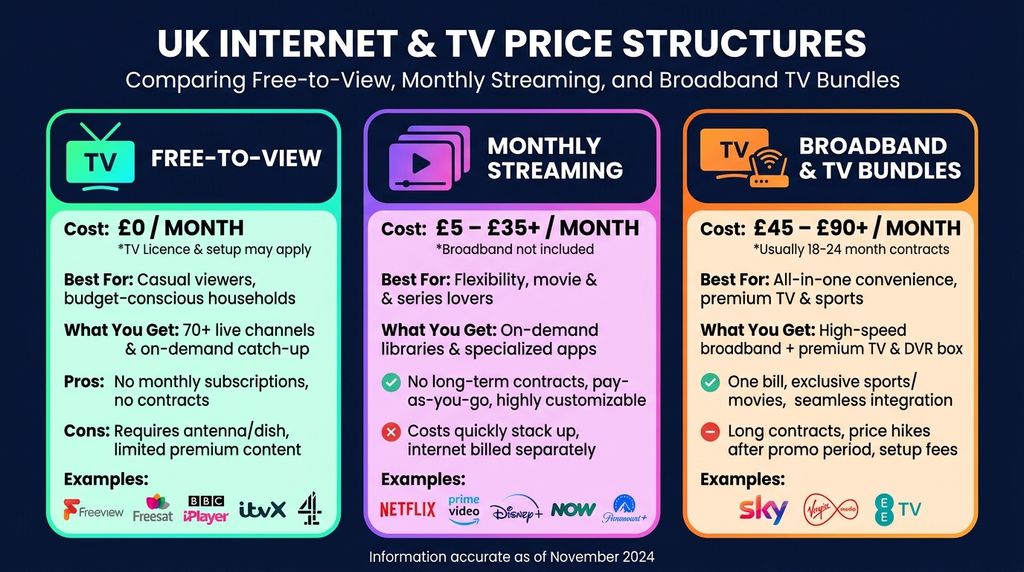
A sensible comparison starts with a viewing requirement, not with the most dramatic channel count or discount. Use the same method for every option:
- Write down what you really watch. Separate free-to-air programmes, on-demand films, entertainment channels and specific sports competitions.
- Confirm authorised access. Check the official broadcaster or request written evidence of distribution permission covering the relevant UK content and territory.
- Set the comparison period. Compare one month with one month or a full 12-month total with a full 12-month total.
- Count simultaneous viewers. A one-screen price is not interchangeable with a two-screen or multiroom quote.
- Add required costs. Include equipment, player fees, broadband where applicable, sports extras and any relevant TV Licence cost.
- Check cancellation and renewal. Note the minimum term, notice period, refund eligibility and price after any promotion.
- Check the actual checkout. Confirm seller identity, final currency, payment amount and customer support route before placing an order.
When two prices differ substantially, compare the actual rights and package scope rather than assuming they are two prices for exactly the same service. A budget for a single film app cannot be directly compared with a premium sports television bundle.
A final simple rule: do not take a third-party seller’s claim about its uptime, number of channels or broadcasting rights as an independently measured fact unless reliable evidence exists.
Which IPTV subscription type suits your household?
Example A: free-to-air viewing on one television
If your main requirement is access to UK public-service programming and catch-up, begin by checking Freely and the official broadcaster apps. The service itself can be free, although compatible hardware, broadband and TV Licence obligations may still apply. You may not need a paid premium television subscription at all.
Example B: entertainment without a long TV contract
If you mainly want selected Sky entertainment content, consider whether a NOW flexible membership or saver plan meets your needs. Compare the rolling price with the discounted term, and check the service’s availability on your device. Avoid bundling expensive sport you will not watch.
Example C: a household watching premium sport regularly
Start with the rights holder or authorised platform for the exact competition. A sports-focused membership may cost significantly more than ordinary entertainment streaming, but it answers a different need. Check whether a day pass, monthly membership or broadcaster bundle is the better match for how often you actually watch.
Example D: several viewers across rooms
Prioritise the concurrent-stream or multiroom policy before assessing the per-month price. Two people streaming at once can require a different package from one person who moves between three devices during the day. Include any additional box or multi-screen fee in the total.
Example E: a reader comparing a USD-priced third-party offer
Calculate the monthly equivalent, check the bank’s eventual GBP charge, verify the specific UK content rights, confirm the app and device, and read the refund conditions. Do not purchase a 12-month commitment simply because its average monthly figure is lower than a short plan. An unexplained channel-rights claim is a reason to seek clarification, not a discount.
Common price and setup mistakes to avoid
Mistake: treating a yearly equivalent as a monthly direct debit. A plan advertised as ‘£5 per month equivalent’ might require £60 upfront. Find the exact payment due today.
Mistake: comparing a broadband bundle against a standalone app. A TV add-on tied to broadband can have a deceptively low separate headline price while the combined monthly bill is substantially higher.
Mistake: assuming more devices means simultaneous access. Device compatibility and connection count describe different constraints. Read both.
Mistake: assuming every player app includes content. Some apps are simply interfaces and may have their own licensing fee. You need an authorised content source separately.
Mistake: forgetting renewal terms. Introductory offers can end and rolling rates can differ. Save a copy of the plan conditions and the order confirmation.
Mistake: assuming a cheap sports package proves licensing. The offered price and channel list do not prove the seller holds UK distribution rights. Verify the rights or use the relevant official service.
Mistake: paying before checking device support. A stream may be technically available but not supported on your particular TV operating system or app version. Review compatibility first and contact the seller if important details are missing.
If you are considering Digital Lizard and cannot confirm the correct device, connection count, access terms or content rights, use the contact page to request clarification before purchasing rather than guessing.
IPTV subscription prices UK: frequently asked questions
How much is IPTV per month in the UK?
There is no universal monthly price. Freely has no service subscription fee, NOW Entertainment offers flexible access at £7.99 a month, and some full TV packages start higher or require longer contracts. A third-party IPTV quote may be a prepaid annual price divided by twelve, so inspect the total and licensing details.
Is IPTV cheaper if I pay for a year?
Annual prepayment can lower the monthly equivalent, but it also increases the amount at risk upfront. Compare the same number of simultaneous streams, the total payment, expiry conditions, content rights and any refunds. The annual term is not automatically the best choice for someone trying a service for the first time.
Are there legal free IPTV services in the UK?
Yes. Freely is a free-to-view internet TV platform supported by UK public-service broadcasters, subject to compatible hardware and the usual TV Licence requirements for applicable viewing. Official broadcaster apps may also offer free programming under their terms.
Do I need a TV Licence if I pay for IPTV?
Paying a subscription does not replace a TV Licence. In the UK, you need appropriate TV Licence coverage to watch live TV on any service or use BBC iPlayer. The standard colour licence fee is £180 annually from 1 April 2026, subject to applicable concessions and rules.
Is a £5 IPTV subscription legal?
Price alone cannot establish legality. What matters is permission to distribute the specific copyrighted programmes to UK viewers. Ask for credible evidence of the rights covering the content and territory. If those rights cannot be established, choose an official authorised streaming service.
Does one subscription work on multiple televisions?
That depends on the provider’s terms and the selected connection or multiroom allowance. Some plans permit registration on several devices but only one active stream. Check simultaneous playback limits, permitted household use and compatible applications before purchasing.
Why are some IPTV subscription prices displayed in dollars instead of pounds?
Some websites bill internationally in US dollars. A UK customer may then see a GBP amount determined by the checkout or card provider, possibly with conversion fees. Do not assume an exact GBP cost until the payment flow and your bank’s terms confirm it.
Does a paid IPTV app include a channel subscription?
Not necessarily. The player app may charge for software features without supplying programme rights or a television subscription. Confirm which company provides the app and which provides the authorised content; they may be separate purchases.
Final verdict: compare the entire price, not just the headline
The most useful way to compare IPTV subscription prices UK is to identify your actual viewing needs, check the broadcaster’s rights, total the cost over the period you intend to watch, and include the extra charges that the headline price leaves out. A free-to-view platform, a flexible entertainment membership and a sports-heavy TV bundle each solve different problems.
Digital Lizard publishes clear duration-based USD list prices for one simultaneous connection, but a UK buyer should still confirm the final currency, selected connections, device support, refund conditions and specific distribution rights before ordering. You can review the current published plans and subscription selection page after those questions have been answered.