
Finding the best IPTV Canada option is not simply a matter of choosing the provider advertising the largest channel lineup. A useful subscription needs to match the programmes you actually watch, run on your devices, remain usable on your home internet connection, and have clear payment and support terms. For Canadian households, regional content availability, French-language preferences, time zones and rights to distribute specific programming can also matter.
This guide explains how to compare internet-based television subscriptions, test device compatibility, avoid common buying mistakes, and evaluate Digital Lizard IPTV’s published plans without assuming unverified performance or content rights.
Quick answer: The best IPTV option in Canada is a service that can demonstrate permission to distribute the content you want in Canada, supports your actual viewing devices, allows enough simultaneous streams, publishes clear prices and terms, and performs acceptably during a practical test. No single provider can responsibly be called the best for every household based only on its website.

Table of Contents
Table of Contents
What best IPTV Canada really means
IPTV stands for Internet Protocol Television. Instead of receiving programming through a conventional satellite dish or cable feed, a viewer receives compatible television content through a network connection. The Canadian Radio-television and Telecommunications Commission (CRTC) includes IPTV among the ways Canadians can obtain television services: CRTC’s television options guide.
The word best should refer to suitability rather than marketing language. A household in Montréal may prioritize French-language navigation and accurate programme times. A household in Vancouver may place more weight on two televisions streaming at once. Someone using an older Smart TV may need to verify that a compatible player can even be installed.
This guide therefore uses a buyer-focused framework rather than an unverifiable ranking of competing providers.
The ten checks before you subscribe
| Check | What to verify | Why it matters |
|---|---|---|
| Content authorization | Permission for the specific content and territory | Availability on a playlist is not proof of distribution rights |
| Geographic access | Whether the service and desired programming are available in Canada | Rights and access may differ by region |
| Device compatibility | Model, operating system, player, login method | A generic Smart TV claim may not cover your television |
| Simultaneous connections | Number of streams allowed at once | Multiple installed apps do not necessarily mean multiple concurrent streams |
| Programme guide | Working times and listings relevant to your time zone | An incorrect EPG can make channel selection frustrating |
| Video performance | Your preferred content at your normal viewing times | A daytime test alone may miss evening problems |
| Total price | Currency, taxes, duration, connection fees and renewal arrangements | A headline price may not equal the final checkout amount |
| Trial or short plan | Current conditions and limitations | Limits the risk of paying long-term before testing |
| Support | Contact method, troubleshooting quality and response | Problems are easier to resolve with clear instructions |
| Refund terms | Eligibility, request deadline and exclusions | Refund requests are not the same as automatic approvals |
1. Start with the programmes you actually need
Write down your must-have viewing categories before contacting a seller. Do not assume that advertisements mentioning Canadian programming, international television, live sports or on-demand films establish availability or permission to distribute any specific channel, match, title or event. Ask the provider for an accurate answer about your desired content and location.
2. Test the actual device, not just the advertised device family
“Android compatible” is not the same as “compatible with every Android TV version.” Likewise, Samsung and LG Smart TVs run their own platforms, and an app supported on one model or in one region may not be available on another. Read our device setup guide before choosing a long-term package.
3. Look beyond channel counts
A huge advertised catalogue has little value if you cannot reliably find what you want. A sensible evaluation looks at navigation, programme data, subtitles where applicable, audio options, stream reliability and responsive support. Treat claims such as “zero buffering,” “always 4K,” or “100% uptime” as marketing unless backed by meaningful evidence.
4. Read checkout and refund information carefully
Compare prices only after you know the currency, final total and included connection count. Preserve your order confirmation, screenshot the applicable terms and understand how to request help. Digital Lizard publishes a refund policy describing a three-day request window, subject to eligibility review, not an unconditional money-back promise.
IPTV service versus IPTV player
A subscription service and a player application do different jobs. A service account provides access details for whatever authorized programming and features the subscription includes. An IPTV player is software used to display a compatible playlist or account on a supported device.
Some players accept an M3U playlist; others support Xtream-style login details or other methods. A paid player upgrade may unlock features of the player without purchasing any television content. Similarly, an active subscription does not guarantee that a third-party player is free, available in your country’s app store or supported on your particular device.
Before buying, ask which login format is supplied, whether it works on your exact platform, what the player costs separately, and how account details will be shared securely. Never post your username, password or server information publicly.
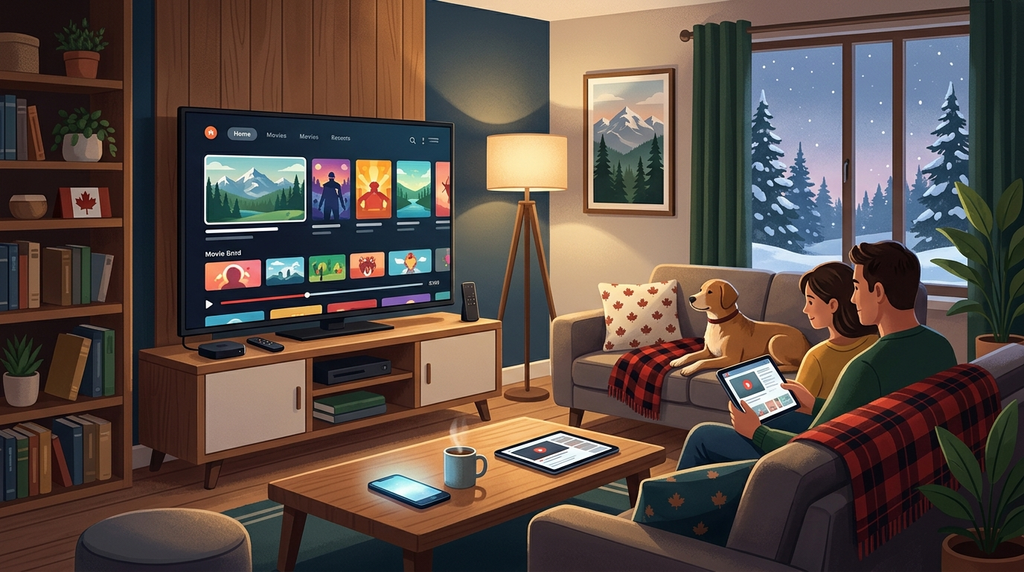
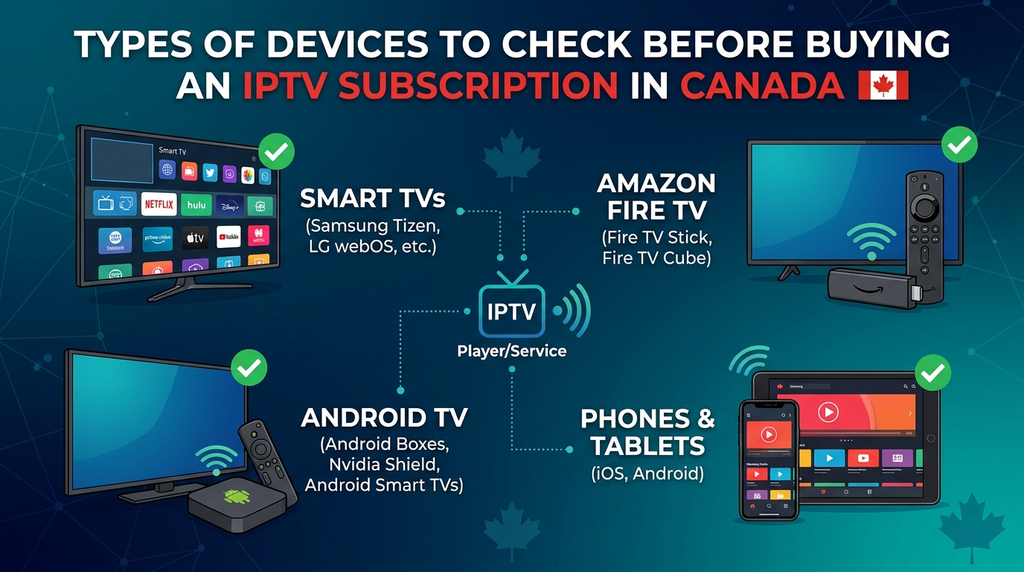
Device compatibility across Canadian homes
| Device | What to check first | Common practical issue |
|---|---|---|
| Amazon Fire TV / Fire TV Stick | Exact model, operating system and available compatible app | Network connectivity or app availability |
| Android TV / Google TV | App availability for the TV and Android version | Different app behavior across devices |
| Samsung Smart TV | Model year and supported TV app | An app may be absent from the regional app store |
| LG Smart TV | webOS version and compatible player | Login or feature support varies by app |
| iPhone / iPad / Apple TV | Region-specific App Store listing and supported login | Third-party player fees or restrictions |
| Windows / Mac | Trusted compatible player and supported account format | Firewall, codec or app configuration differences |
Fire TV and Fire TV Stick
First establish the normal internet connection and update the device where appropriate. Then choose an application offered for your exact device and use only the account details supplied by the authorized service. For general hardware guidance, see our Firestick setup walkthrough.
Amazon documents a built-in Fire TV Network Status tool, available through Settings and Network on supported devices. It helps distinguish the link between device and router from the router’s connection to the internet—an important distinction when diagnosing playback failures.
Smart TVs and mobile devices
Check the app store on the device itself rather than relying on a generic screenshot from a provider. Before paying for an app, verify that its supported account formats match your subscription and that it is supplied by a legitimate developer. Where a TV has limited app support, an independently compatible streaming device may be an alternative, but it adds its own cost.
How many simultaneous connections do you need?
A connection normally refers to an active stream at one moment, not the number of devices on which you can store a login. For example, two people watching on separate screens simultaneously may require two connections. A family with three screens installed but only one playing at any time might need fewer.
Digital Lizard’s published website offers selection from one to five simultaneous connections. The exact price depends on the selected duration and connection count. See the FAQs on connection limits and confirm the checkout total before ordering.
Consider your household’s real pattern: a living-room television, a second television, and a phone do not always need three simultaneous streams. Choose based on usage rather than simply selecting the maximum.
Digital Lizard IPTV plans and pricing
Digital Lizard IPTV presents subscription durations from one to twelve months, with published one-connection totals as follows. These figures were checked against the site’s public pricing page on November 20, 2026; the website does not explicitly identify the currency in this table as CAD, so confirm the currency and total in checkout, especially when ordering from Canada.
| Subscription duration | Published total for one connection | Arithmetic equivalent per month |
|---|---|---|
| 1 month | $16 | $16.00 |
| 3 months | $36 | $12.00 |
| 6 months | $55 | About $9.17 |
| 12 months | $75 | $6.25 |
Longer commitments reduce the arithmetic monthly equivalent, but also increase the amount committed before long-term suitability is established. The best value is not necessarily the longest package. A shorter option makes sense when you are still checking whether a device, account and authorized channel selection meet your needs.
The published website provides subscription selection, a setup guide and contact support. It also describes a three-day period for submitting refund requests under its stated policy. These are published commercial terms, not independent performance test results.
Important for Canadian viewers: The site’s homepage primarily markets a US-oriented service. Canada-specific service availability, content distribution rights, regional programme access and final checkout currency should be verified with support before purchase. This article does not claim those details have been independently confirmed.
A practical 24-hour testing plan
If a provider currently offers a test account, follow its actual terms. A short prepaid plan is another way to evaluate usability if no trial is available. A trial may not include all the same features as the paid service, so ask about differences first.
First hour: confirm basic setup
- Check that the app is legitimate, installed and compatible with the device.
- Enter the account details privately and confirm that login works.
- Look for the programming you specifically requested and verify its authorization and regional availability.
- Open the electronic programme guide and compare its displayed schedule to your time zone.
- Test normal navigation, search and any features you intend to rely on.
Afternoon: compare networks and screens
Try the same authorized stream on a second supported device if your plan permits it. Compare reliable Wi-Fi with wired Ethernet where available. If one screen struggles and the other does not, the problem may be local to the device, app or wireless environment rather than the entire account.
Evening: test your realistic usage
Try the service during the hours when your household actually watches television. Check playback starts, stalls, audio synchronization and whether simultaneous streams work within your plan. Record what happened rather than relying on a vague impression of quality.
Before buying longer-term
Ask support any remaining questions about payment currency, renewal terms, geographic restrictions, content permissions and the refund process. Save the response and the checkout conditions. A short test cannot guarantee future uptime, but it can reveal immediate compatibility problems.
Common buffering and login problems
Streaming problems can have multiple causes. Diagnose them in order instead of reinstalling everything at once.
| Symptom | Possible cause | Sensible next step |
|---|---|---|
| App will not sign in | Mistyped credentials, expired subscription, wrong server details | Check details privately and request account assistance |
| All apps have trouble connecting | Device, router or internet connection | Check another internet app, run device network diagnostics |
| Video buffers only on one TV | Wi-Fi signal, outdated app, device hardware | Test closer to router or with wired Ethernet where supported |
| One channel fails, others work | Source-specific issue or programme restriction | Check content availability and contact the service |
| Player asks for Premium payment | Player’s own licensing or feature tier | Check the application developer’s terms; do not assume an IPTV plan covers it |
| Second stream stops the first | Insufficient simultaneous connections | Check the plan’s connection limit |
| Programme guide displays wrong times | Time-zone or guide-data mismatch | Check player time zone and contact support |
For Fire TV network problems, Amazon’s Wi-Fi troubleshooting guidance recommends diagnosing the network connection and checking the router. Avoid exposing subscription credentials when seeking help. Existing Digital Lizard users can reach account support.
Understanding Canadian availability and content rights
IPTV is a delivery technology, not a guarantee that every service using it holds content rights. Canadian distribution rights are specific to programmes, territories and contractual conditions. The CRTC explains that online streaming services may be exempt from a CRTC licensing requirement, while the right to show particular programming can still depend on distribution agreements. An exemption from one regulatory licensing requirement is not proof of permission to carry every channel.
This is particularly important when evaluating cross-border offerings. A channel listed on a US-oriented site may not be available or authorized for Canadian viewing. Ask clear questions about the programmes you need, the territory you will watch from and any access restrictions. For consumer context, the Government of Canada also describes the copyright notice-and-notice system.
Avoid assuming that a VPN, unfamiliar app, or unusually low price resolves rights restrictions. It does not establish distribution authorization. Choose services and content you are permitted to access.
Best IPTV Canada: a useful buyer’s decision method
Rather than declaring a single universal winner, score the service you are actually considering across five essential areas:
| Category | Questions to answer | Decision rule |
|---|---|---|
| Authorized content and Canadian availability | Can the provider establish the relevant rights and access for your needs? | Do not proceed if a material rights question remains unresolved |
| Device and login compatibility | Does it work on your exact device with a supported player? | Test before committing longer-term |
| Real-world performance | Does it work acceptably during your normal viewing hours? | Prefer observed performance over advertisements |
| Household fit | Are the language, guide, interface and stream count suitable? | Pay for the connections you actually need |
| Commercial clarity | Are currency, full price, support and refund terms clear? | Avoid buying until the terms are understandable |
A transparent provider should be willing to answer practical questions without promising that every device, title or network will behave identically. The comparison is more useful when you record concrete answers, instead of scoring advertising slogans.
Frequently asked questions
What is the best IPTV Canada subscription in 2026?
There is no independently verified universal winner. The right option depends on authorized Canadian programming, compatibility, simultaneous connections, observed stability and clear terms. Apply the checklist above to each service before paying.
Is IPTV legal in Canada?
IPTV technology itself is not inherently illegal. The legality of providing particular programming depends on relevant rights and applicable law. A streaming platform’s regulatory status should not be confused with its permission to distribute copyrighted content.
Can I use an IPTV subscription on a Fire TV Stick in Canada?
Potentially, if the selected service and compatible player support your exact Fire TV model and your location. Verify app availability, login format and content authorization before ordering.
Do I need a separate IPTV player app?
Often yes. The player and the content subscription are separate products, and some third-party players have their own charges or feature restrictions.
How many connections should I buy?
Count how many screens must play at the same time. One screen playing at a time generally requires fewer connections than simultaneous viewing on multiple TVs or phones, subject to your provider’s rules.
Does a longer subscription guarantee better performance?
No. A longer term can reduce the average monthly cost but cannot guarantee uptime, channel availability or compatibility. Test first and understand the refund policy.
Are Canadian sports and French-language channels automatically included?
No specific Canadian, Québec, sports or international channel should be assumed merely because a website mentions related categories. Confirm each important content requirement and the distribution permissions for Canada.
What should I do when IPTV buffers on only one device?
Check the device’s internet connectivity, Wi-Fi quality, available resources, app version and account configuration. Compare another compatible screen or network, if permitted. Contact support with the exact device and error rather than sharing passwords publicly.
Final thoughts: choose fit over marketing claims
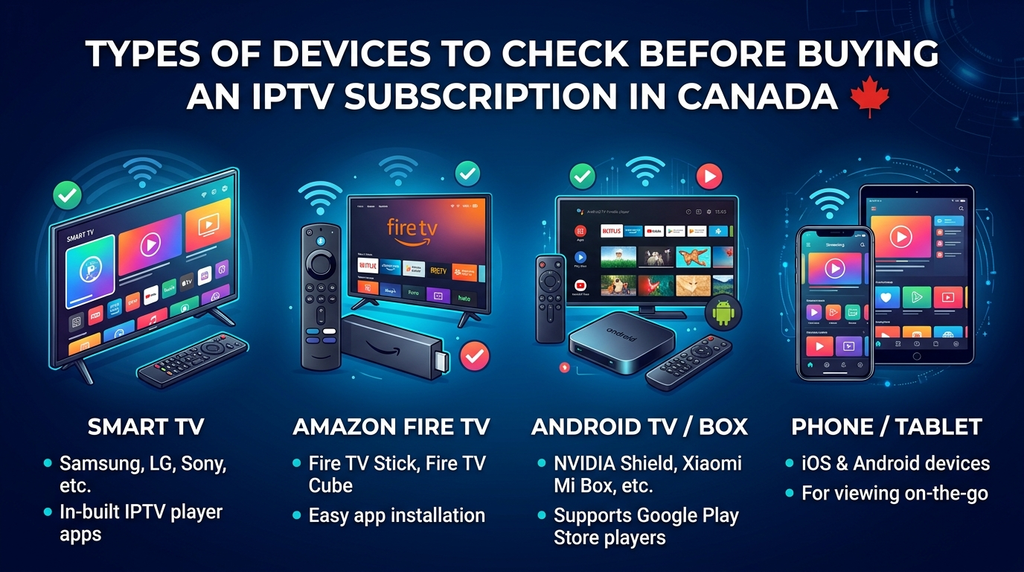
The best IPTV Canada decision starts with what your household needs—not the largest advertised catalogue or the loudest claim of reliability. Confirm content authorization for Canada, check the actual player and device, compare simultaneous stream limits, test where possible, and read the complete payment and refund terms.
If you want to evaluate the options published by Digital Lizard IPTV, review its current plans and connection choices, read the setup guidance and contact support to establish Canadian availability, currency and the programming rights relevant to your household before subscribing.