
If you want to buy IPTV subscription UK, start by checking what you are buying—not just how many channels appear in an advert. A useful subscription should have clear rights to distribute its programming, work on your actual devices, explain its connection limits, and disclose the price, cancellation terms and support process before payment.
The word IPTV describes television delivered using internet protocols. It does not mean that every service advertising itself as IPTV is authorised to carry premium channels, films or sports. You can use internet television legally in the UK, but the provider must have the relevant rights to supply the content. This guide explains how to assess those rights, compare subscriptions and devices, estimate broadband requirements, understand payment terms and avoid paying for a service you cannot use.
Quick answer: The safest way to buy IPTV in the UK is to identify the specific channels or programmes you need, confirm that the supplier is authorised to provide them, check device and regional compatibility, examine the full checkout and refund terms, and test a lawful short-term option before making a longer commitment. For live television and BBC iPlayer, also check the UK TV Licence rules.
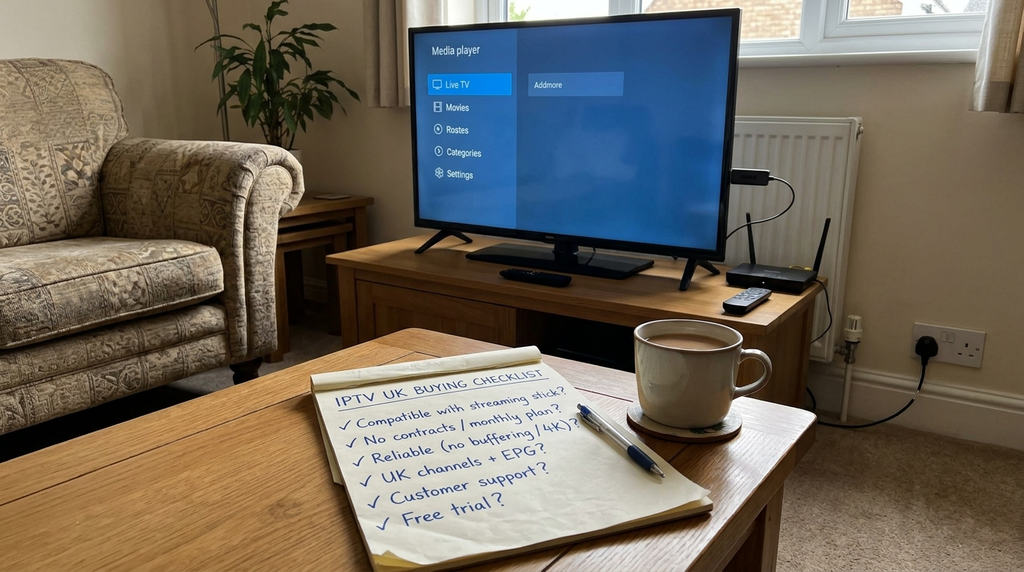
Table of Contents
Table of Contents
What are you actually buying?
An IPTV subscription normally covers the right to access a provider’s service for a stated period. Depending on the provider, you might receive an account in an official application or login details that work in a separately installed player. Those are not necessarily the same product.
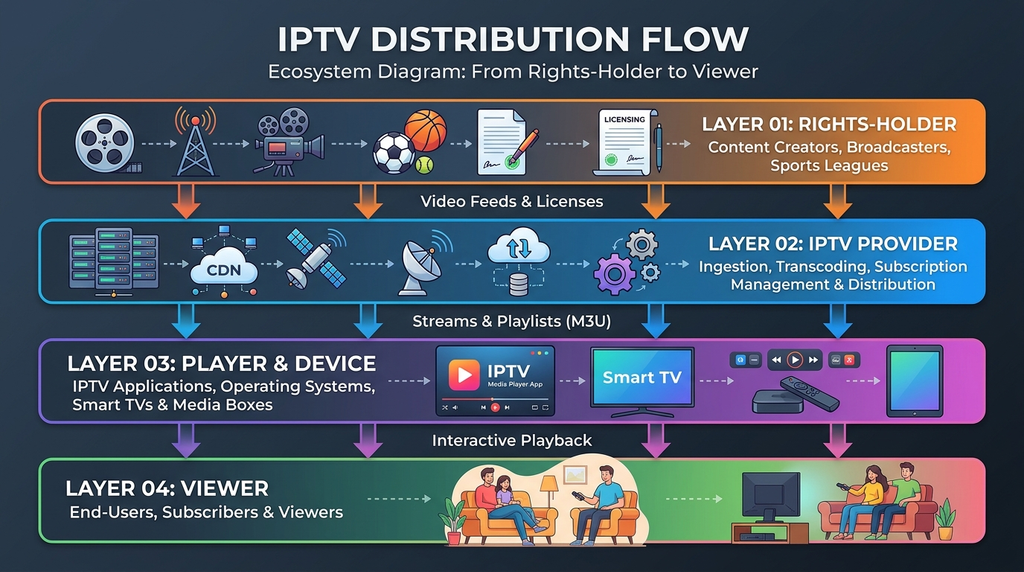
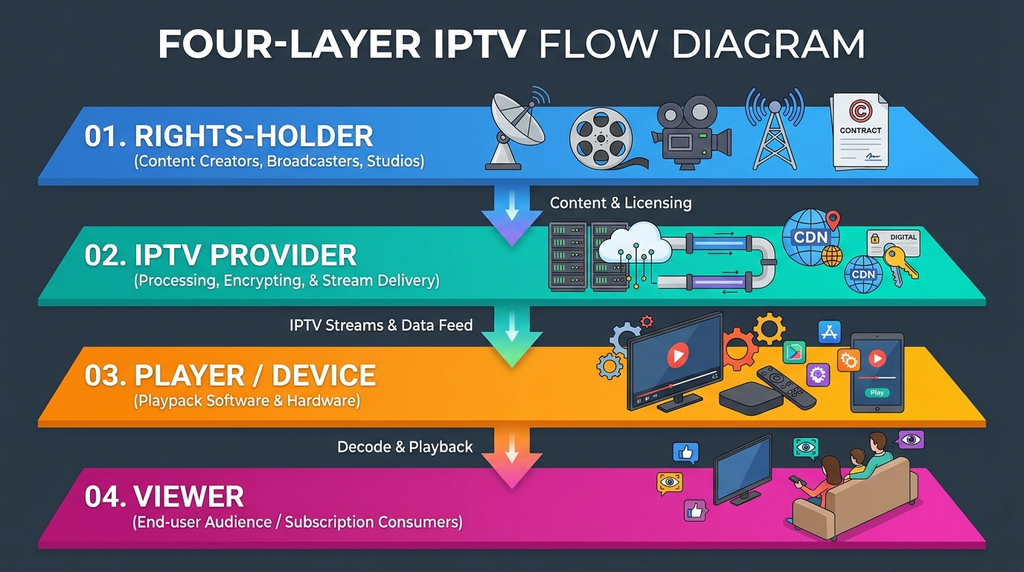
A streaming provider supplies or organises access to programming. An IPTV player is software that displays a compatible playlist, live stream or electronic programme guide (EPG). A streaming device is the television, Fire TV, Android TV box, Apple TV, phone or computer that runs the software. A content licence is the separate permission required to distribute protected programmes. Installing a player or paying for a playlist does not, by itself, establish that the supplier holds that permission.
For example, a household may own two televisions, a phone and a tablet yet need only one concurrent stream if everyone watches at different times. Conversely, two people viewing different programmes simultaneously may need two permitted connections. This is why the number of installed devices and the number of simultaneous connections must not be confused.
When checking a service that provides playlist credentials, you may encounter these terms:
| Term | What it means | What to verify |
|---|---|---|
| M3U playlist | A file or URL that tells a compatible app where media streams are listed | Whether the playlist is supplied lawfully and is supported by your player |
| Xtream-style login | A login format commonly involving a server address, username and password | Exact app compatibility, privacy and authorised programme access |
| EPG | Electronic programme guide data for schedules | UK programme timing, channel mapping and refresh options |
| Connection | A stream permitted to run at one time | Whether your household requires one, two or more concurrent streams |
| Player licence | Payment for software features or app activation | Whether it is separate from the streaming subscription |
If the product page does not say whether you are paying for the player, the service or both, ask before checkout. The Digital Lizard IPTV FAQs explain the distinction between compatible applications and a subscription.
Is IPTV legal in the UK?
IPTV technology is legal; unauthorised distribution of protected content is not. The UK Intellectual Property Office explains that a normal streaming device can be used for legitimate programming, but its use for illicit access to films, television or subscription sport creates legal problems. Read the government’s guidance on illicit streaming devices before purchasing a service whose rights you cannot verify.
A professional-looking website, an app in a store, a long channel list, an EPG, a customer review or an HTTPS checkout does not prove a seller has the rights to offer any particular broadcaster’s programmes. You should be able to identify the legitimate service or rights-holder for the content you intend to watch and verify that the proposed supplier is authorised. Where this cannot be established, do not assume the subscription is lawful.
Do you need a UK TV Licence?
A UK TV Licence is generally required to watch or record live television on any channel or service, including live television streamed over the internet, and to use BBC iPlayer, including its on-demand programmes. Not every purely on-demand service requires a licence if you do not use BBC iPlayer or watch live TV. Check the official TV Licensing eligibility guidance for your viewing circumstances.
These are two separate questions: whether a television provider is authorised to distribute a programme, and whether your household needs a TV Licence to watch it. Having a TV Licence does not make an unauthorised service lawful; having a lawful subscription does not remove a separate TV Licence requirement.
The questions to put to a seller
Before paying for premium sport, films or subscription channels, ask which broadcaster or content owner authorises the service to supply them in the UK. Ask for a clear explanation of regional coverage and whether restrictions apply to particular programmes. If the supplier cannot answer, choose an official broadcaster, its authorised partner or another clearly licensed option rather than rely on a broad marketing promise.
Seven checks before you pay
1. Verify content rights and UK availability
Start with the specific channels, competitions or programme libraries that matter to you. Confirm rights for those items and the territory in which you intend to view them. Be wary of a single inexpensive product claiming unrestricted access to every premium sports event or pay-TV channel without any explanation of rights or distribution partners.
2. Check your device and the exact application
Do not accept “works on all devices” as a substitute for a supported app list. A Samsung TV running Tizen, an LG TV running webOS and a Google TV device use different software platforms. Even two generations of the same TV can have different app availability. Open the relevant official app store on your own device and verify the app’s developer, supported login method and any separate app charge.
3. Clarify simultaneous viewing
A single connection may be enough for one active screen even if you move between several compatible devices. Two TVs streaming at the same time may require two connections. Ask whether additional connections cost extra, whether one connection may move between devices and whether simultaneous usage is restricted by household or location.
4. Compare the real total, not just the monthly equivalent
Calculate the full payment due today. Ask whether the price is a one-time fixed-term purchase or a recurring renewal, and whether taxes, currency conversion or player-app fees apply. If the checkout is displayed in US dollars, a UK buyer may incur exchange-rate differences or bank charges. Do not treat an approximate pound conversion as a guaranteed checkout total.
5. Read refund and cancellation conditions
Look for the exact application process, deadline, eligibility criteria and exclusions. For example, the Digital Lizard IPTV refund policy currently describes a three-day period for submitting a refund request, with eligibility reviewed under its stated conditions. That is not an unconditional three-day money-back promise. UK statutory rights can also depend on the seller, the contract and the nature of the digital service; a website’s policy is not necessarily the complete legal position.
6. Use a payment method you understand
Review the seller’s identity, total price and payment processor. Card payment may offer dispute routes depending on the transaction, but no payment method establishes programme licensing or guarantees recovery. Avoid sending payment credentials by chat or sharing your streaming password on public forums. Keep your receipt, order confirmation, policy version and support correspondence.
7. Test the service without overcommitting
If the provider offers a lawful trial or short-term subscription, use it to check actual viewing conditions—not merely whether a login screen opens. Test during the hours you usually watch, with your own broadband, television and Wi-Fi. Observe start-up time, picture and audio, EPG timing, caption or language options, and how support responds to a genuine question. A trial can demonstrate technical fit but cannot establish copyright authorisation.
A reusable decision scorecard
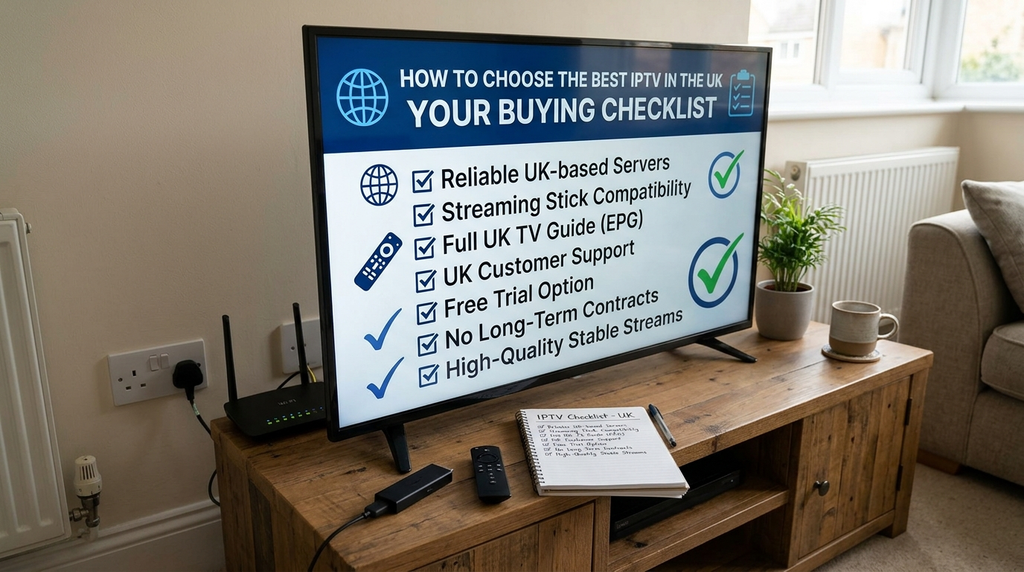
Use the following editorial scorecard to compare candidates. It is a decision aid, not a measured provider rating. A supplier that fails the rights check should not be scored as an acceptable option.
| Test | Pass condition | Result |
|---|---|---|
| Rights and territory | Relevant UK distribution rights can be reasonably verified | Pass / Fail |
| Device | Supported player appears on the intended device | Pass / Fail |
| Connections | Written simultaneous-stream allowance meets your needs | Pass / Fail |
| Price | Total amount, currency and renewal terms are clear | Pass / Fail |
| Protection | Refund process and seller contact details are understandable | Pass / Fail |
| Performance | Lawful trial or short term meets your actual viewing needs | Pass / Needs testing |
| Support | Provider can answer concrete questions before purchase | Pass / Needs testing |
Decision rule: Treat rights verification as a mandatory gate. If rights are established but the technical experience is uncertain, reduce your financial commitment and test before taking a longer plan.
buy IPTV subscription UK prices and plan lengths
Prices alone do not tell you whether content access is authorised or whether a plan is good value. Compare the amount paid in total, the permitted simultaneous streams, the included app or device support, the content rights and the refund terms.
Digital Lizard IPTV: publicly listed single-connection prices
At the time of this review (17 November 2026), the public Digital Lizard IPTV pricing page displayed these USD totals for one simultaneous connection:
| Term | Listed total | Monthly equivalent* | Commitment consideration |
|---|---|---|---|
| 1 month | $16 | $16.00 | Shortest paid commitment shown |
| 3 months | $36 | $12.00 | Lower equivalent monthly cost |
| 6 months | $55 | Approximately $9.17 | Higher up-front commitment |
| 12 months | $75 | $6.25 | Largest up-front commitment |
The monthly equivalent is the listed total divided by the number of months; it is not a monthly billing price. The final checkout may differ by selected connection count or later price changes.
The site also describes options for one to five simultaneous connections, depending on the selected plan. Its published pages present the brand primarily to US customers. The pages reviewed do not independently establish UK programme rights, UK availability for every plan or a guaranteed GBP checkout price. UK purchasers should confirm these points directly before making any payment. The subscription page shows an order flow, but checking a form is not a substitute for confirmation of regional rights and terms.
Which term makes sense?
- One month: useful when you need to evaluate a new lawful service with limited financial exposure.
- Three months: a compromise if device support and access rights are already verified.
- Six months: consider when you have sufficient evidence of suitability and understand the refund conditions.
- Twelve months: the lowest listed monthly equivalent in the example above, but the entire term is a larger prepayment. Discount size should not override uncertainty about rights, quality or business continuity.
A “lifetime” offer should trigger additional questions: what exactly does lifetime mean, who provides ongoing service and what happens if the supplier stops operating? Do not treat a long term as a guarantee of uninterrupted availability.
Devices and IPTV player compatibility
The best device is often the one you already own, provided it supports an authorised streaming app or a lawful and compatible player. The following table is a practical starting point, not a guarantee that any particular third-party application or provider works everywhere.
| Device | Installation route | Important limitation |
|---|---|---|
| Amazon Fire TV Stick / Fire TV | Search the Amazon Appstore for a compatible app | Availability differs by Fire OS version, country and device |
| Samsung Smart TV | Use Samsung’s Apps interface | Tizen apps are not the same as Android apps |
| LG Smart TV | Use the LG app store | webOS compatibility varies by model year and region |
| Android TV / Google TV | Check Google Play on the television | A mobile app may not be optimised for remote control |
| Apple TV | Use the tvOS App Store | Confirm Apple TV support, not just iPhone support |
| iPhone / Android phone | Use the appropriate official mobile app store | Mobile permissions and data consumption matter |
| Windows / Mac | Use an authorised web player or suitable desktop application | Browser support and account formats may differ |
Amazon’s official instructions for downloading Fire TV apps explain the supported app-store route. In general, prefer official downloads and do not install unknown APKs merely because a seller sends an installation code. If you are selecting an independent player, remember that the player itself does not supply viewing rights.
The site’s device setup instructions cover Fire TV, Samsung and LG televisions, Android and Apple TV. Check the instructions against your device model before deciding whether you need new hardware.
Do you need a 4K television?
Only for watching streams that are genuinely delivered in 4K. A “4K supported” label is not proof that every channel or event is available in that resolution. Actual quality depends on the source, app, device, display, bandwidth and encoding. A stable HD stream may be more useful than an unreliable stream described as 4K.
Internet speed, EPG and streaming quality
A stable connection matters more than a headline download speed measured once. The UK regulator Ofcom’s broadband guide uses roughly 30 Mbit/s for one Ultra HD video stream as an illustration of household needs. Actual applications vary, and multiple viewers, Wi-Fi interference, background downloads and other devices increase demand.
Before blaming the subscription, run a speed test near the television, ideally during your usual evening viewing window. If possible, compare Wi-Fi with a wired Ethernet connection. Restart the device and router, test an unrelated legitimate streaming application, and note whether the problem affects every stream or only one programme.
An EPG, or electronic programme guide, shows scheduled programmes. For UK viewers, make sure the guide uses the correct time and handles changes between Greenwich Mean Time (GMT) and British Summer Time (BST). An EPG that is one hour out can be a guide or time-zone issue rather than a playback failure.
Three different kinds of quality issue
| Symptom | Possible cause | Sensible first check |
|---|---|---|
| Frequent buffering on many apps | Weak Wi-Fi, local congestion or broadband problems | Compare wired and wireless performance; check another official app |
| Only one authorised channel fails | Provider-side stream or channel issue | Record the channel and time, then ask support |
| Guide is blank but video plays | EPG sync, data mapping or time-zone issue | Refresh the guide and confirm the correct data source |
Avoid promises such as “100% uptime”, “zero buffering” or universal 4K. Without verified measurements under representative conditions, those statements are not credible buyer information.
How to set up a compatible IPTV subscription
The following process assumes you have already verified that the service and content are authorised for your location.
- Confirm the service and device. Check the actual model, operating system and official application availability before purchase.
- Check the contract. Confirm content scope, territory, total price, simultaneous connections, subscription duration and refund conditions.
- Complete a trusted checkout. Keep your order confirmation and a copy of the terms shown when you paid.
- Install the official app or compatible player. Use the device’s own app store wherever possible. Do not assume an Android APK is suitable for a Samsung or LG television.
- Enter the account information privately. Depending on the lawful service, this may be an official account sign-in or a supplied server address and username/password in a compatible player. Copy credentials exactly and avoid extra spaces.
- Allow initial synchronisation. Give the app enough time to retrieve the account, programme list and any EPG data.
- Test a few authorised programmes. Check audio, video, navigation, captions where relevant and the correct UK schedule.
- Check the permitted number of streams. If the household plans to use two screens simultaneously, test only within the connection limit stated by the supplier.
For a detailed device-specific route, consult the installation guide. Keep account details out of screenshots, public comments and open support messages.
Troubleshooting problems after activation
When playback fails, changing every setting at once makes the problem harder to identify. Use this order instead.
Login rejected
Confirm that the account is active, the username and password match exactly, and the app supports the supplied login type. Remove accidental spaces before or after an entry. If the same lawful credentials still fail, contact the provider rather than trying unrelated server addresses.
App is missing from the store
Check the operating system, device model and country. A Samsung TV app may not exist on LG webOS; a Google Play phone app may not be available on Fire TV. Ask for a supported official alternative. Do not treat unverified third-party APK downloads as a routine solution.
Playback freezes or buffers
Test a different legitimate streaming app. If that also buffers, inspect your connection and Wi-Fi. If only one service or one authorised programme fails, note the exact time and error, then report it. You can also review the site’s support FAQs for common causes.
Programme guide is empty or shows the wrong time
Refresh the EPG if the player supports it; check date, time zone and the guide source. In the UK, an unexplained one-hour shift can be related to BST/GMT adjustments. Avoid deleting a working account until you know the correct settings can be restored.
The subscription stops working while travelling
Do not assume rights or technical access follow you internationally. Services can restrict availability by country, network, broadcaster licence or contract. Verify the legitimate provider’s travel rules before departure and avoid attempting to bypass geographic rights restrictions.
Support is needed
Send the device model, app name, approximate time of the fault, error message and steps already tried through the contact page. Do not publish passwords or full payment-card details.
Legitimate UK television alternatives
A generic IPTV playlist subscription is not the only way to watch television over the internet. For some households, a recognisable broadcaster-backed service is a clearer fit than a third-party bundle whose programme rights are hard to verify.
| Viewing need | Option to investigate | What to understand |
|---|---|---|
| Free-to-air live TV delivered over broadband | Freely | Requires compatible equipment and a TV Licence for live viewing; see Freely’s equipment guidance |
| Live and on-demand premium entertainment or selected sport | NOW | Different memberships and conditions apply; review NOW’s official membership explanation |
| Traditional broadcast channels and catch-up apps | Freeview / Freeview Play | Equipment, aerial and internet requirements vary; check the official product and channel information |
| A particular premium sports competition or film catalogue | The UK rights-holder’s official service or authorised distributor | Rights are programme-specific and may change over time |
These products are not interchangeable. Freely is oriented towards free-to-air content, while a premium streaming membership may focus on particular sports, films or entertainment. Identify the content you actually watch before comparing prices.
Frequently asked questions
Is it legal to buy an IPTV subscription in the UK?
It can be, provided the service has the relevant rights to distribute the content in the UK and you comply with applicable viewing requirements. IPTV is a delivery technology, not proof of either legality or illegality. Verify premium channel and sports rights before paying.
Do I need a TV Licence for IPTV in the UK?
Generally, yes if you watch or record live television on any channel or streaming service, or use BBC iPlayer. Purely on-demand viewing outside BBC iPlayer can have different requirements. Check TV Licensing’s current rules for your circumstances.
Can I use IPTV on a Fire TV Stick?
A Fire TV Stick can run supported streaming applications, but availability depends on the device and region. Check the Amazon Appstore for a compatible authorised app, and do not assume all Android applications are Fire TV applications.
Can I buy one IPTV subscription for two televisions?
Only if the plan permits the viewing pattern you need. One connection normally means one simultaneous stream; installing a login on two devices does not necessarily permit both to watch concurrently. Verify the exact plan terms.
How much internet speed do I need for 4K IPTV?
Requirements vary by stream, codec and service. Ofcom gives around 30 Mbit/s as an illustrative requirement for one UHD stream. A strong, stable connection with enough capacity for other household devices matters more than speed alone.
What is the difference between an M3U player and an IPTV subscription?
An M3U-compatible player reads playlist data and displays supported streams. A subscription is the service or content access you pay for. Neither a player nor a playlist format proves that the underlying content is authorised.
Should I buy a 12-month IPTV plan immediately?
Only after confirming the content rights, regional availability, device support, terms and reliability of a lawful service. A longer plan may have a lower monthly equivalent, but it also means paying more in advance.
Can I get a refund if the IPTV service does not work?
It depends on the contract, the nature of the issue, applicable consumer law and the provider’s published conditions. For Digital Lizard IPTV, the public policy describes a three-day refund request period with eligibility review; it does not promise an automatic refund for every request. Keep evidence and seek advice when your statutory rights may be involved.
Before you make a decision
To buy an IPTV subscription in the UK with greater confidence, begin with the channels and programmes you actually need, then verify who has the rights to provide them. Check that the software works on your television, the plan permits the number of simultaneous viewers in your household, and the total cost and refund rules are clear. Test a lawful short-term option on your own broadband before considering a larger prepayment.
For readers assessing Digital Lizard IPTV specifically, you can review the publicly listed plan details and ask support to confirm UK regional availability and the authorisation for the particular content you want. Do not treat a displayed price or successful checkout as confirmation of those points. If they cannot be verified, choose an official rights-holder or authorised streaming provider instead.