
If you want to buy IPTV in the United States, begin with the plan rather than the advertising headline. Check how many people will stream at once, which devices they will use, and what the subscription costs in total. At Digital Lizard IPTV, our published one-connection options run from $16 for one month to $75 for twelve months, with additional connection selections displayed on our website. This guide walks you through seven practical steps so you can choose the best-fitting option, understand the setup, and place an informed order.
Ready to compare? View Digital Lizard IPTV subscription prices before you decide.
Table of Contents
Table of Contents
What Do You Get When You Buy IPTV?
When you buy IPTV from Digital Lizard IPTV, you purchase access to a time-limited internet television subscription under the terms of your selected plan. Our website describes live television and on-demand entertainment categories, along with account details used in a compatible IPTV player. Your actual access depends on the selected offer, available programming, and the software and connection you use.
A streaming device, an IPTV player app, and a service subscription are three separate pieces. The device is your television, streaming stick, or other supported hardware. The player app is the software that lets you enter the login information and browse available content. The subscription provides the service access associated with your purchase. Paying for one does not automatically include the others.
That distinction matters when people search for where to buy IPTV. Downloading an app does not mean you have bought a content subscription. Conversely, purchasing a subscription does not mean a particular premium player license is included. Third-party applications can have their own prices and availability rules, so check them individually.
Our setup guide explains the login-based process for compatible platforms. You can also consult our answers to common subscription questions before ordering. These resources can help you avoid paying for a plan before you know whether your preferred player will work.
A compatible device, a player application, and a content subscription serve different purposes. Confirm which app can accept your account details and whether it charges a separate fee before you order a longer streaming plan.
A compatible device, a player application, and a content subscription serve different purposes. Confirm which app can accept your account details and whether it charges a separate fee before you order a longer streaming plan.
7 Steps to Buy IPTV and Choose Your Best Plan
The best way to buy IPTV is to work through the decisions in a useful order. First define your viewing needs. Then count simultaneous viewers, confirm device compatibility, compare full prices, review content expectations and policies, and check the purchase information before you pay. The following seven steps are designed for U.S. households making a real subscription decision.
Step 1: Decide What You Want Before You Buy IPTV
Before you buy IPTV, identify the types of television you actually watch. Some households prioritize news and family entertainment; others mainly want movies or a mixture of live and on-demand programs. Make a short list of must-have categories, plus any specific regional programming that would affect your choice. This makes your questions more concrete than simply asking for a large channel count.
Our homepage describes live news, sports, movies, entertainment, family channels, and on-demand categories. Those broad descriptions are not a guarantee that every specific channel, event, series, or title will be present, or that each item is available in every region. Before you buy IPTV, contact our team about content that matters to you and verify that the proposed use is lawful in your location.
Consider how you want to browse. Would a television remote be your primary control, or would you often use a phone? Do you rely on a program guide or watch mostly on demand? These preferences can affect the player app you choose even when the subscription itself stays the same. The right buying decision is about the entire viewing experience, not a single promotional claim.
Step 2: Count the Screens That Stream at the Same Time
Before you buy IPTV, count concurrent viewers, not merely the number of devices in your home. One person might use a living room television at night and a phone at another time without needing two simultaneous streams. Two family members watching different programs on separate screens at the same moment have a different requirement.
The Digital Lizard IPTV homepage lists choices from one to five simultaneous connections. A connection represents an allowed stream at one time, rather than the number of devices that can hold an app. The one-connection prices published on our pricing page should not be treated as the final prices for two, three, four, or five streams.
A household preparing to buy IPTV might have three screens: a living room television, a bedroom television, and an Android phone. If only one plays at a time, you can evaluate a one-connection plan. If the living room and bedroom televisions are commonly active together, evaluate at least two simultaneous connections. Count the busiest realistic viewing period rather than buying extra allowances simply because you own additional devices.
When you buy IPTV for more than one viewer, check the selected connection quantity again at checkout. The total may change when you choose a larger allowance. That is why we recommend using the live selector instead of multiplying one-connection pricing or assuming that every extra stream costs the same amount.
Two installed player apps do not automatically mean two simultaneous streams are allowed. Count how many screens will actually play at once, select that connection allowance, and review the updated order total.
Two installed player apps do not automatically mean two simultaneous streams are allowed. Count how many screens will actually play at once, select that connection allowance, and review the updated order total.
Step 3: Check Device and IPTV Player Compatibility
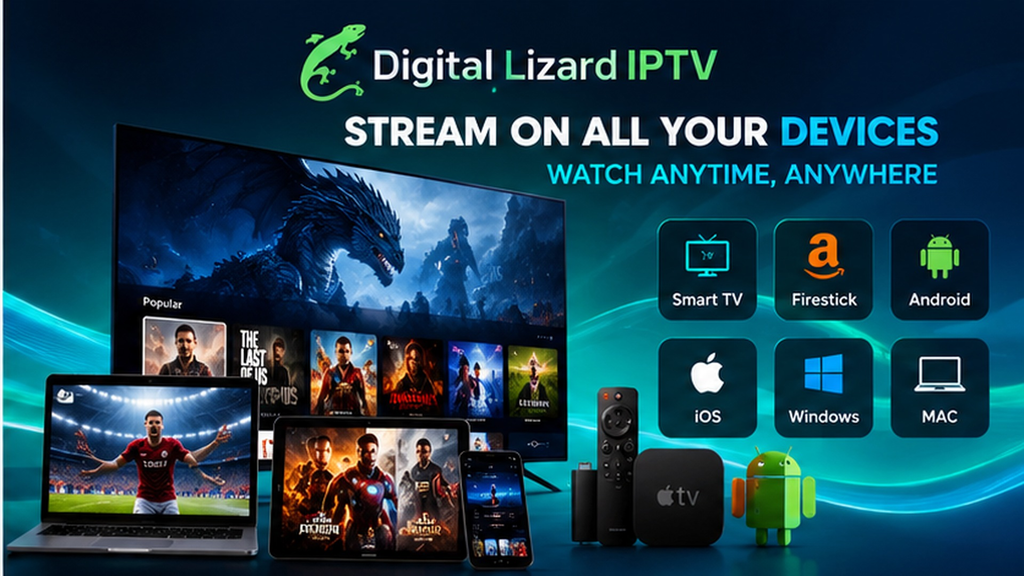
It is easier to buy IPTV confidently when you already know the intended device can run a suitable player. Our setup instructions cover Samsung and LG smart TVs, Amazon Fire TV, Android TV and boxes, Android phones, and Apple TV. Availability still depends on model, operating system, region, and the application store. Do not assume a player made for Android will install on a Samsung Tizen television.
If you buy IPTV for a Samsung smart TV, search the television’s own Apps store for an appropriate player. Samsung’s official instructions explain the app installation process and note that the TV’s available apps determine what can be installed. On Google TV, the Google TV app installation guide shows how to locate apps offered for your device.
A compatible app also needs to accept the login method and account information associated with your subscription. Our guide describes username, password, and any required server information. If you are uncertain about the exact model or player, contact us with your device details before you buy IPTV for a long term.
Step 4: Compare the Total Price, Not Just the Monthly Equivalent
When you buy IPTV, distinguish a full prepaid plan price from an average monthly cost used for comparison. Our currently published one-connection options are $16 for one month, $36 for three months, $55 for six months, and $75 for twelve months. Dividing the full price by the number of months helps you compare value, but it does not turn the multi-month plan into monthly installments.
You can buy IPTV with the smallest published upfront commitment by choosing our one-month, one-connection option. The three-month option costs more today but has a lower monthly equivalent. The six-month and twelve-month choices require a larger payment upfront and provide a lower equivalent cost per month at the published one-connection rates. A longer term is only a fit when you are comfortable with the device, account setup, and subscription conditions.
Before completing any buy IPTV order, revisit the current pricing page and the selected checkout total. Prices and plan structures can change, and the actual purchase amount matters more than an old article, screenshot, or advertised monthly equivalent.
Step 5: Review Playback Conditions and Content Expectations
If you buy IPTV to use on a large television, pay attention to more than the resolution label. The homepage describes HD and 4K where available; this is not a promise that every program is offered at 4K or that playback will be identical on every device. Internet quality, Wi-Fi coverage, device hardware, and player software can all affect your experience.
A practical check before you buy IPTV begins with your home network. Make sure your intended device is connected, its system software is current, and your chosen app opens normally. If Wi-Fi is unreliable in one room, that issue can affect internet-delivered video regardless of your subscription duration. Multiple viewers can also increase the overall demands on your connection.
Our setup page recommends checking account details, restarting affected equipment, and considering app or network issues when playback is slow. Do not interpret that guidance as a promise of uninterrupted streaming. If a particular resolution, event, or program matters to your purchase, verify availability and technical requirements before you buy IPTV rather than relying on a general category description.
Before blaming a subscription for slow playback, check Wi-Fi strength, restart the affected device and router, and confirm that the player is updated. These steps can isolate local problems, but they do not guarantee uninterrupted streaming.
Before blaming a subscription for slow playback, check Wi-Fi strength, restart the affected device and router, and confirm that the player is updated. These steps can isolate local problems, but they do not guarantee uninterrupted streaming.
Step 6: Read the Refund, Renewal, and Purchase Terms
A careful decision to buy IPTV includes reading the conditions you agree to at checkout. Our published refund policy describes a three-day window for requesting a refund, subject to eligibility and review. This is a request period, not a promise that every purchase automatically qualifies for reimbursement.
Before you buy IPTV, note that the policy asks for order information and relevant troubleshooting details, and processing time can vary after approval. Our terms and conditions also say that prices, plan structures, and payment methods may change. Review both pages before you commit, especially if you are choosing a twelve-month term.
You should also know how to reach support. Our contact page requests the order email or reference, device model, player name, and error description when appropriate. When you buy IPTV, save the order confirmation, keep your account credentials private, and ask about unclear conditions before making payment.
Step 7: Confirm Your Selection Before Submitting Payment
The last step before you buy IPTV is a simple order review. Check the selected duration, simultaneous connection count, total price, device compatibility, and the email address you will use for the order. These details affect both the purchase and your ability to receive account information or request help later.
To buy IPTV through our subscription page, review the plan summary and order form with fields for contact information, country, device, subscription type, and payment item. It also displays payment choices. The available options or promotions can change, so rely on the current form and final amount rather than treating a previously shown method or discount as guaranteed.
Once these seven steps are complete, you are ready to buy IPTV with a clearer understanding of the subscription and setup. Choose a subscription plan and follow the matching order path when you are comfortable with the terms.
Compare Digital Lizard IPTV Subscription Prices
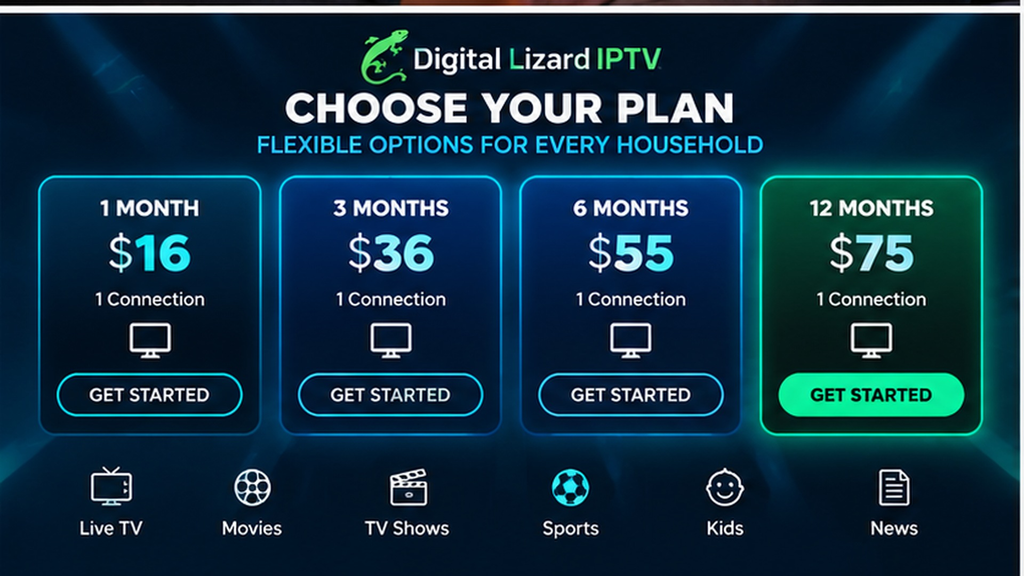
The table below shows the published totals for one simultaneous connection, checked on October 25, 2026. These figures are not the prices for multiple concurrent streams and are subject to change. Use them to compare how much it costs to buy IPTV at each duration before making your actual plan selection.
| Subscription duration | Total upfront for 1 connection | Approx. cost per month | Buying consideration |
|---|---|---|---|
| 1 month | $16 | $16.00 | Smallest upfront commitment |
| 3 months | $36 | $12.00 | Shorter multi-month term |
| 6 months | $55 | $9.17 | Longer access without a full year |
| 12 months | $75 | $6.25 | Lowest published monthly equivalent |
The monthly equivalents are arithmetic comparisons, not a claim that the order is billed in installments. When comparing how to buy IPTV, look at the amount you will pay now, the duration you receive, and the number of simultaneous connections displayed for your chosen option.
The website’s homepage allows selection of one to five simultaneous connections. If you need multiple streams, review the live connection selector and verify the updated total before checkout. You should never assume the one-connection table gives the price of a larger household subscription.
The $6.25 figure is the $75 annual one-connection total divided by twelve months. It does not mean that the twelve-month option is billed at $6.25 each month. Confirm the full amount payable at checkout.
The $6.25 figure is the $75 annual one-connection total divided by twelve months. It does not mean that the twelve-month option is billed at $6.25 each month. Confirm the full amount payable at checkout.
How to Buy IPTV for Different Household Needs
Your household situation can be more useful than a generic plan recommendation. Consider a single viewer who primarily uses one Samsung television. Their first decision is app compatibility; their second is whether a shorter or longer term fits their budget. They can buy IPTV with a one-connection option if they do not need another stream playing at the same time.
Now consider two adults who frequently watch different shows in separate rooms. Their key variable is simultaneous viewing. They should choose a connection allowance that accommodates overlapping use, then inspect the total price for their preferred duration. The number of screens they own is less important than the number they use at once.
These examples are planning scenarios, not claims about how every plan performs. The common method is to start with household behavior, confirm technology and price, then decide how much commitment is appropriate. Review available Digital Lizard IPTV plans once you know your preferred configuration.
Prepare Your Device Before You Buy IPTV
Preparing in advance can make your first setup easier. On a Samsung or LG smart television, open the manufacturer’s application store and look for a compatible IPTV player. On Fire TV, use the device’s app search. On Android TV or Google TV, choose an app designed for the television interface instead of assuming that a phone app will be easy to navigate with a remote.
For Apple TV, confirm the model supports installing new tvOS apps. If you plan to use a phone or tablet, check that your chosen player supports your platform and the supplied login format. Our guide covers the steps for supported device categories, but particular apps and their fees are controlled by third parties.
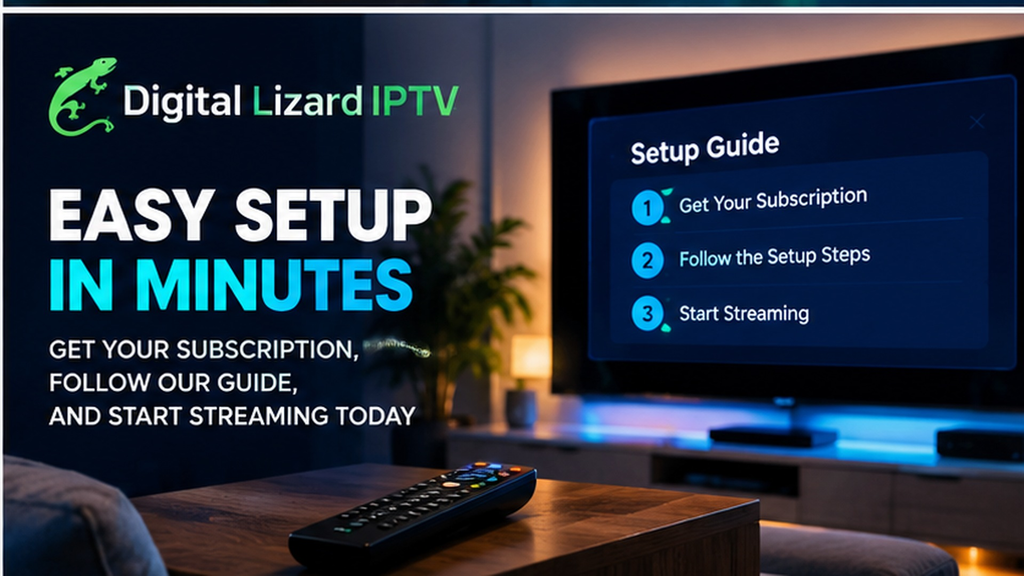
The account setup process generally involves opening a compatible player, selecting its supported login method, and entering the username, password, and required server information provided for the subscription. Save your details securely and avoid sharing them in public forums. If something fails, verify capitalization, unnecessary spaces, and the correct login mode first.
If you want to buy IPTV for a device you have not configured before, read our device-specific setup instructions ahead of time. That page also covers common playback and guide-loading questions. You do not need to assume a particular app is included with the subscription just because it appears in a setup tutorial.
How to Buy IPTV From Digital Lizard IPTV
After selecting your preferred duration and simultaneous connections, the ordering process is straightforward to review. Our site provides a pricing page and a subscription order page showing the plan summary and order form. To buy IPTV, use the actual site flow rather than an unofficial seller claiming to represent our business.
- Visit the pricing page and compare the available durations for your needs.
- Check the homepage connection selector if you want multiple simultaneous streams, and confirm the updated plan total.
- Open the relevant subscription order path and review the summary, including duration and connection count.
- Enter the requested contact and device details accurately; choose new subscription or renewal as appropriate.
- Review the displayed payment options, total amount, and policies, then complete the order through the current form.
- Save your order confirmation and follow the account and setup information provided for the completed order.
If a quoted amount differs from the displayed checkout total, do not submit payment until it is clarified. To buy IPTV with the right plan, the final order summary should match your expectations before the transaction, not after it.
What Happens After You Buy IPTV?
Our website explains that the customer uses subscription account information with a compatible player application. After you buy IPTV and receive your account details, refer to the setup guide for the platform that matches your device. Enter credentials carefully and allow the player to load available sections. We do not promise a specific activation time in this guide.
If the credentials do not work, check typing, capitalization, extra spaces, and whether you selected the proper login method. If playback is slow, test the network and application before concluding that the account is the cause. These checks help you provide useful information when contacting support.
For an order or access problem, our support contact page asks for a concise description, the device and player, and your order reference or email. Keep passwords and full payment-card details out of general support messages. This is also where you can ask for assistance if you are unsure how renewal applies to your selected plan.
Frequently Asked Questions About How to Buy IPTV
1. Where can I buy IPTV from Digital Lizard IPTV?
Use our published subscription plans to compare options and follow the website’s order path. Check the selected duration, connection count, and total amount before payment. This is a branded purchase page, not an independent provider comparison.
2. What is the best subscription length for a first-time buyer?
There is no universal answer. A one-month plan has the lowest published upfront price for one connection, while longer terms have lower monthly equivalents. Before you buy IPTV for twelve months, confirm device setup and review the policies.
3. How many devices can watch at once?
The number of active screens when you buy IPTV depends on the simultaneous-connection allowance selected with your plan. Our homepage offers one to five connections. A one-connection plan is not the same as permission to stream independently on five screens at the same time.
4. Can I buy IPTV for a Samsung or LG Smart TV?
Our setup guide covers both platforms, but compatible applications depend on the specific television model, software, and region. Check the TV’s own app store and confirm that a chosen player accepts the subscription login method.
5. Does the price include a premium IPTV player app?
When you buy IPTV, do not assume so. IPTV player applications and streaming subscriptions are different purchases. Some third-party players charge separately. Review the app’s own information before ordering and ask for clarification if a particular player is essential.
6. Does an IPTV subscription include every movie, sport, or channel?
No such universal guarantee is stated here. Our site describes live and on-demand categories, but specific content can vary. Ask about essential programming and lawful availability for your region before you buy IPTV.
7. Is renewal automatic?
When you buy IPTV through our order form, you can choose new or renewal; the reviewed pages do not establish an automatic renewal schedule. Check the terms applicable to your order and contact support if billing or renewal timing is important to your decision.
8. Can I request a refund after I buy IPTV?
Our published policy describes a conditional three-day refund-request period. Eligibility is reviewed based on the circumstances and policy terms. Read the full refund policy before purchase and report problems promptly.
9. Where can I get setup or order support?
After you buy IPTV, use the setup guide for device instructions and contact our support team for order or access questions. Include your device, player, error description, and order reference without revealing passwords publicly.
Ready to Buy IPTV? Choose Your Best-Fit Subscription
A good purchase starts with clear expectations. Know what you want to watch, choose the connection allowance that reflects real simultaneous use, confirm a compatible player, and understand the upfront cost. Review the policy and checkout summary before paying. These decisions matter more than unsupported claims about unlimited performance or one plan being best for everyone.
At Digital Lizard IPTV, we provide published one-connection duration prices, device setup guidance, and a subscription ordering path. If you are ready to buy IPTV, use our pricing and subscription options to make your selection and review the final amount. If you still have a device, content, or policy question, contact us before ordering