
An IPTV Subscription for 2 Devices UK should let two screens play separate streams at the same time, provided the plan explicitly includes two simultaneous connections. That is different from merely installing a player on a television and a phone. Before paying, check the connection allowance, exact device and app compatibility, total price, UK access conditions, and whether the programming is authorised for distribution in the UK.
Digital Lizard IPTV’s published website offers a selector for one to five simultaneous connections, including two devices. However, UK availability, the specific two-connection total and the rights for particular channels or programmes should be confirmed with the provider before an order is placed. This guide explains the questions to ask and a practical way to test a two-screen setup.
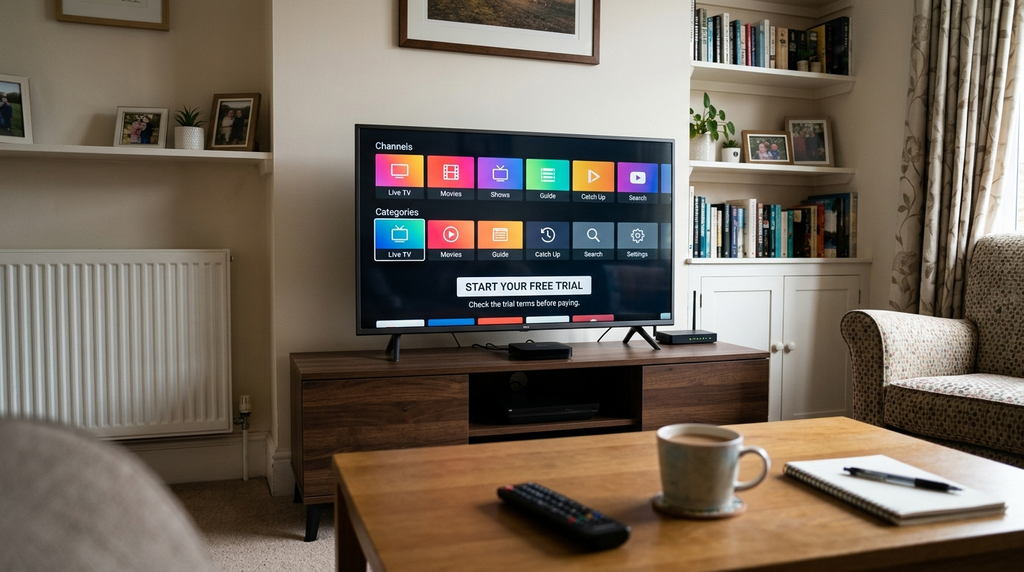
Quick answer: For a living-room TV and a bedroom TV playing at once, look for a 2 simultaneous connections plan. If you only switch between those devices and never play both at once, one connection may be sufficient—subject to the provider’s device and account rules. A subscription to a player app is not the same as a subscription to television content.
Table of Contents
Table of Contents
What does an IPTV Subscription for 2 Devices UK actually include?
A connection normally describes one video stream playing at a particular moment. If an account permits two concurrent connections, it is intended to support two streams at once. A TV can play one permitted programme while another device plays a different permitted programme. Whether a specific service allows different households, internet addresses, or countries to share the account is a separate contract question; a two-connection allowance does not automatically grant those rights.
Three terms are easily confused:
| Term | What it means | What you must verify |
|---|---|---|
| Installed device | A screen or box with a compatible player installed | Whether the provider restricts registered devices or device changes |
| Simultaneous connection | One active stream counted against the subscription limit | Whether two independent streams are included |
| Player app licence | Access to a particular playback application or its premium features | Whether the player charges separately from the content service |
For example, an Android phone, an Amazon Fire TV Stick and a Samsung television could all have compatible software, but that does not establish permission to watch all three at once. On a two-connection plan, the relevant test is whether two are actively streaming together. Some providers also count connections during reconnection or keep them active briefly after a stream closes; ask support how their limits work rather than assuming a universal rule.
The same distinction applies to households with two smart televisions. An app on both TVs does not prove that two people can watch independently. The subscription must expressly permit the simultaneous use you want.
One connection or two: which plan fits your household?
Count the highest number of people likely to watch simultaneously, rather than the number of devices you own. These examples are planning scenarios, not claims about any provider’s actual customer accounts.
| Viewing situation | Likely connection need | Why |
|---|---|---|
| You move from the living-room TV to your phone, never using both together | 1, if device switching is allowed | Only one stream is active at a time |
| Two adults watch different programmes on separate TVs in the evening | 2 | Two independent streams overlap |
| A parent uses Fire TV while a child uses an Android tablet | 2 | Two screens play at the same time |
| Two televisions plus a phone are all streaming concurrently | 3 | A two-connection plan would not cover all three |
| Two addresses want to use one account | Not determined by the connection count | Household, location and network-sharing rules need written confirmation |
The peak viewing period matters. A household may use only one screen most mornings but need two on weekday evenings. Ask everyone who will use the subscription whether their viewing times overlap. This simple check can prevent paying for more connections than needed—or discovering too late that a second screen cannot play.
A quick decision method: Write down your screens, their operating systems, their usual locations, and the number likely to stream together. Then compare that number with the plan’s stated simultaneous-connection limit. If one device may travel, clarify whether the provider permits use on mobile data or outside the original network.
How to compare two-device IPTV plans in the UK
For a transactional search such as “IPTV subscription for 2 devices UK”, a useful comparison must go beyond a headline monthly equivalent. Buyers need the actual amount due, access conditions, and reliable documentation about what they are purchasing.
1. Confirm the plan includes two simultaneous streams
Do not accept “works on two devices” as the only description. Ask: “Can two devices play different streams at exactly the same time?” Also check whether the provider has limits on device registration, account sharing, or use across separate connections and addresses.
2. Compare the total payment, not an assumed per-month price
A one-month and a twelve-month plan may have different upfront commitments. The total price for two connections may be higher than the advertised one-connection price. If a website offers selectable device counts, switch to two before comparing figures. Do not assume a US-dollar price is a fixed pound-sterling quote or that a bank will use a particular exchange rate.
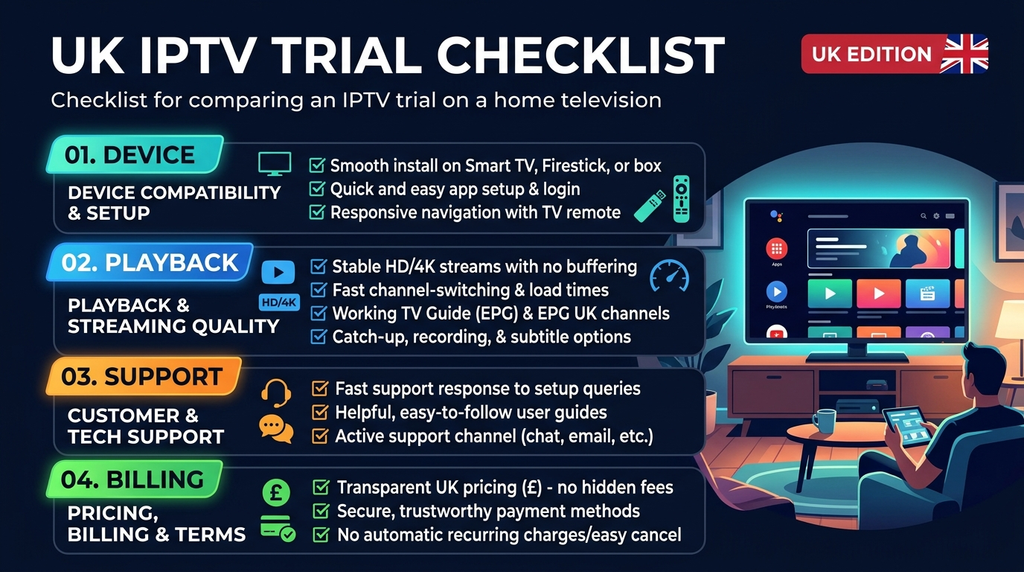
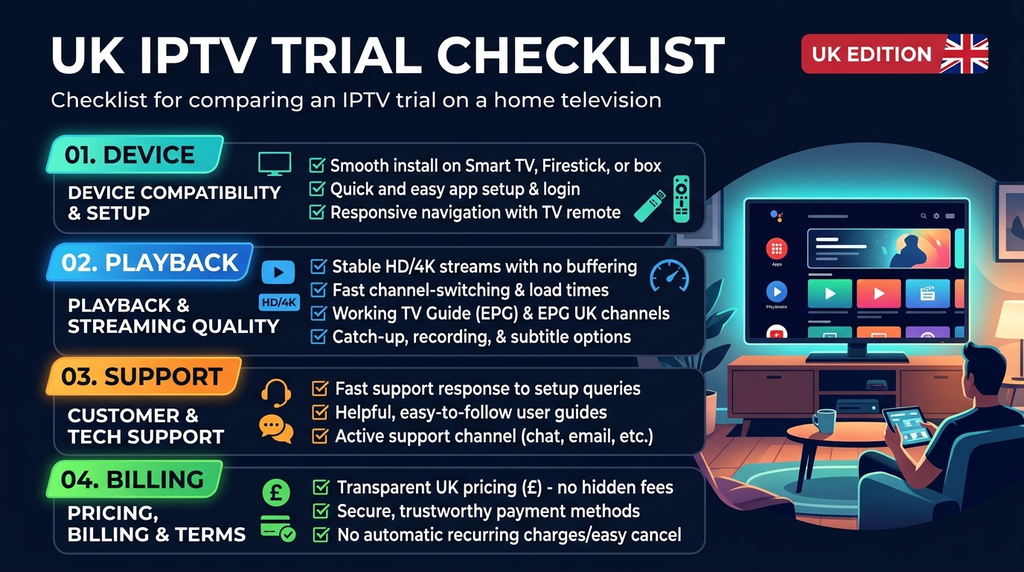
Use this checklist when recording an offer:
| Detail | What to write down before payment |
|---|---|
| Subscription term | 1, 3, 6 or 12 months—or the actual offered term |
| Concurrent streams | Explicitly 2 |
| Total upfront cost | The final checkout amount and currency |
| Renewal rules | Whether it expires or renews automatically |
| Playback locations | Same home, multiple networks, travel: what is permitted? |
| Applications | Which player is supported on each exact device? |
| Included content | Authorised channels or programmes available in the UK |
| Support and refunds | Written contact route, response process and applicable conditions |
Dividing an annual upfront payment by twelve gives a useful monthly equivalent; it does not mean the provider bills monthly. Record any exchange or card-conversion fees separately.
3. Treat content rights as a buying requirement
Ask the seller which UK channels, sports competitions or films are lawfully offered under the selected plan and what territorial limits apply. A catalogue screenshot, the presence of a player app, or a claim to have thousands of channels is not evidence of permission to redistribute copyrighted programmes. If authorisation cannot be established for the content you want, use an authorised broadcaster or streaming distributor instead.
4. Read the support, delivery and refund terms
Find out how account details are delivered, what information the player requires, what happens if a login fails, and whether the policy covers the issue you are worried about. A short refund request window is not the same as an unconditional money-back guarantee. Save a dated record of the final order summary and current policy.
Which devices can work with a two-screen setup?
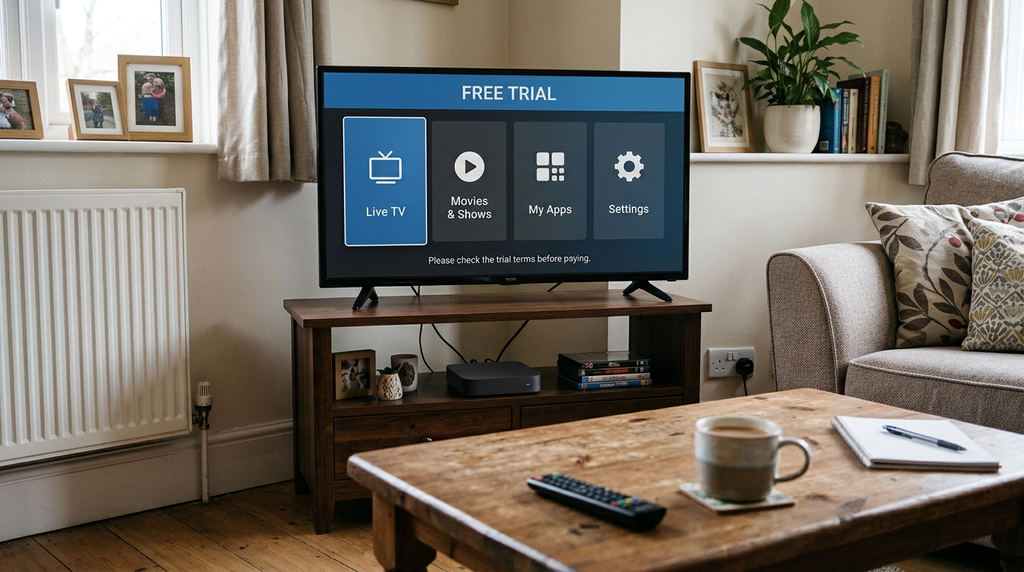
The device model, operating system, local app store and selected player matter more than a generic “all devices supported” promise. Digital Lizard IPTV publishes device-specific setup guidance for several categories; those instructions do not guarantee that every model or player is supported.
Amazon Fire TV Stick + Samsung or LG smart TV
For Fire TV, Amazon’s official app-installation instructions describe searching from the Fire TV menu and choosing an available application. Use an appropriate legitimate player from the official store where possible. Avoid unofficial modified applications and unknown download links.
On Samsung and LG televisions, find a player in the television’s own store and confirm that it supports the account format you will receive. Samsung Tizen and LG webOS are not Android TV, so Android installation instructions do not necessarily apply. Some players also charge separately for activation or premium features.
Android TV or Google TV + Android phone
On Google TV, search for a compatible player and install it if available in the device’s app catalogue. Google’s official Google TV app guide shows the basic process. The version designed for a television remote may differ from the phone version, even where both use the same provider account format.
Check whether the phone will connect over home Wi-Fi, mobile data or another network. A two-stream allowance does not by itself establish cross-network or roaming permission.
Apple TV + another compatible screen
Apple TV uses tvOS applications. Confirm that the exact Apple TV model supports the chosen player in its local App Store, then check the supported account method. Do not assume that purchasing the IPTV content plan pays for a separately licensed Apple TV player.
What login details might be needed? Depending on the permitted provider and player, setup may call for a username, password, server address, account code or playlist link. These are not interchangeable. Use the method supplied by your provider, keep credentials private and never paste them into public support posts.
How to set up and test IPTV on two devices
Set up only with content and services you are authorised to use. The following is a practical verification workflow, not a claim that a particular device combination was personally tested for this article.
- Verify the purchase terms first. Confirm two concurrent streams, UK availability, content rights, the final cost and any network-sharing restrictions.
- Update both devices. Check that the operating systems have a stable network connection and any needed updates.
- Install suitable players. Use each platform’s official store where available; verify the supported login method and any separate app charge.
- Add the authorised account to screen one. Enter the credentials exactly, without accidental spaces, and let the player load its programme information.
- Add the account to screen two, if permitted. Follow the second device’s own instructions; do not assume the interface will look identical.
- Start stream A on the first screen. Select programming included in your lawful subscription.
- While A continues, start stream B on the second. Prefer a different programme. Confirm that both continue independently rather than one disconnecting the other.
- Repeat during a normal busy viewing period. Check basic playback, audio, remote navigation, loading times and whether both streams recover after restarting the apps.
- Record any failure. Note the devices, app names, connection types, time of the issue and the exact error for support. Do not send passwords or complete payment details.
A test that works on only one screen does not demonstrate a two-connection plan. A test that briefly works on both does not prove uninterrupted performance forever. The purpose is to assess compatibility and the service’s connection-limit behaviour under realistic conditions.
A simple two-device setup example
Imagine a UK household with a Fire TV Stick in the lounge and a Samsung television in a bedroom. The lounge viewer starts one permitted stream; the second viewer then starts a different stream from a compatible Samsung app. If the first stops whenever the second starts, check the account’s actual connection entitlement, then rule out incorrect credentials and app issues. Do not automatically pay for a second account before asking for a clear explanation.
UK rules: TV Licences are not the same as streaming rights
Two independent obligations are often confused: whether a household needs a UK TV Licence and whether a content provider has the rights to distribute particular programmes.
When is a UK TV Licence needed?
According to TV Licensing’s official guidance, you normally need to be covered by a TV Licence to watch or record live television on any TV service or streaming service, including via a smart television, streaming stick, computer or phone. You also need one to use BBC iPlayer, including its on-demand programmes. Watching only other on-demand services may not require a TV Licence, depending on what is viewed. Check the official guidance for your circumstances.
A TV Licence is not a subscription to every channel and does not authorise an IPTV seller to retransmit copyrighted programmes.
How can you tell whether an IPTV service is authorised?
IPTV is a way to deliver video over internet networks. It can be used for authorised or unauthorised programming. The UK government’s guidance on illicit streaming devices explains that the legality issue arises when a device or service is used to access content without the copyright owner’s permission.
Before buying, identify the actual seller and ask for credible confirmation of rights for the specific UK content you want. Check the territory, channel or event and any restrictions. If the response is inadequate, do not infer legality from the low price, an app logo, a payment form, a VPN, or the fact that a stream happens to play.
Two-device IPTV troubleshooting: what to check first
Troubleshooting is easier when you separate account-limit problems from app, device and network problems.
| Symptom | Possible explanation | Useful first check |
|---|---|---|
| Screen one stops when screen two starts | Subscription may allow only one active stream, or another account rule applies | Verify the paid connection count and provider’s session rules |
| Second device rejects login | Typing error, incompatible login mode or device restriction | Re-enter details carefully in the correct account method |
| Both screens buffer at the same time | Shared Wi-Fi congestion, broadband instability or source issues | Test each device separately, then together; compare Wi-Fi with Ethernet where available |
| Only one app buffers | Player, device memory or local Wi-Fi issue | Update or restart that device and player |
| One TV cannot find the recommended app | App not available for that model, region or OS | Search its official store for a supported alternative |
| Picture plays but audio fails | App audio settings, format support or device output configuration | Test another authorised stream and inspect device audio settings |
| Guide or programme list is empty | Loading issue, login method or incomplete provider data | Restart the app, verify login details and contact support |
Do not interpret every buffering incident as evidence of a missing connection. A two-stream entitlement controls concurrency; it does not guarantee broadband capacity, a particular resolution or perfect availability. Try an Ethernet connection on a stationary device when practical, and avoid changing several settings at the same time because that makes the cause harder to identify.
If the problem continues, use Digital Lizard IPTV’s support page with the exact device models, app names, error messages and approximate time. Keep account credentials private.
Digital Lizard IPTV: what can UK buyers verify on the website?
The Digital Lizard IPTV homepage displays an option for 1 to 5 simultaneous connections, and explicitly says that a two-device selection means two screens can watch at once. Its public pricing page explains connection counts and subscription durations. The price shown by default for one connection must not be used as the two-device price.
The website also provides subscription ordering information, common account and device FAQs and a refund policy with a three-day request period, subject to its stated conditions. That is not an unconditional refund promise.
Before purchasing specifically for the UK, contact the seller and request written confirmation of the following: current UK service availability; the final price and currency for two simultaneous connections; both device models and apps; limits on household or network sharing; the particular content’s UK distribution rights; and the applicable refund conditions. Public plan and policy pages alone do not establish every one of these details.
A useful support message would be: “I am in the UK and want two screens to stream different programmes simultaneously. My devices are [model one] and [model two]. Please confirm the current two-connection total, whether both devices and networks are permitted, and which programmes you are authorised to offer in the UK.”
Once those points are confirmed and satisfactory, compare the current plan options and review the order summary. If the account terms or content rights remain unclear, choose an authorised UK streaming alternative rather than proceeding on assumptions.
Frequently asked questions
Can one IPTV subscription work on two TVs at the same time?
Yes, if the subscription expressly includes two simultaneous streams, both TVs support suitable players, and the provider’s terms permit that usage. Installing the app on two TVs is not enough by itself.
Is a two-device plan the same as two separate accounts?
Not necessarily. A single account may have a two-stream entitlement, while another provider may issue separate credentials or enforce registered-device restrictions. Ask how the specific offer is provisioned.
Can I use a Fire TV Stick and a Samsung smart TV together?
Potentially, yes. Verify that compatible player apps exist for the exact Fire TV and Samsung models, that the supplied login method works in both apps, and that two concurrent streams are included.
Can I use one screen on Wi-Fi and the other on mobile data?
The technology may support it, but permission depends on the service’s location and network rules. Two connections do not automatically permit use across separate homes or countries.
Does a two-device plan include the IPTV player app?
Not always. The content subscription and the software player can be separate purchases. Check any app activation fee, premium feature charge and the player’s own terms.
Is the annual one-device price also the two-device price?
No such assumption is justified. Select two devices in the provider’s current plan chooser and verify the exact total at checkout. A one-connection default price is not a reliable quote for two streams.
Do I need a TV Licence for IPTV in the UK?
You generally need to be covered to watch or record live TV on any TV service or streaming service and to use BBC iPlayer. See official TV Licensing rules. This is separate from the question of whether the content provider is authorised to distribute the programmes.
What if the second screen keeps disconnecting?
First check that two simultaneous streams were actually purchased. Then test the two devices separately, confirm the login method, review the provider’s session rules and compare network connections. Supply the exact error to support without revealing your password.
Conclusion: choose two streams, not just two installations
A suitable IPTV subscription for two devices in the UK needs two confirmed simultaneous streams, compatible players, clear prices and account rules, and lawful access to the particular programming you intend to watch. Begin by counting your household’s peak number of active screens. Then check both devices, test them together when legitimately possible, and verify the seller’s UK terms and content authorisation.
For Digital Lizard IPTV, the practical next step is to review its published plan information and ask support to confirm the UK-specific terms before committing to an order. The right decision is one supported by clear evidence—not a headline claim or an assumed discount.