
A vizio 100 inch tv is no longer just a concept for an expensive custom home theater. VIZIO now offers a genuine 100-inch-class Quantum 4K Smart TV aimed at buyers who want an enormous screen without moving into projector territory.
The current model, VQD100M-0804, combines a 99.5-inch viewable display, 4K resolution, Quantum Color, Full Array LED backlighting, Dolby Vision support, Wi-Fi 6, VIZIO OS, and gaming support up to 120fps at 1080p.
But size alone should not decide the purchase.
A television that measures almost 88 inches wide changes the way you need to think about room layout, mounting, seating distance, delivery, streaming hardware, sound, and even the quality of the content you watch.
This guide breaks down the vizio 100 inch tv from a buyer’s perspective so you can decide whether such a massive display actually makes sense for your home.

Table of Contents
Table of Contents
What Is the vizio 100 inch tv?
The current vizio 100 inch tv is VIZIO’s VQD100M-0804 Quantum 4K Smart TV.
Despite the 100-inch class name, VIZIO lists the actual viewable screen size as 99.5 inches. It uses a 3840 × 2160 4K panel with Quantum Color technology and Full Array LED backlighting.
The television also supports:
- Dolby Vision
- HDR10+
- HDR10
- HLG
- HDMI VRR
- Wi-Fi 6
- Bluetooth 5.2
- VIZIO OS
- VIZIO Voice Remote
- 1080p gaming up to 120fps
- QuickFit-compatible VIZIO soundbars
Those specifications place it firmly in the large-format home-entertainment category rather than simply being an oversized entry-level TV.
vizio 100 inch tv Specifications
Here are the most important verified specifications.
| Feature | VIZIO 100-inch specification |
|---|---|
| Model | VQD100M-0804 |
| Class size | 100 inches |
| Viewable display | 99.5 inches |
| Resolution | 3840 × 2160 4K UHD |
| Panel technology | Quantum Color / QLED-style quantum-dot system |
| Backlight | Full Array LED |
| Native refresh rate | 60Hz |
| Gaming | Up to 120fps at 1080p |
| VRR | HDMI VRR |
| HDR | Dolby Vision, HDR10+, HDR10, HLG |
| HDMI inputs | 3 |
| Wi-Fi | Wi-Fi 6 |
| Bluetooth | Bluetooth 5.2 |
| Smart platform | VIZIO OS |
| Speakers | 10W × 2 |
| VESA mount | 800 × 400 mm |
| Weight without stand | 104.06 lb |
| Weight with stand | 106.04 lb |
VIZIO’s specifications confirm that the set is a native 60Hz television. Its 120fps mode applies at 1080p rather than 4K/120.
That distinction is important for gaming buyers.
How Much Does the vizio 100 inch tv Cost?
At the time of research, Walmart lists the VIZIO 100-inch Quantum 4K TV at approximately $1,498, although promotions and local availability can change.
Sam’s Club has also carried the model at around the same regular price, with temporary promotional pricing appearing at different points.
That makes price checking particularly important.
Ultra-large televisions often receive much larger promotional discounts than conventional 55- or 65-inch models because retailers need to move physically large inventory.
Do not judge value from MSRP alone.
Check:
- Current selling price
- Delivery cost
- Installation service
- Wall-mount cost
- Extended warranty options
- Return policy
- Price-match policy
A promotion can materially change whether the vizio 100 inch tv represents strong value compared with a 98-inch TCL, Samsung, or Hisense.
How Big Is a vizio 100 inch tv in Real Life?
This is where many buyers underestimate the purchase.
The VIZIO measures approximately:
87.69 inches wide
50.03 inches high without the stand
3.51 inches deep without the stand
With the stand installed, total height rises to about 52.82 inches and depth to roughly 17.22 inches.
The TV weighs approximately 104 pounds without its stand and 106 pounds with the stand.
That means this is not something most buyers will casually lift onto a cabinet alone.
Before ordering, measure:
- The wall.
- Doorways.
- Staircases.
- Hallways.
- Elevator dimensions if applicable.
- TV stand width.
- Delivery route from the entrance to the room.
The screen alone is wider than many compact sofas.
Compare 65 Inches vs 100 Inches
The jump from a 65-inch television to a 100-inch television is dramatic.
A typical 65-inch screen is roughly 56.7 inches wide, while a 100-inch screen is approximately 87 inches wide.
RTINGS calculates that a 100-inch screen has roughly 136% more screen area than a 65-inch display.
That additional screen area is why movies, live sports, and large-scale events can feel significantly more immersive.
But it also explains why seating distance matters so much.
What Is the Best Viewing Distance for a vizio 100 inch tv?
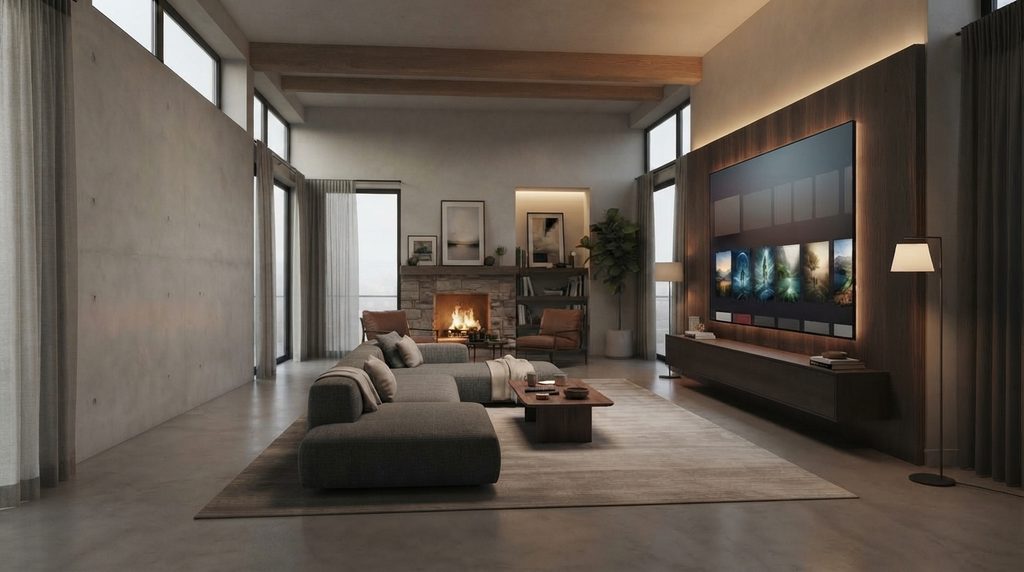
For mixed television usage, a 100-inch screen generally works best in a relatively large room.
RTINGS uses a 30-degree field of view as a mixed-use guideline and a 40-degree field of view for a more cinematic experience.
For approximately 100 inches, that translates to roughly:
- Around 13 feet for relaxed mixed viewing
- Around 10 feet for a more cinematic experience
RTINGS lists 13 feet 3 inches for mixed usage and 9 feet 9 inches for cinema usage on a 100-inch display.
These are guidelines rather than rules.
A sports fan may enjoy sitting slightly farther back.
A movie enthusiast may prefer the screen to fill more of the field of vision.
Easy Room Test Before Buying
Use painter’s tape.
Mark an approximately 88-inch-wide by 50-inch-high rectangle on the wall.
Then sit in your normal position.
Watch the outline for several minutes.
If it feels overwhelmingly large even before the TV is installed, reconsider the size.
This small test can prevent an expensive mistake.
Picture Quality: What Does Quantum Color Add?
The vizio 100 inch tv uses Quantum Color technology.
VIZIO says the display can reproduce more than one billion color shades through its quantum-dot system.
For practical viewing, the larger concern should be how the combination of color reproduction, HDR, backlighting, room brightness, and content quality performs on such a giant panel.
The television supports four major HDR formats:
- Dolby Vision
- HDR10+
- HDR10
- HLG
This is useful because streaming providers and devices do not all rely on the same HDR format.
Full Array LED
The television uses a Full Array LED backlight rather than edge lighting.
Full-array backlighting places LEDs behind the screen instead of relying exclusively on light from the edges.
However, buyers should not automatically assume that every full-array TV performs like a premium Mini LED model.
Backlight technology, local-dimming implementation, brightness, processing, and panel characteristics all influence real-world picture quality.
Is the vizio 100 inch tv Good for Bright Rooms?
VIZIO specifically highlights an anti-glare matte screen on this model.
The company says the matte finish is designed to reduce reflections in brighter rooms.
That can be particularly valuable on a 100-inch screen.
The larger the panel, the more opportunities there are for windows, lights, and reflective objects to appear on the screen.
For daytime sports viewing or a large living room with several windows, anti-glare treatment can therefore matter almost as much as raw screen size.
Still, avoid positioning the television directly opposite strong sunlight when possible.
Is the vizio 100 inch tv Good for Gaming?
Yes, but buyers need to understand the refresh-rate limitation.
The TV’s native refresh rate is 60Hz.
VIZIO supports variable refresh rate and up to 120fps at 1080p. Its manual lists VRR ranges of 48–120Hz at 1080p and 48–60Hz at 4K.
That means:
Good Use Case
1080p high-frame-rate gaming.
Also Good
4K gaming up to 60fps.
Not the Same As
A native 4K 120Hz premium gaming television.
If your priority is PlayStation 5, Xbox Series X, or PC gaming at full 4K/120Hz, compare the specifications carefully before purchasing.
For casual console gaming, sports games, racing titles, split-screen games, and cinematic single-player games, however, a 100-inch display can create an extremely immersive setup.
VIZIO OS and Streaming
The vizio 100 inch tv runs VIZIO OS.
VIZIO currently says its smart platform provides access to more than 300 applications and integrates streaming apps, live TV, recommendations, and WatchFree+ into the Home Screen.
VIZIO also lists familiar services such as Netflix, Disney+, Hulu, Max, Apple TV+, and YouTube among supported platforms.
Wi-Fi 6 support is another useful inclusion.
VIZIO positions Wi-Fi 6 as better suited to congested smart-home networks than older Wi-Fi standards.
That does not guarantee buffering-free streaming, but it gives the television a modern wireless platform.
Should You Use an External Streaming Device?
Potentially.
One mistake buyers make with a premium large television is assuming the TV’s built-in smart operating system must handle every application they want to use.
An external device can provide another option.
Examples include:
- Fire TV Stick
- Android TV box
- Apple TV
- Compatible streaming box
Using external hardware can be useful when:
- A preferred app is unavailable on VIZIO OS
- You prefer another interface
- You want a specific media player
- You need additional app flexibility
- You want to keep your streaming environment separate from the TV OS
The vizio 100 inch tv has three HDMI inputs, so buyers should also plan ports carefully if they intend to connect a console, sound system, and external streamer simultaneously.
vizio 100 inch tv and Digital Lizard IPTV
A 100-inch television naturally attracts buyers interested in sports, movies, live television, and large-screen streaming.
That makes the streaming setup just as important as the panel.
If you use a legitimate IPTV subscription or other authorized streaming service, Digital Lizard IPTV provides dedicated information about subscription options and device setup.
Before connecting any IPTV service to the vizio 100 inch tv, first determine which playback method you intend to use.
VIZIO OS provides its own catalog of supported apps rather than functioning like an Android TV device.
Therefore, if your preferred IPTV player is not present in VIZIO’s current app catalog, an external compatible streaming device may be the simpler approach.
For example:
VIZIO TV → HDMI → compatible streaming device → supported IPTV player
This arrangement allows the television to handle the display while the streaming device handles the application.
You can review the Digital Lizard IPTV Setup Guide before deciding which device and player combination best fits your system.
You can also compare available Digital Lizard IPTV pricing plans before purchasing a subscription.
Why This Matters on a 100-Inch Screen
On a display this large, poor-quality source material becomes easier to notice.
Compression artifacts, low-resolution video, unstable Wi-Fi, and badly encoded streams that may look acceptable on a phone can become very obvious when stretched across a 100-inch screen.
For the best experience:
- Use stable broadband.
- Prefer Ethernet where practical.
- Use 5GHz or Wi-Fi 6 when wireless.
- Select reliable playback hardware.
- Use high-quality source streams.
- Avoid unnecessary Wi-Fi congestion.
- Confirm the player’s device compatibility.
A huge display cannot improve a poor source.
Wall Mounting the vizio 100 inch tv
The VIZIO uses an 800 × 400 mm VESA mounting pattern and M8 mounting hardware specifications.
This is not the type of TV where you should purchase a generic small wall mount without checking specifications.
The display weighs more than 100 pounds.
Your mount should be explicitly rated for:
- The TV’s weight
- 100-inch screen size
- 800 × 400 VESA pattern
Wall construction also matters.
Drywall alone should not be treated as sufficient structural support for a television this large.
Professional installation may be worth considering, especially if you are uncertain about studs, masonry, cable routing, or mounting height.
Do You Need a Soundbar?
Probably, if you are creating a true large-screen theater experience.
VIZIO lists two 10W integrated speakers.
They are useful for basic listening, but the scale of a 100-inch screen may encourage buyers to pair the television with stronger audio.
The television supports HDMI eARC, optical audio, and Bluetooth audio according to VIZIO’s manual.
It is also QuickFit compatible with selected VIZIO soundbars.
That gives you several upgrade routes:
- Soundbar
- Soundbar + subwoofer
- AV receiver
- Surround system
Budget for audio before buying if movies are a major reason for moving to 100 inches.
Pros and Cons of the vizio 100 inch tv
| Pros | Considerations |
|---|---|
| Massive 100-inch-class screen | Requires substantial wall space |
| 4K resolution | Native panel refresh is 60Hz |
| Quantum Color | 4K gaming tops out at 60Hz |
| Dolby Vision + HDR10+ | Very heavy compared with conventional TVs |
| Full Array LED backlight | Delivery and mounting require planning |
| Anti-glare screen | Three HDMI ports may be limiting for complex setups |
| Wi-Fi 6 | Built-in audio may not match the scale of the screen |
| 1080p 120fps gaming | External streamer may be needed for some apps |
| Competitive large-screen pricing | Retail pricing changes frequently |
7 Best Checks Before Buying a vizio 100 inch tv
1. Measure the Wall
You need approximately 88 inches of horizontal space just for the television.
Leave additional room for speakers, ventilation, furniture, and cable access.
2. Measure Your Viewing Distance
Around 10 feet creates a relatively immersive cinematic field of view.
Around 13 feet is closer to a conventional mixed-use recommendation.
Choose according to your preferences and room.
3. Verify the Delivery Route
A television box this large may not fit easily through narrow doors, staircases, or elevators.
Do not discover that problem on delivery day.
4. Decide Between Stand and Wall Mount
The TV weighs over 100 pounds.
Confirm furniture and mount ratings before installation.
5. Check Your Gaming Requirements
If you require 4K at 120Hz, this model is not designed for that use.
Its 120fps gaming mode is at 1080p.
6. Plan Your Streaming Hardware
Check whether your preferred streaming apps are available through VIZIO OS.
If not, budget for an external streamer.
For IPTV users, verify the player and device combination before subscribing.
7. Compare the Current Price
The ultra-large TV category is highly promotional.
A difference of several hundred dollars can change the value comparison dramatically.
Check VIZIO, Walmart, Sam’s Club, and competing 98–100-inch options immediately before buying.
vizio 100 inch tv vs 98-Inch Alternatives
Do not reject a 98-inch TV simply because the number is two inches smaller.
The visual difference between 98 and 100 inches is relatively modest compared with the differences that can exist in:
- Brightness
- Local dimming
- Refresh rate
- Gaming support
- Smart platform
- HDMI connectivity
- Warranty
- Price
At the time of research, Sam’s Club listed alternatives including a Samsung 100-inch Neo QLED and TCL 98-inch models, although their prices and technologies differ considerably.
Therefore, compare picture technology before screen-size marketing.
A high-performing 98-inch Mini LED television may be a better match for some buyers than a less expensive 100-inch model.
Likewise, buyers focused mainly on maximum screen area per dollar may reach the opposite conclusion.
Who Should Buy the vizio 100 inch tv?
This television makes the most sense for buyers who:
- Have a large living room or media room
- Sit roughly 10–13 feet from the display
- Watch lots of sports or movies
- Want a projector-like scale with TV convenience
- Prefer QLED/Quantum Color
- Want broad HDR format support
- Need Wi-Fi 6
- Are satisfied with 4K/60 gaming
- Want 1080p/120 gaming capability
- Can safely accommodate a 100-pound television
Who Should Consider Something Else?
Look elsewhere if:
- Your room is small.
- Your couch is extremely close to the wall.
- You require native 4K/120Hz gaming.
- You want premium Mini LED performance.
- You cannot safely transport or mount a 100-inch TV.
- Your budget does not include installation and audio.
- You primarily watch low-resolution content.
A smaller premium TV can sometimes produce a better overall experience than a giant television placed in the wrong room.
Common Buying Mistakes
Buying Based Only on Screen Size
One hundred inches looks impressive on a product page.
That does not automatically mean it is appropriate for your room.
Ignoring the Refresh Rate
“120” in marketing language should never be assumed to mean 4K/120Hz.
For this VIZIO, the official native refresh rate is 60Hz, with 120fps available at 1080p.
Forgetting the Mount
An existing 65-inch TV mount may not be appropriate.
Check both VESA pattern and weight capacity.
Ignoring Source Quality
A 100-inch screen magnifies both good and bad video.
High-quality 4K content looks far more appropriate than heavily compressed low-resolution video.
Assuming Every App Is Available
Verify the VIZIO OS app catalog.
If a player is missing, an external streaming box may be necessary.
vizio 100 inch tv FAQ
Is there really a VIZIO 100-inch TV?
Yes. VIZIO currently lists model VQD100M-0804 as a 100-inch-class Quantum 4K Smart TV with a 99.5-inch viewable display.
Is the vizio 100 inch tv 4K?
Yes.
Its native resolution is 3840 × 2160 UHD.
Is the vizio 100 inch tv QLED?
VIZIO markets the model with Quantum Color technology. Retailers commonly describe it as a Quantum/QLED television.
Does the vizio 100 inch tv support Dolby Vision?
Yes.
It supports Dolby Vision, HDR10+, HDR10, and HLG.
Does it have 120Hz?
The panel’s native refresh rate is 60Hz.
It supports up to 120fps at 1080p gaming, while 4K VRR operates up to 60Hz.
How far should I sit from a 100-inch TV?
Roughly 10 feet provides a more cinematic field of view, while around 13 feet is closer to a conventional mixed-use recommendation. Personal preference still matters.
How heavy is the vizio 100 inch tv?
VIZIO lists approximately 104 pounds without the stand and 106 pounds with the stand.
Can I wall mount it?
Yes.
The official specification lists an 800 × 400 mm VESA pattern.
Use a mount rated for the TV’s size and weight.
Is the vizio 100 inch tv good for streaming?
Its 4K resolution, HDR support, anti-glare display, VIZIO OS, Wi-Fi 6, and large screen make it well suited to big-screen streaming when paired with high-quality content and a stable internet connection.
Can I use Digital Lizard IPTV with a VIZIO TV?
The practical setup depends on whether the IPTV player you intend to use is available through VIZIO OS.
If it is not, a compatible external streaming device connected through HDMI can provide another route.
Always use properly authorized streaming services and review the Digital Lizard IPTV setup guide before configuring your device.
Final Verdict: Is the vizio 100 inch tv Worth It?
The vizio 100 inch tv is most compelling for one specific type of buyer: someone who genuinely has the room for a 100-inch screen and wants cinematic scale without moving to a projector.
Its strongest features include 4K resolution, Quantum Color, multiple HDR formats, an anti-glare screen, Wi-Fi 6, Full Array LED backlighting, and 1080p gaming up to 120fps.
Its main limitations are equally clear: the panel is native 60Hz, the television weighs more than 100 pounds, and installing a display almost 88 inches wide requires real planning.
If your room, viewing distance, mounting solution, streaming hardware, and budget all make sense, this VIZIO can turn ordinary streaming, movies, and sports into a dramatically larger experience.
For IPTV viewing, pair the television with a compatible player or external streaming device and check the latest Digital Lizard IPTV subscription options before configuring your setup.